Import All Of Your Contact Data
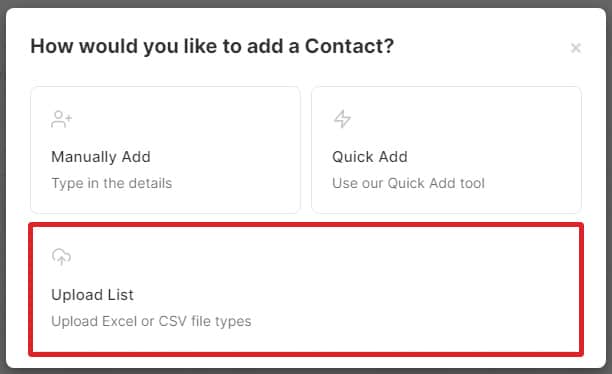
Once you have signed up for an account with DialMyCalls you can then begin to add all of your contacts into the system. From the "My Contacts" tab you can utilize the "Upload Contacts" option if you happen to have quite a few contacts - utilizing this method will save a lot of time in comparison to adding every contact individually.
Choosing the import option will first ask you to select the file that you wish to upload into your account – we currently accept . XLS, .XLSX and .CSV file formats.
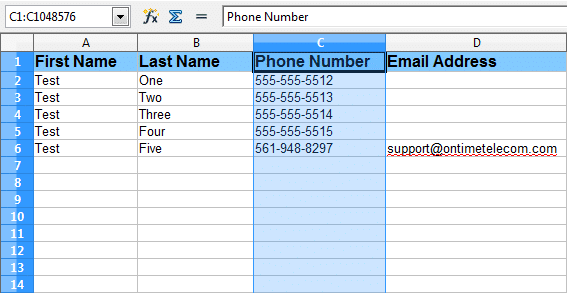
Please make sure that your database has 10-digit phone numbers in a single column as shown in the sample or our system will not recognize the file.
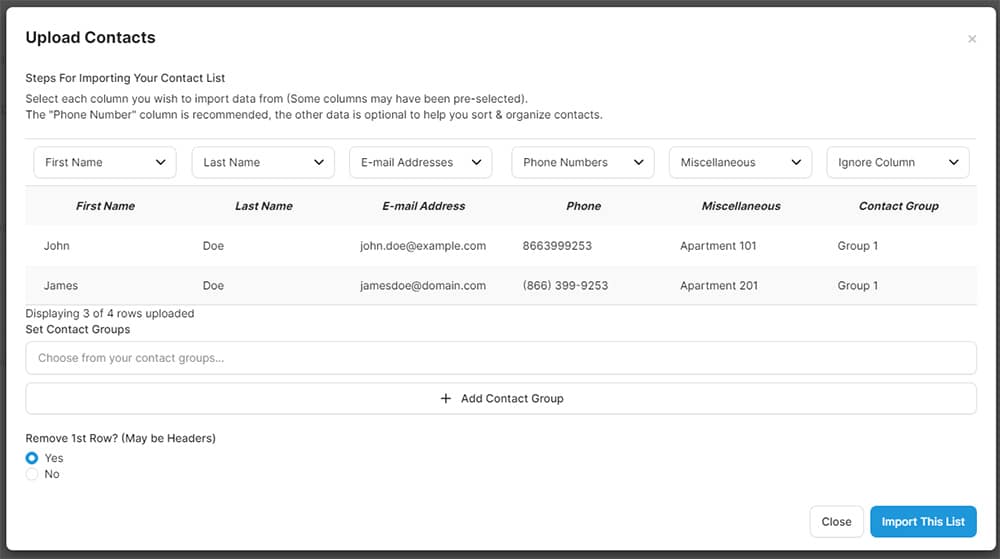
After our system recognizes your database you will see a preview window of your file on your screen. This step is where you are going to assign the columns of data, letting our system know what to set as the following information: First Name, Last Name, Phone Number, Email Address, Miscellaneous, and Contact Group – please keep in mind that the only required information are the phone numbers, everything else is optional.
In four quick steps you will have all of your contacts imported into your DialMyCalls account, please check out the steps below:
- Step One: In the file import preview window you will see your data and above each column you will see “Click Here” – clicking that link will assign the data in that particular column.
- Step Two: You have the ability to create contact groups right from within your Excel file. Simply create a new column that will contain the group name(s). You will need to have the contact group name in every row next to the numbers you would like to be added to that group. The entry that shows “Test One$$$Test Two$$$Test Three” will add that particular number to three different groups – simply type out the first group name and then add “$$$” between any additional groups you want that contact to be added to.
- Step Three: If you do not add contact groups from within your Excel file as mentioned above then you are able to create a new group here and all of the contacts you are uploading will be added to that new group.
- Step Four: Click on “Import This List” and your date will be added to your DialMyCalls account.
Once you click on “Import This List” the “View Upload Queue” pop-up will appear on your screen. This feature allows you to see real-time progress of every contact list that you have uploaded in that past 24 hours.
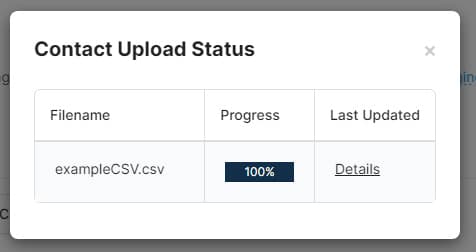
You are able to log out and come back later to check the progress of contact lists that you have uploaded into your account. Larger lists may take time to upload and the real-time upload queue will allow you to monitor the status without having to stay at your computer and worry about being timed out. *Note: To access the option pictured below, simply login to your account, click on “My Contacts” and then “Upload Contacts”.
Importing, depending on the amount of contacts in your file, may take a few moments to process – once the upload is complete all of your contacts will appear in your account. You will now be able to see all of the phone numbers that you imported as well as any contact groups that you created.
If you have any additional questions about importing contact data into your DialMyCalls account, please contact us.