DialMyCalls How To: Record The Perfect Voice Message

DialMyCalls

Recording a professional sounding voice message to send out to your business, clients, friends or family can be a tricky task.

Today we are going to go over a few steps to help our members record the best possible voice message to use with DialMyCalls. The first thing you are going to need to do is sign up for an account with DialMyCalls - it's free and extremely easy!

Once you have signed up for your account, you are going to want to add some contacts that will receive the voice message you are about to record. To do this, just go to the My Contacts tab of your account and either enter them manually or from an Excel spreadsheet. Now that you've added your contacts to your account, let's record your message!

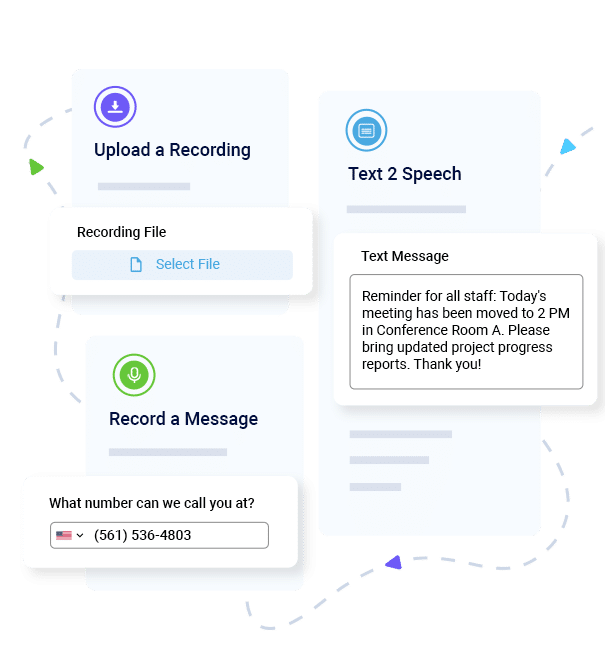
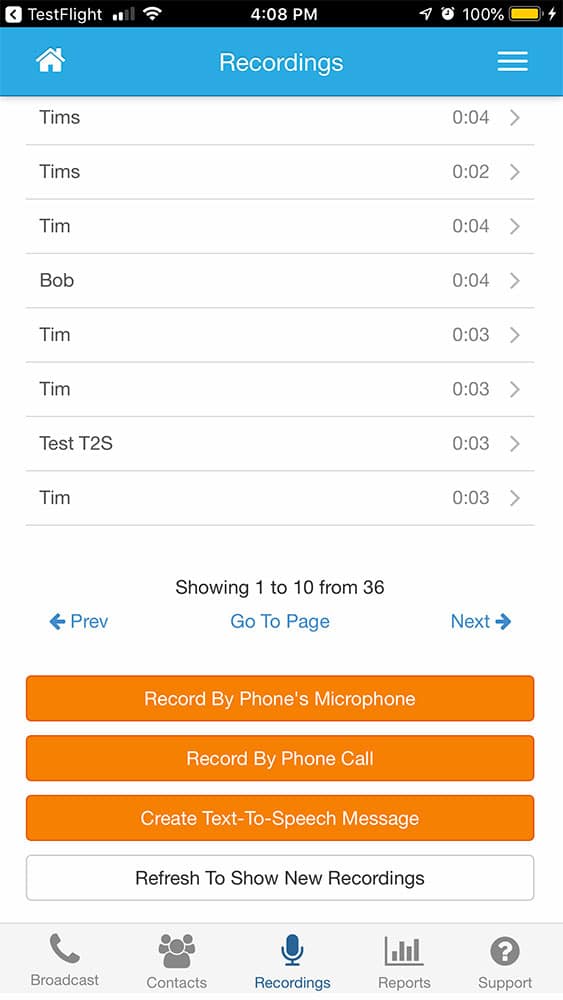
Our voice broadcasting service allows you to record your voice message in three very different ways. Below we will go over each recording method and give you tips on how you can make them sound as good as possible:

Voice Message Recording Options + Tips

  • Using A Touch-tone Phone - This method of recording is the most popular on DialMyCalls as it is the quickest and easiest way to get a great sounding voice message. When selecting this option users will be prompted to enter their phone number so that our system can give them a ring. Make sure that you are answering the call on a newer phone that you can be heard clearly on. Once you answer our automated calling system, you will follow our automated prompts which will allow you to record your message.

    The trick to a perfect voice message using our touch-tone phone method is quite simple. Do NOT have anything playing in the background (music, television, screaming babies, pets). There is also a method in which you should hold the phone to your mouth - you don't want it so close that you are eating it but you also don't want it too far away. Another great tip for recording a voice message is to have a script that you can read off of - this will reduce the likelihood that you stumble on your own words.

  • Upload An MP3 or WAV Sound file - Are you a tech savvy member of DialMyCalls? Do you have your own professional voice talent for your business? This option is for those who want to use their computer or a professional actor to record their voice message. With this method, the possibilities are limitless as you can add custom sound effects, music and other various cool features by using your computer and recording software. Should you choose to use this method, the big tip for you is to test your microphone volume before you record. Of course, as with the touch-tone phone method, you do not want any background noise going on while you are recording.

  • Text-to-Speech Tool - Members of DialMyCalls who wish to opt-out from recording their voice message can use this simple method. Simply type the message that you want recorded and our system will generate a computerized recording - I don't recommend this method if you are after a professional sounding message.

  • Professional Voice Talent - Don't have the perfect voice to record a great sounding voice message? DialMyCalls now offers a professional voice talent service in which you can choose from one of your 14 different voice actors and have them record your message for you! This service is an additional $25 per 30 second message and usually takes around 48 hours to complete.

Should you have any more questions regarding our voice broadcasting service or tips to record the perfect voice message, please feel free to contact our customer support!


DialMyCalls How To: Set Up A Spooky Halloween Voice Message

We absolutely love Halloween at DialMyCalls and have decided to offer a great promotion to all of our users - both new and existing members!

In honor of the upcoming Halloween holiday, we have decided to offer to record a spooky Halloween voice message to use as a party invitation. Our extremely talented voice actors (male/female) will take the information that you submit and turn it into a horrific Halloween party invite, filled with scary sounds that will make you cringe!

How hard is it to get one of our custom Halloween party invites made? It's extremely easy and below I will walk you through the steps so that you can be the talk of the town with your spooky party invites.

Step 1: Head on over to our DialMyCalls Halloween 2011 promotion page and listen to the samples of our spooky messages. After choosing either the male or female spooky voice actor, you must then sign up for an account with DialMyCalls and verify your phone number. (members you can go ahead and log in)

Step 2: Upon logging in to your account, locate the Free Custom Halloween Recording! box, located at the bottom of the page on the Home tab. Click "Get Your Recording Now".

halloween recording

Step 3: Once you have click the "Get Your Recording Now" link you will now be at the order form for your custom Halloween party invitation. Simply fill out the form and we will have our professional voice talent record your message.

dmc halloween recording

Step 4: We will contact you once the recording is finished. The Halloween voice message will be uploaded to your account and will be ready for you to send it out to your contacts!

Happy Halloween from everyone here at DialMyCalls!


DialMyCalls How To: Personalized Message Recordings With Professional Voice Talent

DialMyCalls.com now offers the ability to have your voice messages recorded by professional voice talent.

Do you have a voice message that needs to get out but don't have the tone for it? DialMyCalls now offers the ability to choose from 14 different voice actors who will happily record your personalized message for you. Don't worry about your message not sounding professional enough anymore, hire a pro to record it for you!

Let's take a look at the how you can take advantage of our brand new voice talent service, just follow the steps below and you can be on your way to professionally recorded voice messages:

Step One: If you haven't already, sign up for a DialMyCalls account - it's completely free!

Step Two: Choose a pricing plan so that you can start sending out voice broadcasts - we offer credit packages or monthly plans.

Step Three: Navigate to the Recordings tab within your DialMyCalls account and you will now see the Voice Talent option at the bottom. 

*Click For Larger Image*

dmc voice talent

Step Four: Once you have clicked the link from the step above, you will be taking to the ordering page four our new Professional Voice Actors. Pricing starts at $25 for a 30-second (350 character) voice message recorded by the voice talent of your choice - we offer 14 different actors, both male and female. 

*Click For Larger Image*

dmc voice talent setup

Step Five: Upon choosing your voice actor and typing in the message you would like professionally recorded by the DialMyCalls voice talent, you are now ready to complete your order. The next page will be the order confirmation screen in which you will purchase the voice actor. (Recordings take 48 hours to complete and will be emailed to you in WAV/MP3 format as well added to your account for immediate use.)

Start sending out professional voice mail greetings today by using the brand new DialMyCalls Voice Talent feature.


Voice Talent Actors Now Available On DialMyCalls

voice talent

We have added a brand new feature to our voice broadcasting system - professional voice talent!

Users of DialMyCalls.com now have the option to select one of fourteen professional voice actors to record their message for them. We now offer 7 female and 7 male voices for you to choose from so that you no longer have to record your own voice broadcasts.

$25 will get you a 30-second (350 character) message recorded by the voice actor of your choice. You can choose from the following: American (3 male / 3 female), Southern (male / female), Indian (male / female), En Espanol (male / female), English Accent (female) and Spanish (male).

The turnaround time on our brand new voice talent service is extremely fast too! Within 48 hours, your message will be professionally recorded, sent to you via email (WAV/MP3) and added to your DialMyCalls account for immediate use.

Don't worry about your voice message not sounding good anymore, hire one of our personal voice talent actors today!

Sign up now and try our services for free!

Use the promo code DMCBLOG and get 25 free extra credits

Create Free Account

Powered by Olark