Embed DialMyCalls Directly Into Your Own Website
Embeddable widgets are available to all customers and can be found by logging into your DialMyCalls account and then clicking on “Audience Growth”.
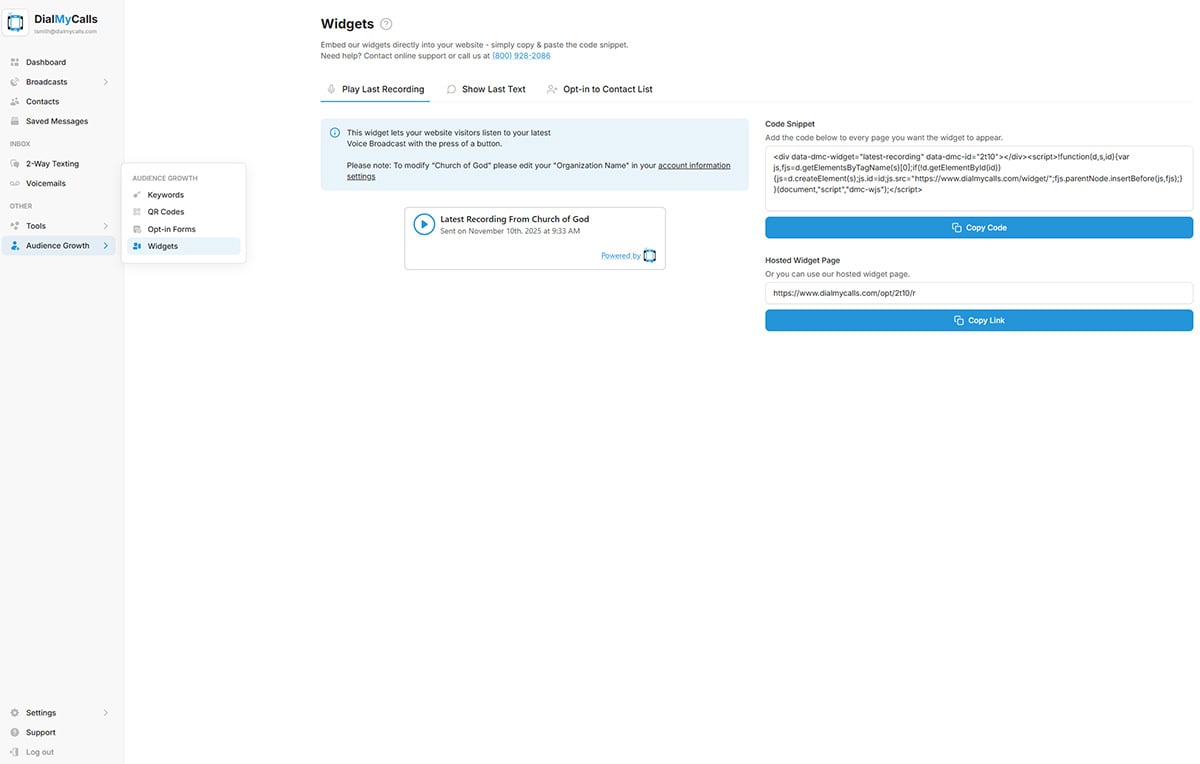
Play Your Latest Recording
Now you can give visitors of your website the ability to listen to the latest recording that was sent out from your DialMyCalls account. Our “Play Last Recording” embeddable widget is available to everyone with an account. You have two options to share your last recording:
- Copy/Paste the embed code directly into your website and visitors will be able to play your latest recording.
- Share the hosted widget link so that everyone can listen to your latest recording.
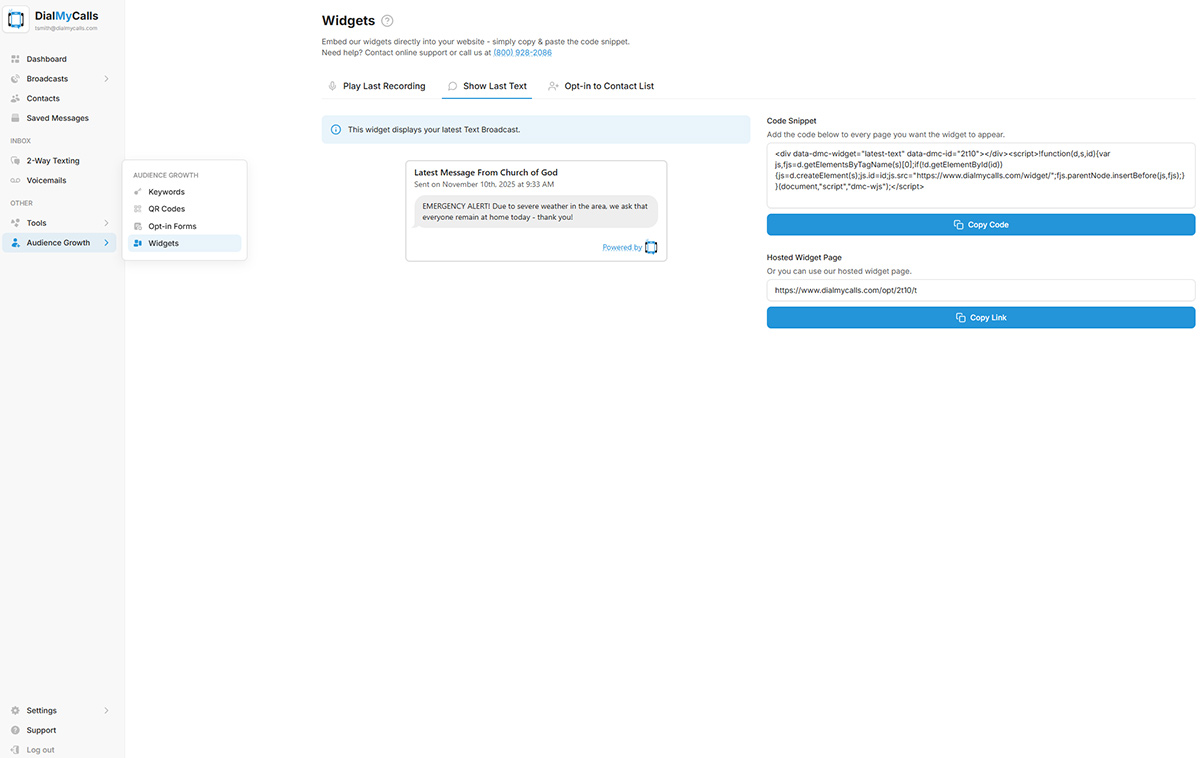
Show Your Latest Text Message
You can create a widget to show your last text message broadcast you sent from your DialMyCalls account. This widget is our most recent addition to the embeddable widgets we provide.
Embed An Opt-In Form For Your Notifications
DialMyCalls customers now have the ability to collect phone numbers directly from your own website. Our brand new opt-in widget gives your visitors the ability to sign up to receive your automated calls or mass text messages. Whether your are a church sending out weekly prayer requests or a school sending out emergency notifications, the brand new opt-in widget is an extremely easy way to collect contact information and then send out important alerts.
The first thing you will need to do for an embeddable opt-in form is to select which of your DialMyCalls contact groups all of the opt-ins will be added to. You now have the ability to choose optional information that can be collected from your opt-in widget. Gather the first name, last name and one additional miscellaneous field in addition to the 10-digit phone number – all of this information will be added into your DialMyCalls account. Once you have set up your opt-in form, you can either embed it into your own website or use our hosted link to share the opt-in form.
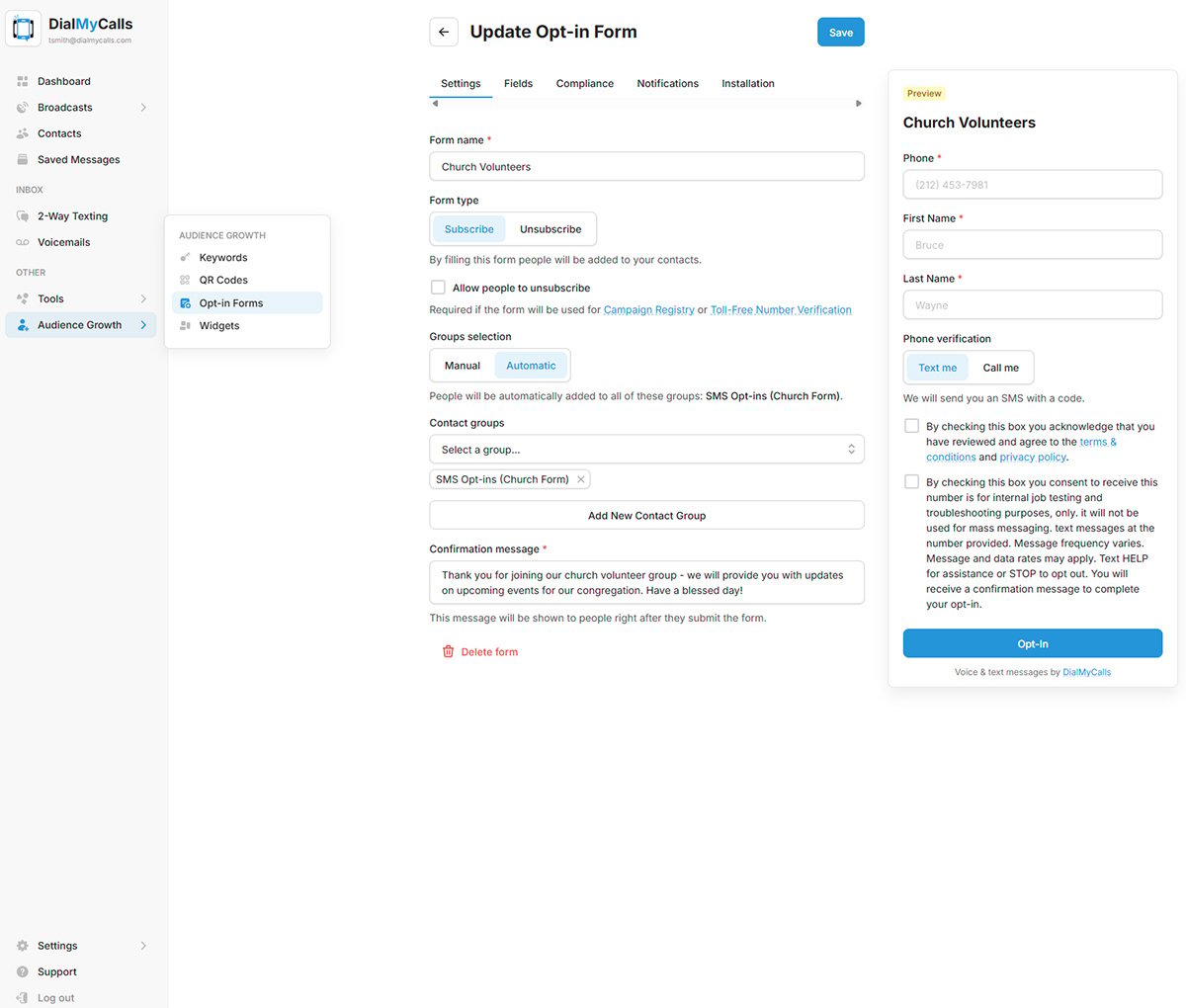
Your brand new opt-in widget is now ready to use. Simply copy/paste the provided code into your website and start collecting phone numbers that wish to receive your DialMyCalls voice broadcasts. When a visitor types in their phone number and hits subscribe they will be called immediately and given a verification code that they must enter – their number will be added to your DialMyCalls account once it has been verified.
Every DialMyCalls account will automatically receive the code for our embeddable widgets at no extra charge – to find the embeddable widgets and opt-in forms, simply log into your DialMyCalls account and click on “Audience Growth” to get started.
If you have any additional questions regarding the Embeddable Widgets or Opt-in Forms on DialMyCalls, please contact us.