How to Forward Grasshopper Calls to AI Receptionist
If you’re using Grasshopper to manage your business calls and you’ve just signed up for AI Receptionist, you’re probably wondering how to connect the two. The good news is that it’s pretty simple! There’s no tech-heavy integration, no API keys, no outside help required. You’re basically just forwarding your calls from Grasshopper to your AI Receptionist number, and you’ve got a few different ways to do that depending on your schedule and setup.
Let’s walk through some of the most common scenarios.
How AI Receptionist Works
If you’re new to AI Receptionist, we’ll give you a phone number when you sign up. That number goes directly to your AI answering agent, which can pick up calls, take messages, help schedule appointments, or just let the caller know you’ll get back to them. It runs 24/7, so you don’t even have to think about it.
Basically, AI Receptionist tells Grasshopper where to send your customers when you’re unavailable. The AI agent is always on the other end to make sure their call goes through.
- Forward Every Call t o AI Receptionist
- Forward Missed Calls Only
- After-Hours and Weekend Coverage
Option 1: Forward Every Call to AI Receptionist
Sometimes you want all your calls going to AI Receptionist. Maybe your staff’s off for the day, or maybe you just prefer the AI to handle first contact. Either way, this setup tells Grasshopper to send every call straight there.
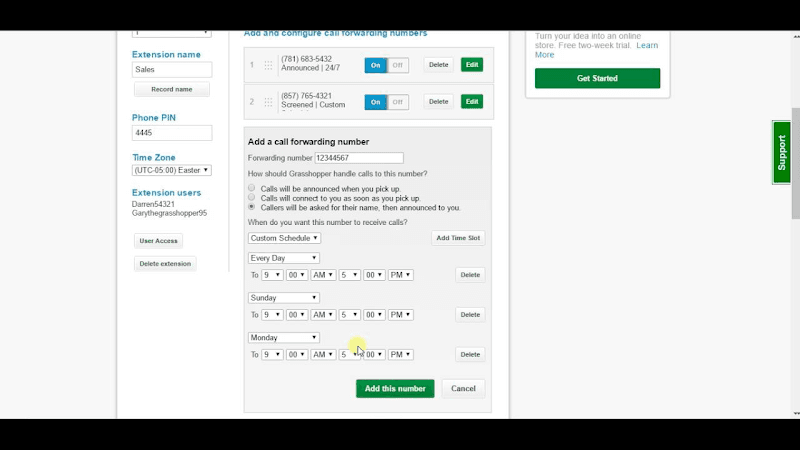
Here’s how to do it:
- Log in to your Grasshopper account.
- Go to the “Extensions” tab. You’ll see a list of your phone extensions.
- Click on the one you want to update (for most businesses, this might be your main number or receptionist line).
- Under “Call Forwarding,” there should be a place to add a new forwarding number. That’s where you’ll enter your AI Receptionist number from your dashboard.
- You can also adjust how quickly it rings. Should it go straight to AI Receptionist, or ring your mobile number for 10 seconds first? That part’s up to you.
- Save your changes and exit.
Once that’s set up, every call to that extension will get forwarded to the AI agent following your ring rules. It’s a fast way to give customers a consistent experience, free of voicemail and dead ends.
Option 2: Forward Missed Calls Only
Let’s say you want to answer the phone yourself or through your team, but you don’t want anyone to fall through the cracks. In that case, you can use AI Receptionist as a safety net in case no one picks up. The call gets passed on to the AI agent, and from the customer’s perspective, the experience is as seamless as if a human picked up the phone right away.
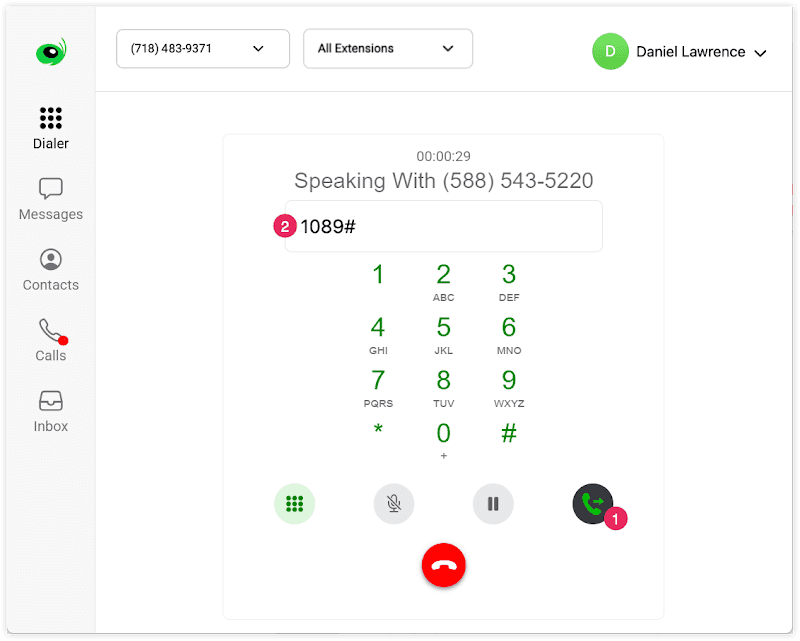
Here’s the process:
-
Again, log in and head to the “Extensions” section.
-
Choose the extension you want to change.
-
Under “Call Forwarding,” you’ll already have numbers listed, including your cell and other trusted colleagues’ numbers.
-
Go ahead and add your AI Receptionist number to the end of that list.
-
The trick here is the order and timing. Grasshopper lets you decide how long each number rings before moving on. So if your number rings for 20 seconds, and the next one for 15, you might have AI Receptionist ring after that. Alternatively, you can set AI Receptionist to always pick up in the event that no one else answers.
-
Save and exit.
This is useful any time your business might miss a call. For example, if you have your own number set to ring for 20 seconds, and a second number after that, AI Receptionist can be set to ring last, giving your team a full chance to pick up first.
Now, if you or your team miss a call, it doesn’t just go to voicemail. The AI agent picks up instead and handles things for you.
Option 3: After-Hours and Weekend Coverage
This one’s pretty popular since so many businesses wish they could continue getting leads and answering customers after hours and on weekends. With AI Receptionist, an agent can step in and handle customer interactions even when the office is closed.
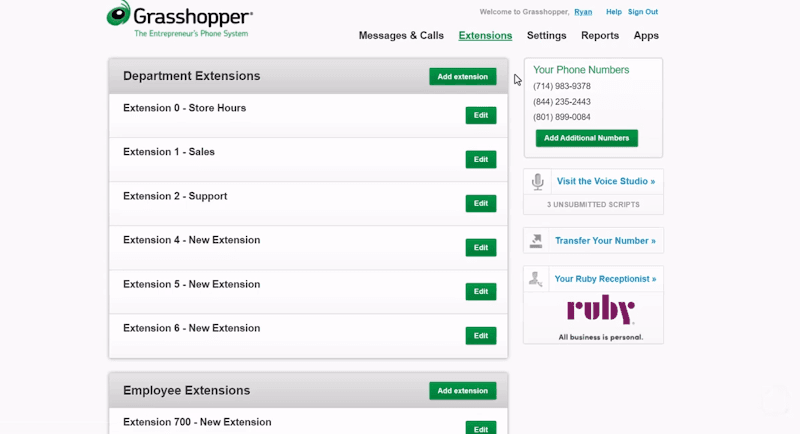
To set that up:
-
Go to “Extensions” again, and pick the one you want to work with.
-
Look for the option that lets you set business hours or a call schedule.
-
Set your working hours, say, Monday through Friday, 9 to 5.
-
Then set the rule for after-hours. This is where you’ll drop in your AI Receptionist number.
-
Save everything when you’re done.
Now, if someone calls at 7 pm or over the weekend, they’ll reach your AI Receptionist agent instead of hitting a voicemail or dead air. You don’t need staff to sit by the phone on the weekends to make sure. The AI Receptionist has it covered.
Give It a Quick Test
Once you’ve finished setting this up, don’t forget to test it out. Call your Grasshopper number from another phone. Try it during off hours, or let it ring without answering, and make sure the call is actually reaching AI Receptionist.
If it doesn’t, it’s probably just a matter of adjusting the ring order or double-checking the number you entered.
Need Help?
If something’s not working or you’re unsure about which setup makes the most sense for your business, feel free to reach out. You can phone us at 1-800-928-2086, or log into your account at dialmycalls.com and open the help center.
Grasshopper’s support team can also help with anything on their side. Visit grasshopper.com/support to find their help pages.
Final Thought
Pairing Grasshopper with AI Receptionist gives you flexibility without needing another app or tool. Whether you’re stepping away for lunch, closing up shop for the night, or worrying about missing leads on the weekend, the AI agent’s always on. And remember: once it’s set up, it just works. You don’t need to check it daily. You can rest easy knowing that every call is being answered, even if no one is there to do it in person.

Grasshopper