10 Best Texting Services for Small Business 2026 (Ranked)
- DialMyCalls is the only small-business texting platform that combines SMS, automated voice calls, and email, reaching customers who don’t read texts by phone.
- SimpleTexting and EZ Texting are SMS-only but among the fastest to set up; SlickText excels at customer loyalty and repeat engagement. Twilio is best for developers.
- Salesmsg and Podium are two newer entries: Salesmsg for two-way conversational texting, Podium for local businesses mixing SMS with reviews and payments.
- TextMagic offers pay-per-message flexibility with no monthly minimum; Textedly includes a free trial; TextUs targets internal team communications.
- No long-term contracts are standard across all 10 platforms. Evaluate by your ICP (retail, healthcare, nonprofits) and whether you need voice reach.
- Verify current pricing and character limits on each vendor’s 2026 pricing page; this page cites primary sources only.
The 10 best texting services for small business range from SMS-only platforms (SimpleTexting, EZ Texting) to multi-channel systems (DialMyCalls adds automated voice and email), loyalty-focused tools (SlickText), developer APIs (Twilio), conversational texting (Salesmsg), local-business platforms (Podium), and pay-per-message options (TextMagic). None of them have long-term contracts. You’ll need to choose by audience type, channel needs, and budget. We created a ranked comparison of 10 SMS, voice, and email platforms used by small businesses, retail, services, healthcare, churches, schools, and nonprofits to reach customers, staff, and members without long-term contracts.
How We Ranked These 10 Texting Services for Small Business
What makes the best texting service for small business needs? Not every SMS platform is built for that. Some are enterprise tools with matching prices and capabilities. Others are better suited for developers. We ranked our list based on:
- Multi-channel: Does the platform offer SMS only? Can it also reach customers by voice call or email?
- Setup speed and ease: Do you need a degree in technology to set up the platform? Top marks went to platforms with visual dashboards and easy setups.
- Pricing transparency: We eliminated any platforms with hidden fees or that weren’t transparent about pricing.
- Features: We ranked each entry by features that matter to small businesses, like appointment reminders, loyalty tracking, two-way messaging, autoresponders, API access, and more.
Mass Texting, Made Easy
Send Bulk Text Message Campaigns in Seconds
10 Best Texting Services for Small Businesses Compared at a Glance
| # | Platform | Best For | Standout Feature | Starting Price |
|---|---|---|---|---|
| 1 | DialMyCalls | Multi-channel reach: SMS + voice + email | Automated voice calls reach non-texters | Pay-as-you-go from 7.5¢/credit; free trial with 25 credits |
| 2 | SimpleTexting | SMS-only simplicity and fast setup | Rollover credits; 7-day support | $39/mo (plan + local number) |
| 3 | EZ Texting | Quick onboarding for SMS campaigns | 14-day free trial; same-day number activation | From $20/mo (monthly) |
| 4 | SlickText | Customer loyalty and repeat engagement | Built-in loyalty workflows | From $29/mo (500 credits); free trial |
| 5 | Twilio | Developer-led teams with custom workflows | Fully programmable SMS + voice APIs | Pay-as-you-go per message/call; pricing depends on your needs |
| 6 | TextMagic | Pay-per-message with no monthly minimum | No subscription required | Pay-per-message; estimated $59 per month |
| 7 | Textedly | Testing before committing | Generous free trial | Starts at $29 per month |
| 8 | TextUs | Internal team and staff communications | Staff-to-team messaging with quick reply | $299 per month for Pro |
| 9 | Salesmsg | Two-way conversational texting | Real-time customer reply management | $21 per month for Basic |
| 10 | Podium | Local businesses combining SMS, reviews, and payments | Unified review + payment + texting in one platform | $399 per month for Core |

1. DialMyCalls: Best for Mass Notifications Across Multiple Channels
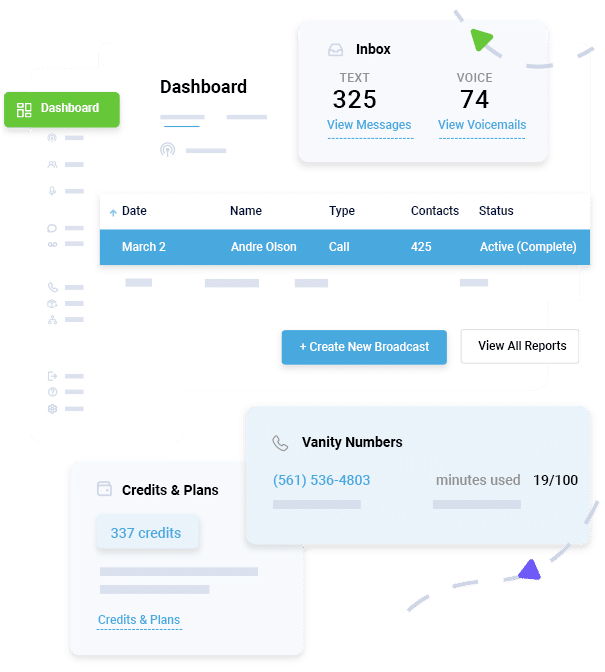
- SMS, automated voice calls, and email from one dashboard
- Contact segmentation by group (staff, customers, members)
- Appointment, payment, and alert message templates
- Two-way texting for inbound customer replies
- Scheduled and recurring broadcasts
- Mobile app
- No long-term contracts
Pricing: The DialMyCalls contract model is simple: there are no long-term contracts. The platform offers credit-based, contact-based, pay-as-you-go, and custom pricing options. Pay-as-you-go credits start at 7.5¢ per credit (200 to 499 credits); volume pricing drops to 3.8¢ per credit at 100,000+. One credit equals one 160-character SMS or one 30-second voice recording per recipient. A free trial with 25 credits is available with no credit card required.Pros:
- The only option on our list with voice (for non-texters and urgent notices) + SMS + email in one platform for small businesses
- No contracts
- Works for retail, services, healthcare, churches, nonprofits, and schools
- Delivery tracking included for compliance
- 7-day customer support
Cons:
- Not optimized for real-time two-way customer conversations the way dedicated conversational texting tools are
- Credit-based pricing requires estimating volume upfront; contact Dialmycalls for monthly plan pricing
Recommended for: Healthcare practices, schools, nonprofits, churches, property managers, and any business that needs to reach customers across all channels.

2. SimpleTexting: Best for SMS-Only Simplicity
Verdict: The fastest-to-use SMS platform for small businesses that need text-only campaigns with no voice or email complexity.What it is: SimpleTexting is positioned as an SMS-only platform that offers the fastest setup for text-only campaigns. It works well for small businesses that want to send mass text messages, manage contact lists, and track results without a learning curve.Key features:
- Mass SMS campaigns with rollover credits
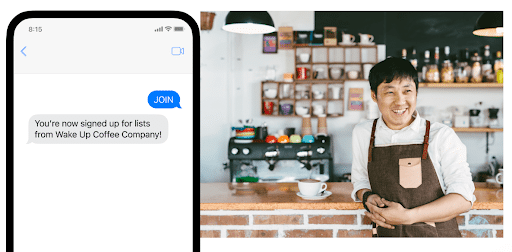
- Two-way SMS messaging
- Keyword autoresponders
- Contact segmentation with unlimited contacts
- AI-assisted message drafting
- Mailchimp and Zapier integrations
- 14-day free trial (no credit card required)
- 7-day support
Pricing: Plans start at $29/month for 500 SMS credits, plus $10/month for a local 10-digit number, totaling $39/month for the base tier. Additional credits are billed at 5.5¢ each. Save 20% with annual billing. Carrier fees apply separately. Nonprofits and churches get a 15% discount.Pros:
- Fast setup for text-only campaigns
- Rollover credits reduce waste on lower-volume months
- Affordable for small teams
- Strong support
Cons:
- SMS-only
- No voice or email option
- Local number registration required separately ($10/month)
- Carrier fees billed in addition to plan cost
Recommended for: Retail stores, service businesses, and nonprofits that need a simple SMS tool and don’t require voice or email reach.

3. EZ Texting: Best for Getting Started Quickly
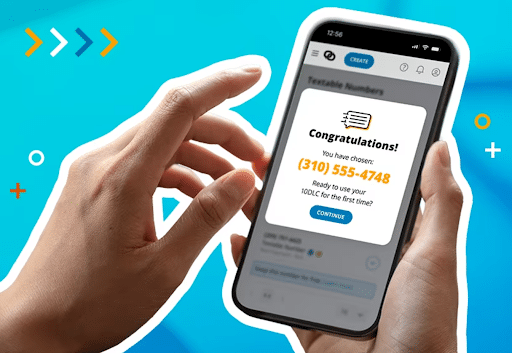
- Mass SMS and MMS campaigns
- Automated Workflows (drip campaigns, keyword triggers, event reminders)
- AI Compose and AI Reply for message drafting
- Text-to-pay and text-to-give features
- RCS (Rich Communication Services) messaging available
- Unlimited contacts on all plans
- A2P carrier registration included in plan price (no hidden fee)
- 14-day free trial
Pricing: Launch plan starts at $20/month annually, including 500 monthly credits. Overage credits cost $0.04 each on the Launch plan. The Boost plan starts at $60/month annually with waived telecom fees.Pros:
- Same-day number activation
- A2P carrier registration included (many competitors charge extra)
- No hidden carrier fees for Boost and Scale plans
- Generous feature set on all plans
Cons:
- SMS/MMS only (no voice or email)
- Launch plan telecom fee ($5/month) adds cost; waived on higher tiers
- One user seat per plan; additional users are extra
Recommended for: Retail, hospitality, churches, and small service businesses that want to launch an SMS program quickly without worrying about registration fees.
4. SlickText: Best for Customer Loyalty Programs
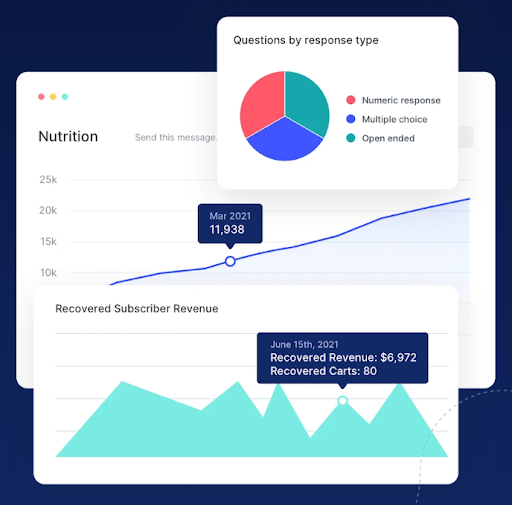 Verdict: An SMS platform built for loyalty, rewards, and recurring customer engagement, not just one-off campaigns.What it is: SlickText is an SMS marketing and loyalty platform with a strong focus on repeat customer retention. Its best use case is for businesses that want to run customer loyalty programs and recurring text engagement, track customer behavior, and automate personalized follow-ups. SMS-only.Key features:
- Loyalty points tracking and rewards programs via SMS
- Automated loyalty campaigns and drip sequences
- Customer segmentation by engagement and history
- Two-way SMS conversations
- Web forms and opt-in widgets
- Workflow automation for complex multi-step journeys
- Mobile app
- 14-day free trial
- 20% nonprofit discount
Pricing: There’s a free trial available. Plans start at $29/month for 500 credits. Higher tiers: $49/month (1,000 credits), $79/month (2,000 credits), $129/month (3,500 credits), $169/month (5,000 credits), and $319/month (10,000 credits). Annual plans unlock 2 months free. Carrier fees apply separately.Pros:
- Built-in loyalty and rewards tracking
- Full feature access on every plan tier
- 20% nonprofit discount
Cons:
- SMS-only
- Loyalty focus means less suited for businesses without a repeat-visit or membership model
- Not optimized for single-broadcast emergency alerts or mass notifications
Recommended for: Retail stores, restaurants, salons, gyms, and any small business running a loyalty or rewards program.

5. Twilio: Best for Developer-Led Teams
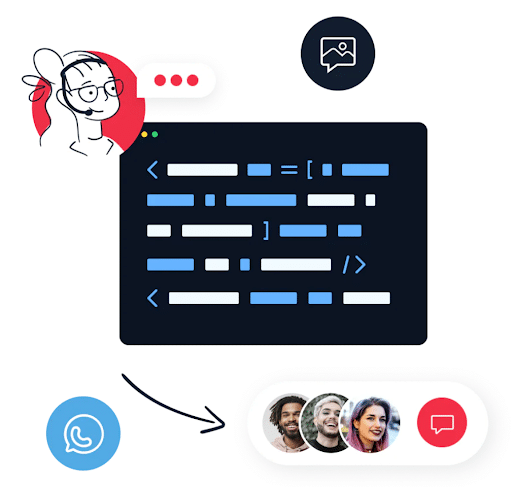
- Programmable SMS and voice call APIs
- Flexible webhook and webhook integration
- Two-way messaging with custom response logic
- Global reach across 180+ countries
- Pay-as-you-go pricing per message and per call
- No monthly minimum
Pricing: Pay-as-you-go per SMS and per voice call that varies greatly depending on your needs.Pros:
- Maximum flexibility for custom use cases
- Best option for teams building SMS into their own product or app
- Reliable, enterprise-grade infrastructure
- No monthly commitment
Cons:
- Requires developer skills
- No visual dashboard for sending without code
- Higher complexity than every other platform on this list
- Support can be slower than dedicated small-business SMS platforms
Recommended for: Tech-forward small businesses and startups with a developer on staff who need SMS built directly into their product or workflow.

6. TextMagic: Best for Pay-Per-Message Pricing
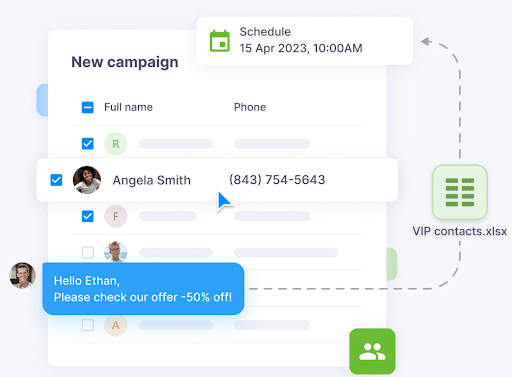
- Pay-per-message pricing with no monthly minimum
- SMS campaigns and mass sending
- Two-way SMS inbox for customer replies
- Contact management and segmentation
- SMS templates and scheduling
- No contracts
Pricing: TextMagic’s pricing model is pay-per-message, with no fixed monthly plan required. $1,000 SMS credits plus a toll-free number would run $59.Pros:
- No monthly fee
- Transparent per-message cost
- Simple interface; easy to start without a commitment
Cons:
- SMS-only
- Per-message pricing can exceed the cost of a monthly plan at high volume
- Not the right choice if you send each month consistently
Recommended for: Small businesses with unpredictable or low-volume messaging needs, like seasonal businesses, occasional campaign senders, or businesses testing SMS before committing to a subscription.

7. Textedly: Best Free Trial in the Category
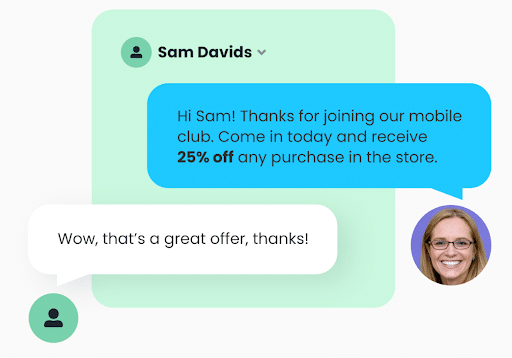
- Free trial with live SMS sending capability
- Mass SMS campaigns and autoresponders
- Two-way messaging
- Contact list management and segmentation
- Keyword triggers and automation
- No contracts
Pricing: The basic plan is $29 per month and scales with you. Textedly does have a trial offering/free trial.Pros:
- Lowest barrier to entry
- Affordable for small-volume users
- Simple interface appropriate for first-time SMS senders
Cons:
- SMS-only
- Trial may have message or contact limits; verify before starting
- Less feature-rich than SlickText or SimpleTexting at comparable price points
Recommended for: Small businesses that want to try SMS marketing before committing, or those sending occasional campaigns at low volume.

8. TextUs: Best for Internal Communications
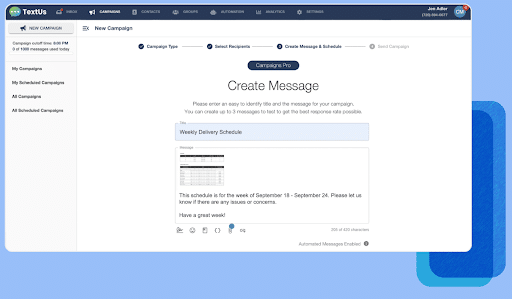
- SMS to employee groups, teams, and departments
- Shift reminders and scheduling alerts
- Two-way staff messaging
- Department-level contact segmentation
- Quick-reply options for acknowledgment
- No contracts
Pricing: $299 per month for the Pro tierPros:
- Designed for staff reach and internal alerts
- Simple team messaging with quick-reply acknowledgment
- Good for urgent internal communications at shift changes
Cons:
- Not well-suited for customer-facing campaigns
- SMS-only
- Less appropriate for customer retention, loyalty, or marketing
Recommended for: Businesses with shift workers, large staff groups, or frequent internal alert needs, like staffing agencies, healthcare facilities, restaurants, and retail chains.
9. Salesmsg: Best for two-way conversational texting
Verdict: An SMS platform built for real-time back-and-forth conversations with customers, not one-way broadcast blasts.What it is: Salesmsg’s positioning is unique. It offers two-way conversational texting, with real-time customer replies. It integrates directly with Salesforce, HubSpot, and other CRMs.Key features:
- Two-way SMS conversations
- Real-time reply notifications and shared team inbox
- CRM integrations (Salesforce, HubSpot, Pipedrive, and more)
- Conversation history per contact
- Automation for follow-up sequences
- No contracts
Pricing: $21 per month when billed annually for the Basic plan (there is a free trial available).Pros:
- Best for customer service teams who need to actively reply to customer texts
- Strong CRM integrations make it useful for sales and support workflows
- Conversation history gives context to customer interactions
Cons:
- SMS-only
- Requires an active team to monitor inbound messages; not a “send and forget” tool
- Higher cost than broadcast-only platforms at equivalent volume
- Less suited for one-way emergency alerts or mass notifications
Recommended for: Sales teams, service businesses with active customer conversations, and any small business that needs to manage customer replies.
10. Podium: Best for local businesses combining SMS, reviews, and payments
Verdict: An all-in-one platform that combines SMS messaging with online review collection and payment processing built specifically for local service businesses.What it is: Podium’s best use case is for local businesses integrating texting, reviews, and payments. It’s designed for service businesses (plumbers, HVAC contractors, law firms, salons, auto shops, etc.) that want to text customers, collect reviews, and accept payments from one place. SMS-only messaging; no voice or email broadcasting.Key features:
- SMS customer messaging
- Automated review requests
- Payment collection
- Two-way conversations
- Team inbox
- No contracts
Pricing: $399 per month for the Core tier.Pros:
- Unified platform for local businesses that combines texting + reviews + payments in one dashboard
- Review automation
- Good for local service businesses that handle bookings, payments, and customer follow-up
Cons:
- SMS-only; not suitable for organizations needing voice reach or email broadcasts
- Pricing is higher than SMS-only platforms due to the bundled review and payment features
- Overkill for businesses that only need text messaging without reviews or payments
- Less appropriate for nonprofits, schools, or healthcare organizations
Recommended for: Local service businesses (HVAC, plumbing, auto repair, salons, legal, and similar) where SMS, online reviews, and payment collection all need to happen from one tool.
Reach Thousands, Instantly
Grow Your Business by Leveraging Mass Texting
How to Choose the Best Texting Service for Small Businesses
Step 1: What channels do you need?
Do you need to reach people who don’t read texts? If your audience includes older people or anyone less likely to open a text, you need voice alongside SMS. Only DialMyCalls combines SMS, automated voice calls, and email in one platform.Do you need one-way broadcasts or two-way conversations? Most platforms here handle one-way mass sending. If you need active back-and-forth with customers, Salesmsg, SimpleTexting, or EZ Texting’s tools are better fits. DialMyCalls is primarily broadcast-focused, although it does support two-way communication.Do you need email as well as SMS? DialMyCalls is the only platform here that includes email broadcasting. All others are SMS-only.
Step 2: Match your situation
- Retail store: SimpleTexting or EZ Texting for fast setup; SlickText for loyalty programs; Podium if you also need reviews and payments.
- Healthcare, nonprofits, schools: DialMyCalls for multi-channel reach; SimpleTexting or EZ Texting for SMS-only.
- Local service business (HVAC, plumbing, salon): Podium if you need reviews + payments + SMS; Salesmsg if you need active customer conversations.
- Developer team with custom workflow: Twilio.
- Low-volume or seasonal texting: TextMagic (pay-per-message).
- Internal staff alerts: TextUs.
- First-time SMS user: Textedly (free trial) or EZ Texting (14-day trial).
Step 3: Check out the pricing
- Monthly subscription: DialMyCalls, SimpleTexting, SlickText, EZ Texting, Textedly, Salesmsg, Podium.
- Pay-per-message (no monthly minimum): TextMagic
- API/usage-based: Twilio
- Free trial available: Textedly, SlickText, EZ Texting, SimpleTexting (14 days each), DialMyCalls (25 free credits)
Always verify current pricing on the vendor’s 2026 pricing page before committing. Prices in this article were verified in September 2026.
Step 4: Test before you commit
Most platforms on this list offer a free trial or a no-cost starting period. Use it to make sure the platform works the way you expect before you pay. The platforms requiring the least technical setup are usually the fastest to evaluate.
Frequently Asked Questions
What is the difference between SMS, voice calls, and email for customer reach?
SMS gets to customers directly on their mobile phones with a 98% open rate and an average read time under three minutes. Voice calls get to customers who don’t read texts, particularly older adults, patients, and anyone who missed your text. Email is best for longer, detailed updates that customers may want to reference later. DialMyCalls is the only platform that combines all three from a single dashboard.
Can I send texts for free or with a free trial?
Yes, SlickText, EZ Texting, SimpleTexting, and Textedly each offer 14-day free trials. DialMyCalls gives you 25 free credits to send test messages with no credit card required.
Do these texting services require long-term contracts?
No, none of the platforms in this list require long-term contracts. You can cancel or change plans at any time on every platform listed.
Which texting service is best for healthcare or nonprofits?
DialMyCalls is the best choice for healthcare and nonprofits because it reaches every patient or member through SMS (for active texters), automated voice calls (for older or less tech-savvy individuals), and email, so no one misses critical alerts, appointment reminders, or emergency closures.
Can I send one-way alerts or do I need two-way messaging?
One-way broadcast messaging is standard across all 10 platforms for things like appointment reminders, alerts, promotions, and announcements. SimpleTexting, EZ Texting, SlickText, Salesmsg, DialMyCalls, and others support two-way messaging.
Which platform is easiest for a non-technical small-business owner?
EZ Texting, SimpleTexting, SlickText, and DialMyCalls all have visual dashboards that let you send your first message without any tech know-how required. Twilio is the exception.
What’s the difference between disaster recovery and business continuity in the context of SMS?
For small businesses, SMS mass notification platforms (like DialMyCalls) are most useful for business continuity scenarios (think reaching employees, customers, and partners during disruptions like closures, power outages, or emergencies).
How do I know how many SMS credits I’ll need?
Multiply the number of entries on your contact list by how often you plan to send messages each month. For example, sending a 160-character text to 500 contacts once a week equals roughly 2,000 credits per month. An MMS usually costs 3 credits per recipient.
Reach Thousands, Instantly
Grow Your Business by Leveraging Mass Texting