Reviewed by Tim Smith
|
Updated on October 15, 2026
TL;DR
Parents who get consistent, clear updates from their daycare are more likely to stay enrolled and refer others.
A written parent handbook sets expectations from day one and reduces misunderstandings throughout the year.
Separate your communication channels. Use text for immediate alerts, email or apps for daily updates, and in-person for sensitive conversations.
Emergency communication plans need to be practiced. Parents need to know exactly how you’ll reach them before there’s an emergency.
Mass texting reaches every parent in under a minute, making it the most reliable option for closures, illnesses, unexpected changes, and urgent alerts.
Two-way communication with parents builds family engagement over time and makes parents more loyal.
Introduction
Daycare parents trust their children’s caretakers because they have reason to, and at the end of the day, that reason is solid, reliable communication.
Today, parents expect faster communication than they did even five years ago. They’re used to real-time updates, digital access to information, being listened to, and direct channels to the people caring for their children. Daycare centers that meet those expectations help with the anxiety that naturally crops up when you leave your child with someone who’s not a family member, but also give your business some other important benefits, like better enrollment retention, fewer disputes, and stronger word-of-mouth referrals.
This guide covers eight communication strategies for daycare owners and administrators in 2026.
A parent handbook is the ground floor for your relationship with every family you serve. When parents know where to find answers to their questions, you can expect fewer questions when they’re face-to-face with your staff or by email after hours.What should you include? A good handbook covers the basics: hours, drop-off and pick-up procedures, illness policies, holiday closures, fee schedules, and what you expect from children (and parents) in terms of behavior. However, it should also explain how your center communicates. It should spell out which channels you use for what, reasons you might need to communicate, how quickly parents can expect a response, and what happens during an emergency.NAEYC encourages family engagement that makes communication expectations explicit from enrollment. Make sure to include the following in your handbook:
Your primary communication channel for daily updates (app, email, text, etc.)
Your emergency notification system and expected response time
How parents can reach staff with non-urgent questions
Your social media and privacy policy regarding photos of children
Illness exclusion criteria and re-admission requirements
Go over and update our handbook annually. Things that made sense in 2020 may not in 2026 and beyond.
Tip 2: Separate Your Channels by Urgency
One of the biggest communication mistakes daycare centers make is using the same channel for everything. Instead, sort it by the urgency of what you’re communicating:
For time-sensitive alerts (closures, illness outbreaks, emergencies, and schedule changes), use mass text messaging. Text messages are read within three minutes on average.
For everyday updates and communications, use a dedicated communication app, email newsletter, or parent portal. Parents can check this when convenient; it doesn’t interrupt their workday.
For sensitive or complex conversations (behavioral concerns, developmental observations, billing disputes, family circumstances), go with in-person or phone.
Tip 3: Make Daily Updates Consistent and Specific
“She had a great day!” is not a daily update. It’s the absence of information made to look like you’re reassuring the parent.Parents want to know what their child ate, how long they slept, what they played with, and whether anything unusual came up. That information makes parents feel connected to their child’s experience while they’re at work.Child Care Aware of America points out that technology can bridge the communication gap between your center and your kids’ homes. Apps like Brightwheel, HiMama, and Tadpoles make it easier for staff to log activities, photos, meals, and nap times all day, so parents get a running record of their child’s day.What makes a useful daily update?
Meals and snacks (what they ate, how much)
Sleep times and duration for infants
A specific activity or moment from the day
Any behavioral observations worth noting
Supplies that need to be replenished
Note that consistency matters as much as content. Parents who get updates every day are much more confident about your center. Sporadic or inconsistent updates just create anxiety.
Tip 4: Have an Emergency Communication Plan Parents Already Know About
When something urgent happens at your center, you don’t have time to figure out how you’re going to communicate. You need a system that’s already in place, already tested, and already familiar to parents before they need to rely on it.FEMA’s childcare preparedness guidance recommends that childcare facilities develop emergency communication plans for how they’ll notify families, what information will be shared, and how they’ll handle reunification. All of that needs to be documented, given to families at enrollment, and practiced throughout the year.Your emergency communication plan should cover:
The primary channel for emergency notifications (mass text is most reliable for immediate reach)
A backup channel if the primary fails
What information parents will receive and in what order
How you’ll communicate during extended situations (power outages, prolonged sheltering-in-place)
Who’s authorized to send emergency communications and from which number
Test it. Send a scheduled drill notification so parents know what a real one will look like and that the system works.Mass text platforms like DialMyCalls let you reach every parent at the same time with a single send, including voice broadcast as a backup for parents who might miss a text.
Tip 5: Communicate Proactively, Not Just Reactively
Proactive communication means telling parents things before they have to ask. A scheduled illness outbreak? Send a heads-up to all families, not just the ones who are already affected. A staff change? Tell parents directly rather than letting them notice it at drop-off. A new safety procedure? Explain both the what and the why.
To be proactive, consider:
Monthly newsletters with classroom highlights and upcoming dates
Advance notice of closures (more than 24 hours when possible)
Staff introduction messages when new team members join
Enrollment status updates as re-enrollment periods approach
Proactive communication reduces inbound parent inquiries, but it also shows families that you’re managing your center thoughtfully, not just reacting to problems.
Instant Communication, Whenever You Need It
Send Real-Time SMS & Voice Call Alerts from Anywhere
Most daycare centers say they welcome parent feedback, but a lot of them don’t have any way of collecting and acting on it, and closing the loop with the families who shared it.A suggestion box by the door isn’t a feedback system. Neither is a staffer saying “feel free to reach out anytime” or a similar mention in your handbook. So, what actually works?
A brief annual or semi-annual parent satisfaction survey (easily sent by text)
A designated time at parent-teacher conferences
A defined process for responding to parent concerns
Follow-up communication when you’ve acted on feedback to tell parents what you did
Tip 7: Use Mass Texting for Instant, Whole-Community Updates
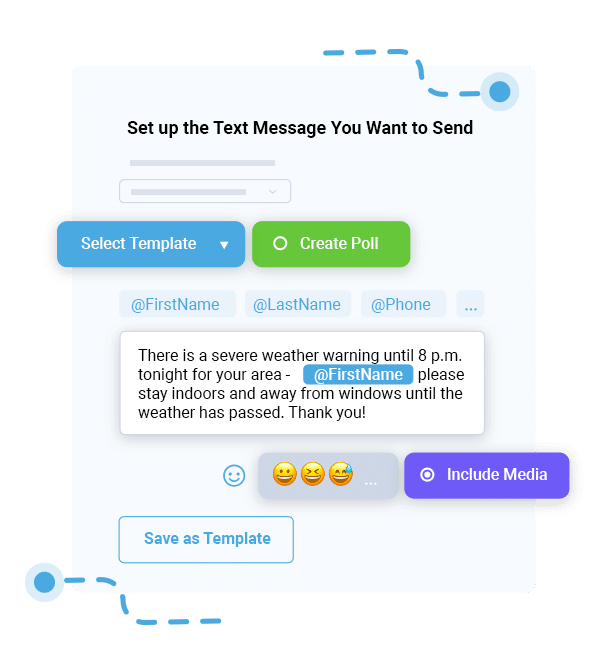
Email is a great option for a lot of things, but it’s not the right choice when parents need to know something in the next 30 minutes.Closure due to weather? Illness outbreak in the toddler room? Water shutdown affecting operations? Early pickup required? Every parent needs the same information at the same time, and they can’t wait hours to get it.Mass texting solves this. A single message sent from your DialMyCalls account reaches every parent on your contact list within seconds, on the device they’re carrying. You can organize contacts by classroom, age group, or enrollment status so you’re only reaching the families who need the specific information.Text messages are read within three minutes of hitting the recipient’s phone, compared to email open rates, which average under 25% for the same day. That’s a huge difference for time-sensitive messages.When should you go with mass text?
Use voice broadcast as a backup for parents who may not check texts, too. DialMyCalls lets you send both at the same time from the same platform.
Tip 8: Make Communication Two-Way
Most daycare communication flows in one direction: from the center to parents. The problem is that parents get all of this passively, without a way to ask questions or add to the conversation.Two-way communication changes that. Parents who feel like participants rather than recipients are more invested in the center, more likely to resolve concerns directly rather than through complaints, and more likely to stay enrolled.Of course, this doesn’t mean that you need to start an unrestricted group chat or respond to texts at all hours. You just need to give parents defined ways to interact.
A dedicated text number or email address for non-urgent parent questions
An inbound text line for enrollment inquiries and scheduling requests
Brief check-in messages after a child’s first month
Post-event surveys after parent meetings or special activities
An annual community meeting where families can ask questions and share input
The goal isn’t to be available for every conversation at any time. You just need to give parents a way to reach you so they’re not resorting to drop-off-line conversations or Facebook groups.
SMS Templates for Daycare Centers
Think that coming up with mass texts will just be one more thing for your overworked staff to handle? We can help. These ready-to-use templates cover the most common daycare text scenarios. Customize the placeholders before sending, and make sure that every message includes opt-out language where required.
Unexpected Closure Alert
[Center Name] is closed today, [Date], due to [Reason]. We'll reopen [Date/Time]. Check your email for additional details. Questions? Call [Phone Number].
Late Opening Notice
[Center Name] will open late today. Doors open at [Time] instead of our usual [Time]. We apologize for the inconvenience. Call [Phone Number] with questions.
Illness Notification
[Center Name] notice: We've had a confirmed case of [Illness] in the [Classroom Name] room. Please watch your child for symptoms. Full guidance has been sent to your email. Questions? Call [Phone Number].
Pick-Up Change Confirmation
Hi [Parent Name], we've noted that [Authorized Person] will pick up [Child Name] today. If this changes, please call [Phone Number] before [Time]. Thank you.
Emergency Alert
ALERT: [Center Name]: [Brief Description of Situation]. Please [Action Required]. Updates will follow. Call [Emergency Number] for immediate assistance.
Drill/Practice Alert
[Center Name]: This is a scheduled practice alert; no action required. We're testing our emergency notification system. You're all set!
Open Enrollment Reminder
[Center Name]: Re-enrollment for [Year/Season] is now open. Secure your child's spot by [Deadline Date]: [Link]. Questions? Call [Phone Number] or reply to this message.
Parent Meeting Reminder
Reminder: [Center Name] parent meeting is [Date] at [Time] at [Location/Link]. We'll be discussing [Topic]. We'd love to see you there. Reply or call [Phone Number] with questions.
Supply Reminder
Hi [Parent Name], just a reminder that [Child Name] is running low on [Supply]. Please bring extras by [Date]. Thank you!
Weekly Progress Nudge
Hi [Parent Name], [Child Name]'s weekly update is ready in your parent app. Log in at [Link] to see highlights from this week. Questions? We're here.
DialMyCalls vs. Daycare Communication Apps: When to Use Which
Brightwheel, HiMama, Remind, and other similar apps are platforms for daycare communication, and many centers already use them. However, they don’t all work the same way, and none of them offer everything you’ll find with DialMyCalls.Dedicated daycare apps are best for:
Daily activity logs/photos and milestone tracking
Real-time updates pushed to parents throughout the day
Digital check-in and check-out records
Staff-to-parent messaging within the platform
Development portfolios and progress tracking
These tools work very well for ongoing, relationship-centered communication between daycare staff and individual families. That said, they require parents to download and actively check an app, notifications depend on parents having the app installed and notifications enabled, and they’re not good for simultaneous mass alerts.Mass texting platforms like DialMyCalls are best for:
Reaching every parent at the same time with a single send
Emergency alerts and urgent closures where speed matters
Community-wide announcements
Families who haven’t downloaded your center’s app
Voice broadcast as a backup for parents who may miss a text
SMS templates that don’t need a specific app
The right answer for most centers is to use a daycare app for day-to-day things and DialMyCalls for times when you need to reach everyone at once without an app.
How DialMyCalls Supports Daycare Communication
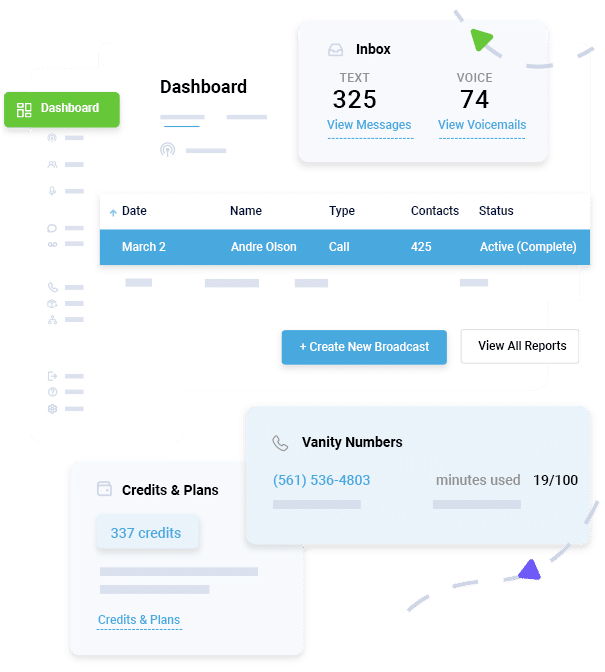
DialMyCalls is a mass notification platform used by schools, childcare centers, and community organizations to send text messages, voice broadcasts, and emails to their full contact list simultaneously.
For daycare centers specifically:
Emergency Alerts
Reach every parent in seconds with a single message, with no manual calling list required.
Scheduled Announcements
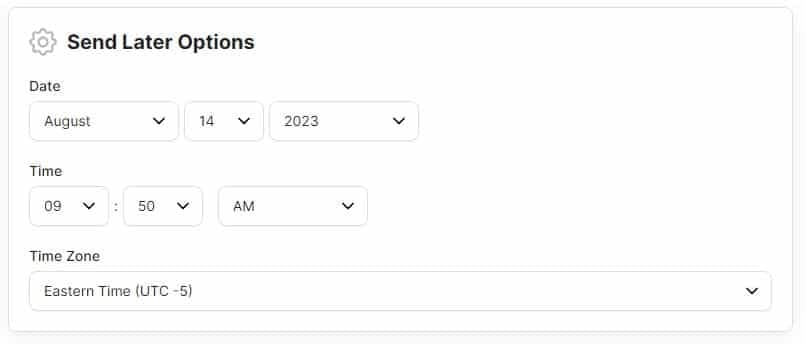
Set up recurring messages for weekly reminders and re-enrollment campaigns.
Audience Segmentation
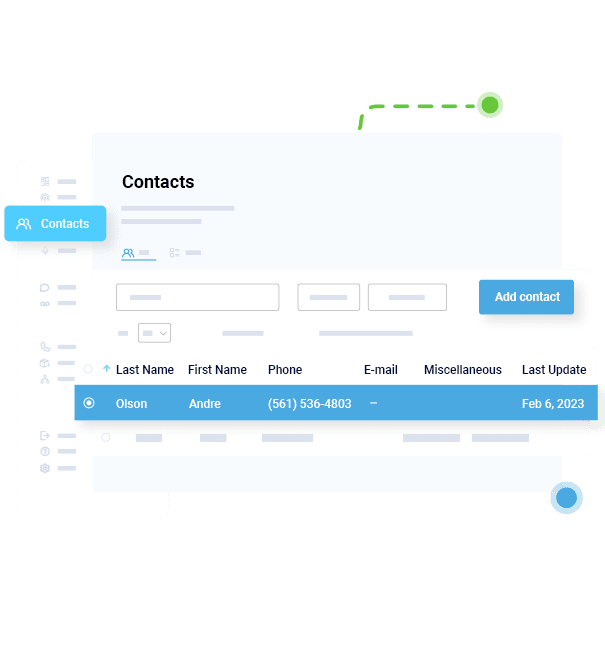
Organize contacts by classroom, age group, or enrollment type so the right message gets to the right families.
Two-way Texting
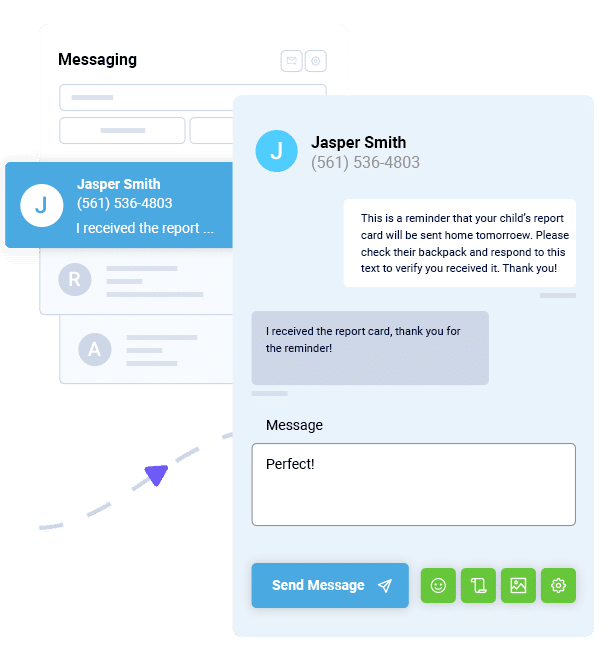
Give parents a direct line to your center for non-urgent questions and scheduling requests.
Voice Broadcasting
Make parents who’d prefer a call get your message even if they miss the text.
Delivery Tracking
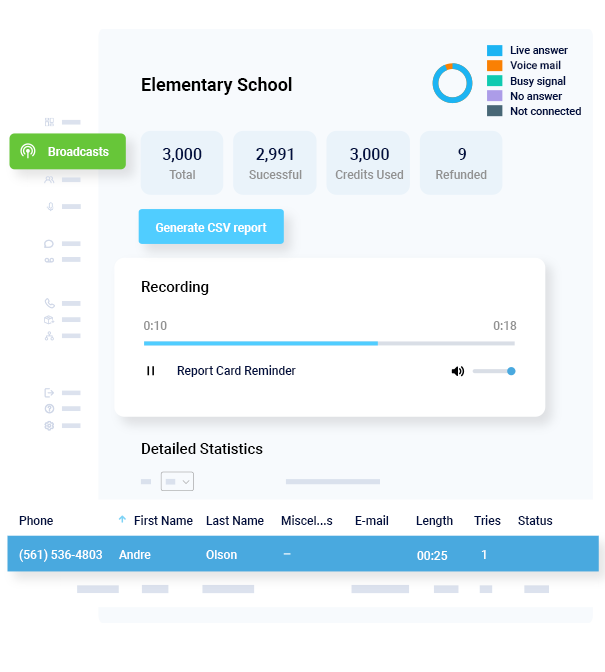
See who got your message and when for compliance documentation and follow-up.
Documentation and Licensing
Daycare centers have to deal with a regulated environment, and communication records matter. Licensing requirements vary by state, but most systems expect centers to save documentation of parent notifications, incident reports, and emergency communications.Mass text platforms that log delivery history give you audit-ready records for compliance documentation without any extra administrative work. When a licensing review asks whether parents were notified of an illness incident, a logged text record is a cleaner answer than reconstructing who was called and when.Verify specific recordkeeping requirements with your state licensing authority and review them when regulations change.
Here’s to Better Parent Communication
Parent communication isn’t a “nice to have”. The centers that do it well are the ones whose parents always know what’s happening, how to reach someone if they have a question, feel like they’re part of the conversation, and trust that if something does come up, they’ll hear about it immediately.
That’s only possible when you have the right channel for the right message, a handbook that sets real expectations, a feedback loop that closes, and a mass texting system ready for the moments that can’t wait for an email.
Start with where your current system falls apart. If emergency communication is improvised, fix that first. If daily updates are inconsistent, create a routine so they’re not. If parents don’t know how to reach you, make it obvious. Make sure you have the right communication platforms/channels for different needs, including DialMyCalls for mass texting. Contact us today or sign up to start your free trial.
Parent Communication FAQs
Why is a clear communication plan so important in child care?
It builds trust, reduces turnover, strengthens home–school continuity, and meets licensing expectations. Families feel calmer when the when, what, and how of communication are predictable, and staff feel more confident because they have a documented playbook to follow in both routine and urgent situations.
How often should we text parents?
Use SMS for time-sensitive items that need quick attention or action. Daily short reminders or updates are fine if they’re concise and relevant; rely on email for longer notes and use the daily report for routine care details. If volume increases, publish a cadence so parents know what to expect.
What should be in our parent handbook?
Include your mission and philosophy, hours and calendar, tuition and billing, illness and medication policies, pick-up protocols, staff contacts, your communication plan, and acknowledgment language. Provide digital and printed versions, collect signatures annually, and highlight any updates so families can review changes quickly.
Do we still need paper if we use digital tools?
Yes. Use paper for policy changes, permissions, medical action plans, and incident reports that require signatures or must be stored in a physical file. Paper trails often satisfy specific licensing requirements better than email alone and make audits simpler for administrators.
How do we make emergency alerts fast and consistent?
Write an EAP with clear roles, prepare short first-message scripts for common scenarios, and practice the process quarterly. Use a multi-channel system like DialMyCalls to send instant SMS and voice alerts with delivery tracking, then follow with email for detailed instructions and next steps.
Instant Communication, Whenever You Need It
Send Real-Time SMS & Voice Call Alerts from Anywhere
Michel Rondeau is an independent consultant with 20+ years in telecommunications, specializing in leadership, customer experience, and operations enablement. As a DialMyCalls contributor, he shares insights on communication and team development. A Prosci Certified Change Practitioner, he has received multiple industry awards and actively mentors professionals.
“I am a youth minister and have spent hours in the past calling students individually to remind them of an upcoming event or to get out an urgent announcement. With DialMyCalls.com, I cut that time down to about 1 minute. I also love how I can see exactly who answered live and how long they listened so I know if they heard the whole message. DialMyCalls.com is the best website I have stumbled upon all year! Thanks!”
Real Results, Real ReviewsOver 40,000 customers trust our platform – and it shows.
4.3
502 Reviews
4.7
836 Reviews
Author
Michel Rondeau
Michel Rondeau is an independent consultant with 20+ years in telecommunications, specializing in leadership, customer experience, and operations enablement. As a DialMyCalls contributor, he shares insights on communication and team development. A Prosci Certified Change Practitioner, he has received multiple industry awards and actively mentors professionals.
“I am a youth minister and have spent hours in the past calling students individually to remind them of an upcoming event or to get out an urgent announcement. With DialMyCalls.com, I cut that time down to about 1 minute. I also love how I can see exactly who answered live and how long they listened so I know if they heard the whole message. DialMyCalls.com is the best website I have stumbled upon all year! Thanks!”
Fill out the form below to get a fast custom pricing quote specific for your
organization.Want to speak to our sales team now? Call us at
1-800-928-2086
Thank you!
A representative will be reaching out to you soon.
For immediate help you can call us on
800-928-2086.
Try Out DialMyCalls Now?
Enter a new password and click create account and you'll be able to send 25 test messages now.
Send A Sample Broadcast
We'll send a sample call or text to your phone right now. Remember when you use DialMyCalls you can record your message in your own voice. When the phone rings just pick up and say "Hello" to hear the message.