Reviewed by Saad Z. Asif
|
Updated on May 25, 2026
Summary
Learn how to personalize mass text messages effectively in 2025. Explore three proven SMS personalization tips, and see how DialMyCalls makes automating personalized broadcasts easy, helping businesses turn generic texts into meaningful connections.
A popular yet underused SMS marketing strategy is to personalize mass text messages. Since most mass messages feel generic already, a little personalization can get your messages noticed.
A broad message like “Flash sale today” blends into all the other alerts on someone’s phone. Quick glance, delete.
But if a customer sees, “Jamie, your Oak Street store has a flash sale today!” it makes a real difference. That small detail makes the message feel it’s meant for them, and not just blasted to everyone.
Many teams assume bulk messages can’t be personal, but that mindset holds businesses back. You can stay fast and efficient while still adding a “human” touch.
Find out why SMS personalization works so well and how to make your mass texts feel personal at scale.
Mass texts reach hundreds, sometimes thousands of people, but customers today are bombarded with messages, making it hard for them to stand out. Personalized messages build trust and increase engagement, so your campaigns are far more effective than broad, one-size-fits-all blasts.
Here’s a closer look at mass text messaging and how personalization changes the game.
The Problem: Customers are overwhelmed by promotional messages
Customers see emails, texts, and app notifications every day. Mass marketing for both texts and emails is everywhere, yet only 8% of customers report being “very satisfied” with the messages they receive. Businesses rely on mass messaging because it’s effective and profitable, but the flood of generic messages means most go ignored.
To capture attention, your messages must stand out, which means crafting messages that offer value and feel more personal and relatable.
The Solution: Relevance, and to make every text feel personal
SMS personalization helps your messages become more relevant to the recipient at that moment. It indicates that you’re familiar with the person and their context.
Here’s a personalized messaging example:
Generic Text (Mass Message):
Check out our new menu items this week!
Context for personalization:
The business knows each customer’s name, their favorite location, and past orders or preferences.
Personalized Mass Text
John, your downtown café has fresh almond croissants today — perfect with your usual cappuccino!
Even though this message goes to hundreds of subscribers, each person sees their own name, location, and a detail that matters to them. That’s the power of SMS personalization at scale.
The Psychology: Personalization triggers recognition, trust, and reciprocity
Psychology plays a big role in SMS personalization. Messages that feel personal enhance the customer’s and business’s trust–satisfaction–loyalty dynamic. Here’s how it works:
Recognition: Seeing their name or relevant info shows that you know them.
Trust: Personalized content feels accurate and reliable.
Reciprocity: People are more likely to respond when they’re acknowledged.
As a result, personalized messages in general deliver transaction rates up to six times higher. Businesses benefit from stronger engagement, higher conversion rates, and improved customer loyalty.
Maximize Outreach, Save Time
Start Transforming Your Communication with Mass Texting
Using a customer’s name or other personal details in a message instantly makes it feel unique to them. Dynamic fields enable you to automatically pull stored information, such as their first names, locations, or product preferences, into each SMS.
Reliable bulk messaging platforms, such as DialMyCalls, allow you to easily insert relevant data using merge tags.
For example, you can simply fill in {{FirstName}} or {{Location}} to replace with the actual recipient’s info when the message is sent:
“Hi {{FirstName}}, your order is ready for pickup at {{Location}}.”
Why it Works:
Seeing your own name activates brain regions associated with attention and recognition. When a personalized SMS includes a recipient’s name or relevant details, the brain automatically flags it as important. This makes the message stand out in a crowded inbox or message feed, increasing the likelihood it will be read and acted on.
Personalized Messaging Example
Generic: “Your appointment is tomorrow.”
Personalized: “Hi James, your appointment is tomorrow at 3 p.m. with Dr. Lee.”
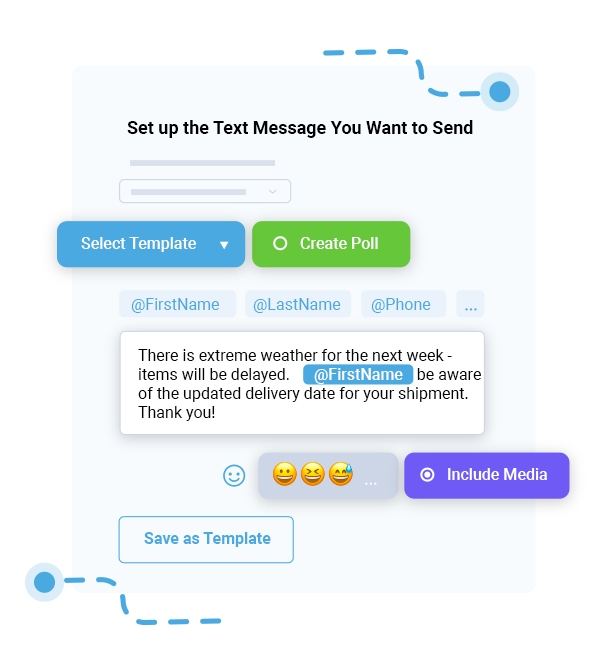
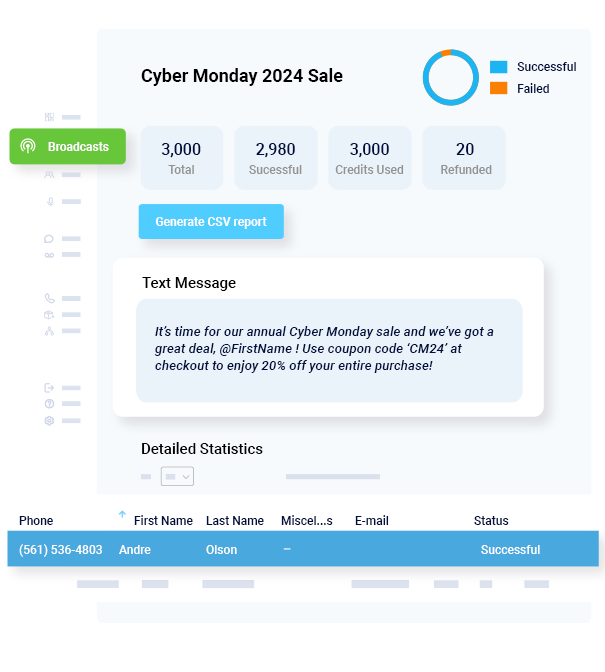
DialMyCalls offers a variable SMS service that allows you to insert @FirstName, @LastName, @Phone, @Email, or @Miscellaneous to personalize mass texts with names, contact information, dates, or custom details for every recipient.
Tip 2: Segment Contacts by Location, Behavior, or Interest
With segmentation, you can divide your audience into meaningful groups so each message feels relevant. Instead of sending the same texts to everyone, you send them only to those who are most likely to care.
There are different ways to segment your audience:
Location: Group your contacts by city, region, or branch.
Customer lifecycle: Separate new customers from returning ones to send messages suited to where they are in their journey.
Interests: Use opt-in categories or service preferences to send content aligned with what recipients actually want.
Audience Segmentation Text Message Example
Generic Nationwide Text
Check out our holiday deals today!
Segmented, Personalized Text
Hi Marissa! Since you loved our candles last year, enjoy 15% off your favorite scents with our code HOLIDAY15. 🎁 Bring extra coziness to your holiday season!
Subscribers who receive texts tailored to their shopping habits are 25–30% more likely to convert compared to those who receive generic blasts. Segmentation makes messages more effective by targeting specific audiences.
Tip 3: Make Messages Feel Personal with the Right Context and Timing
Contextual personalization goes beyond putting a customer’s name in a message. It also means paying attention to when and why you’re sending them.
Here are a few ways to add contextual personalization to your messages:
Time-based: Send Messages Linked to Deadlines or Schedules
Hi Mark, your subscription renews in 3 days. Renew now to keep enjoying your benefits!
Behavior-based: React to Customer Actions or Inactivity
Hi Mary, we noticed you haven’t logged in to your account this week. Check out the new features available to you today!
Event-based: Celebrate Milestones or Special Occasions
Happy Birthday, Sarah! Enjoy 20% off today on your favorite products. 🎉
DialMyCalls offers full SMS automation for business needs. You can schedule texts or trigger broadcasts based on specific data fields or dates, such as reminders, renewals, or alerts.
is a mass notification system that enables businesses to send bulk SMS, voice calls, or emails, perfect for reaching clients, staff, or members at scale while making each message feel tailored. It’s fast, efficient, and personal.
DialMyCalls Key Features
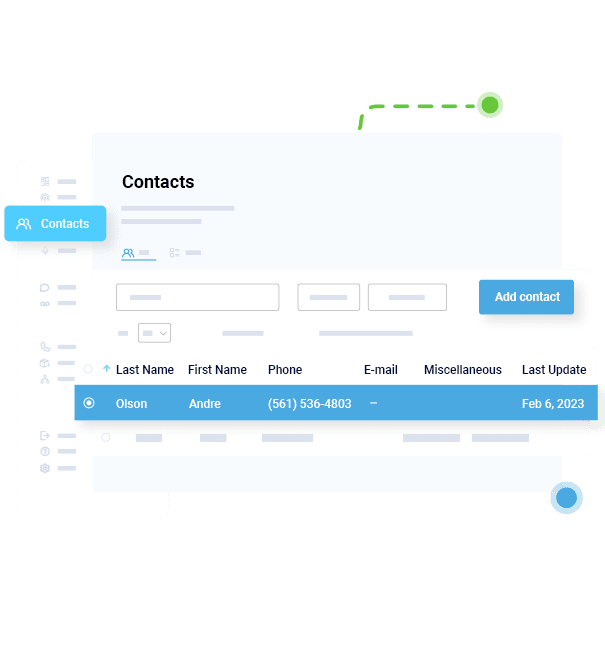
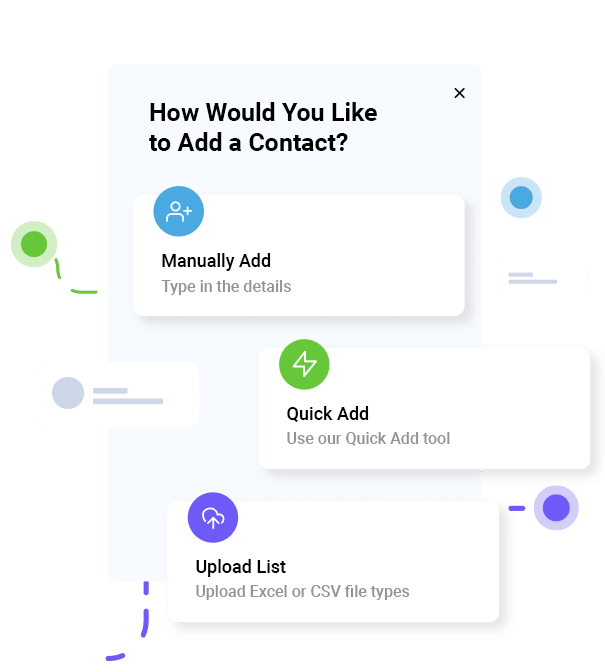
Upload Contact Lists with Merge Fields
Import names, phone numbers, locations, or other custom data so every message can include personal details.
Send Personalized Broadcasts Instantly
Use merge tags like @FirstName or @Miscellaneous to automatically customize each message before sending.
View Delivery and Engagement Reports
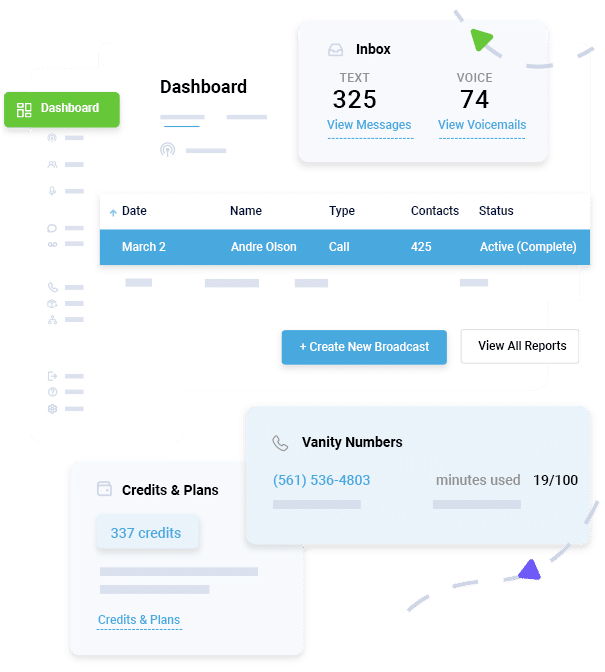
Track which messages were delivered, who responded, and how your audience engaged, all from a single dashboard.
Example Workflow using DialMyCalls
A boutique gym wants to reduce lapsed memberships while keeping members engaged. They have hundreds of members, each with different renewal dates, membership types (yoga, strength training, or full access), and preferred class times. Manually texting reminders would be time-consuming and prone to errors.
With DialMyCalls, the gym simply followed these steps:
Upload member contacts with first name, membership type, and renewal date.
Create a template: “Hi @FirstName, your @MembershipType membership renews on @RenewalDate. Reply YES to renew.”
Schedule or trigger the message automatically before renewal dates.
Using DialMyCalls, members get timely notifications, feel valued, and are more likely to renew without extra effort from staff.
Not all personalized messages resonate. Watch out for these common SMS personalization mistakes and how to avoid them:
Over-personalizing: Using too much private info can come across intrusive. Stick to names, locations, or preferences and leave out the sensitive details (like financial data and status, legal issues, and medical records).
Sending irrelevant or repetitive messages: Sending people content they don’t care about or see too often leads to unsubscribes. Segment your contacts and add variety to your messages.
Not updating contact lists: Outdated or incorrect contact info reduces delivery rates and harms your business’s credibility.
Ignoring compliance: The Telephone Consumer Protection Act (TCPA) requires opt-in and simple opt-out options, while the CAN-SPAM Act has rules regarding truthful content and honoring unsubscribe requests. Protect customer data and comply with regulations to stay on the right side of the law.
Personalization is effective when you keep it simple and send texts that are both timely and relevant. These habits turn bulk texts from background noise into something your audience pays attention to. That’s effective SMS marketing.
With DialMyCalls, you can automate and scale that human touch in every message. You can upload contacts with merge fields, build message templates, schedule broadcasts, and track results — all in one place.
Personalized SMS messaging is sending text messages that use real data about each recipient. This can include their name, past purchases, preferences, location, or behavior. Unlike generic messages, personalized texts look like they were written specifically for each person.
How can I personalize messages for thousands of people?
You can personalize messages by using contact lists with data fields such as first name, location, or membership information. Using an SMS platform with merge tags or dynamic fields, you can create one template message with placeholders.
For example, with “Hi @FirstName, your membership renews on @RenewalDate,” the system automatically replaces the placeholders for each recipient. This allows you to send mass messages while keeping each one personal.
Does personalization improve SMS engagement?
Yes. Personalized SMS messages usually achieve significantly higher engagement rates compared to generic texts. Marketers report open rates of nearly 100%, fast reads, higher reply rates, and conversion lifts.
What tools help automate personalized texts?
Modern SMS and notification platforms, such as DialMyCalls, support contact fields, merge tags (or “variables”), segmentation, scheduling, and delivery tracking. You can upload a list, define custom fields, compose a template message, then send or schedule a broadcast that automatically fills in each recipient’s data.
Is SMS personalization GDPR and TCPA compliant?
Yes, if you follow the rules. In the US, for instance, the TCPA requires explicit opt-in consent before sending marketing SMS and a clear opt-out option, such as replying STOP.
When doing business in Europe, the General Data Protection Regulation (GDPR) calls for informed consent, transparency about how data is used, and secure storage of personal information.
Collect consent clearly, provide opt-outs, and protect data to make personalized SMS both effective and compliant.
Scheduling Made Easy
Automate Your Appointment Reminder System with SMS & Phone Calls
Tim Smith is the Media Manager at DialMyCalls, where he has leveraged his expertise in telecommunications, SaaS, SEO optimization, technical writing, and mass communication systems since 2011. Tim is a seasoned professional with over 12 years at DialMyCalls and 15+ years of online writing experience.
“I am a youth minister and have spent hours in the past calling students individually to remind them of an upcoming event or to get out an urgent announcement. With DialMyCalls.com, I cut that time down to about 1 minute. I also love how I can see exactly who answered live and how long they listened so I know if they heard the whole message. DialMyCalls.com is the best website I have stumbled upon all year! Thanks!”
Real Results, Real ReviewsOver 40,000 customers trust our platform – and it shows.
4.3
502 Reviews
4.7
836 Reviews
Author
Tim SmithMedia Manager
Tim Smith is the Media Manager at DialMyCalls, where he has leveraged his expertise in telecommunications, SaaS, SEO optimization, technical writing, and mass communication systems since 2011. Tim is a seasoned professional with over 12 years at DialMyCalls and 15+ years of online writing experience.
“I am a youth minister and have spent hours in the past calling students individually to remind them of an upcoming event or to get out an urgent announcement. With DialMyCalls.com, I cut that time down to about 1 minute. I also love how I can see exactly who answered live and how long they listened so I know if they heard the whole message. DialMyCalls.com is the best website I have stumbled upon all year! Thanks!”
Fill out the form below to get a fast custom pricing quote specific for your
organization.Want to speak to our sales team now? Call us at
1-800-928-2086
Thank you!
A representative will be reaching out to you soon.
For immediate help you can call us on
800-928-2086.
Try Out DialMyCalls Now?
Enter a new password and click create account and you'll be able to send 25 test messages now.
Send A Sample Broadcast
We'll send a sample call or text to your phone right now. Remember when you use DialMyCalls you can record your message in your own voice. When the phone rings just pick up and say "Hello" to hear the message.


![What Is Conversational AI in SMS & Calling? [+ Real-World Applications]](https://www.dialmycalls.com/wp-content/uploads/2025/06/conversational-ai-in-sms-and-calling.jpg)