Before you dive in, here’s what AI phone answering can do for your business:
Set up in minutes with no technical skills required
Eliminate missed calls and capture more leads automatically
Operate 24/7 without adding to your staffing costs
Route calls, take messages, and send alerts without human intervention
Customize easily to match your business needs and voice
Scale as your call volume grows without rebuilding from scratch
Every missed call is a decision your customer makes without you. They hang up and call the next business on their list. In industries where customers are choosing between several similar businesses, the business that answers first wins, and the business that doesn’t answer at all often doesn’t get a second chance.
Don’t take our word for it, though.
The Harvard Business Review points out that businesses that respond to leads within an hour are 7x more likely to qualify those leads than a company that waits an hour.
Another study found that 80% of customers won’t even bother leaving you a voicemail because they don’t think anyone will call them back.
Forbes points out that speed of response is even more important to customers than price.
The problem? Having someone to answer the phone 24/7 costs money. A full-time receptionist runs $35,000 to $50,000 annually before benefits, and they can only work one shift. An answering service adds ongoing monthly fees and could mean an inconsistent experience for your customers.
AI phone answering solves the availability problem without the overhead. This guide will walk you through exactly how to set it up.
Why Setting Up an AI Phone Answering Service Matters
Before we talk about setting up an AI phone answering service, let’s cover why it matters to your business in the first place.
Missed Calls Mean Lost Business
You might not think that a missed call is that big of a deal. And, to be accurate, a single one probably isn’t. However, when was the last time you missed just a single phone call? Never. Missed calls add up, each one representing some degree of lost revenue. That loss compounds over time.
Think about a plumbing company that misses 10 calls on a busy Saturday. If even three of those were customers with urgent jobs averaging $400 each, that’s $1,200 in a single day. Multiply that across weekends, evenings, and holidays, and you start to see just how much money you could be losing.
It’s also important to remember that the damage isn’t just financial. Customers who can’t reach a business often leave reviews about it. “Couldn’t get anyone on the phone” is one of the most common complaints in service business reviews, and it’s entirely preventable.
Customers Expect Instant Responses
Speed-to-answer is a major pain point for today’s customers. When someone searches for an electrician or a family law attorney and calls the first result, they’re not going to sit through a voicemail greeting and then wait around for a callback. They’re going to call the second result while the first one’s voicemail is still talking.
The businesses that convert the most inbound calls aren’t necessarily the best at their trade. They’re just the most accessible. AI answering means that you’re able to offer the accessibility your customers expect (and deserve) without having to staff a phone line around the clock.
Staffing Limitations Are Real
Even businesses that want to staff a receptionist run into the same wall. Human receptionists get sick, take vacations, go on breaks, and have limits on how many calls they can handle at any one time. Training takes time, turnover is expensive, and after-hours calls still fall through unless you have someone answering at night, which is prohibitively expensive. An AI phone answering service enables 24/7 availability.
What You Need Before Getting Started
If you’ve ever tried to set up software for your business, you know the headaches that come with that. Thankfully, there’s not a ton of work to do before you can set up an AI phone answering service. Below, you’ll find the basics.
A Business Phone Number
First, you need a business phone number. You don’t necessarily need a new phone number. Most platforms let you forward your existing business line to the AI system, so your published number stays the same, and customers never notice any change on their end. I
Clear Call Handling Goals
Before you configure anything, know what you want the system to do. The three most common goals are lead capture (collecting caller information and inquiry details for follow-up), appointment booking (routing callers into a scheduling workflow), and call routing (directing callers to the right department or person based on their need).
Basic Call Script Ideas
Using an AI phone answering setup requires creating call scripts. However, you don’t need a finished script at this stage, just a starting point. Think through how you’d want a receptionist to greet your callers, what your customers most commonly ask when they first call, and what information you need to collect from every caller.
What Do Your Customers Ask?
Setting up your system so that it benefits your callers is important. What do most people call about? What’s the single most common question that gets asked? Are there common questions that probably can’t be automated?
Instant Communication, Whenever You Need It
Send Real-Time SMS & Voice Call Alerts from Anywhere
Step-by-Step: How to Set Up an AI Phone Answering Service
By this point, you should have a good idea of what’s necessary to get started. However, that’s only part of the equation. Now you need to set up your answering service. While there’s no one-size-fits-all path, the following steps will help you.
Step 1: Choose the Right AI Phone Answering Tool
Make sure the AI phone answering system you choose is easy to use. If you have to go through an onboarding session that lasts several hours or you need a software developer to set it up for you, there’s a good chance that it’s not going to be all that easy to use.
Beyond usability, the right system will also match your needs. Look for capabilities like call routing, SMS notifications, voicemail transcription, CRM integrations, and script customization without coding.
DialMyCalls is built specifically for business communication automation, handles both inbound and outbound calls, and deploys fast, without technical overhead.
Step 2: Connect Your Business Phone Number
The next step in the AI phone answering setup involves connecting a phone number, so you’ll need a business phone number. If you’re forwarding an existing number, you’ll set up call forwarding through your current carrier, either unconditional forwarding or conditional forwarding.
Not sure which is which? Unconditional forwarding means that every call to your business goes through the AI system. Conditional forwarding means that calls will only forward if you don’t answer within a specific number of rings.
Setting up a new virtual number? Your platform should have a step-by-step setup process that lets you choose the number, including whether you want a local area code or not.
Step 3: Configure Your Call Handling Rules
AI phone answering setup includes configuring call handling rules so that the AI routes calls correctly.
Start with hours-based routing. Base them on your business hours and set a separate handling path for after-hours calls. Then think about what usually happens during business hours: does everyone go to the same place? Would it be better to send specific calls to particular team members?
Step 4: Create Your AI Call Script
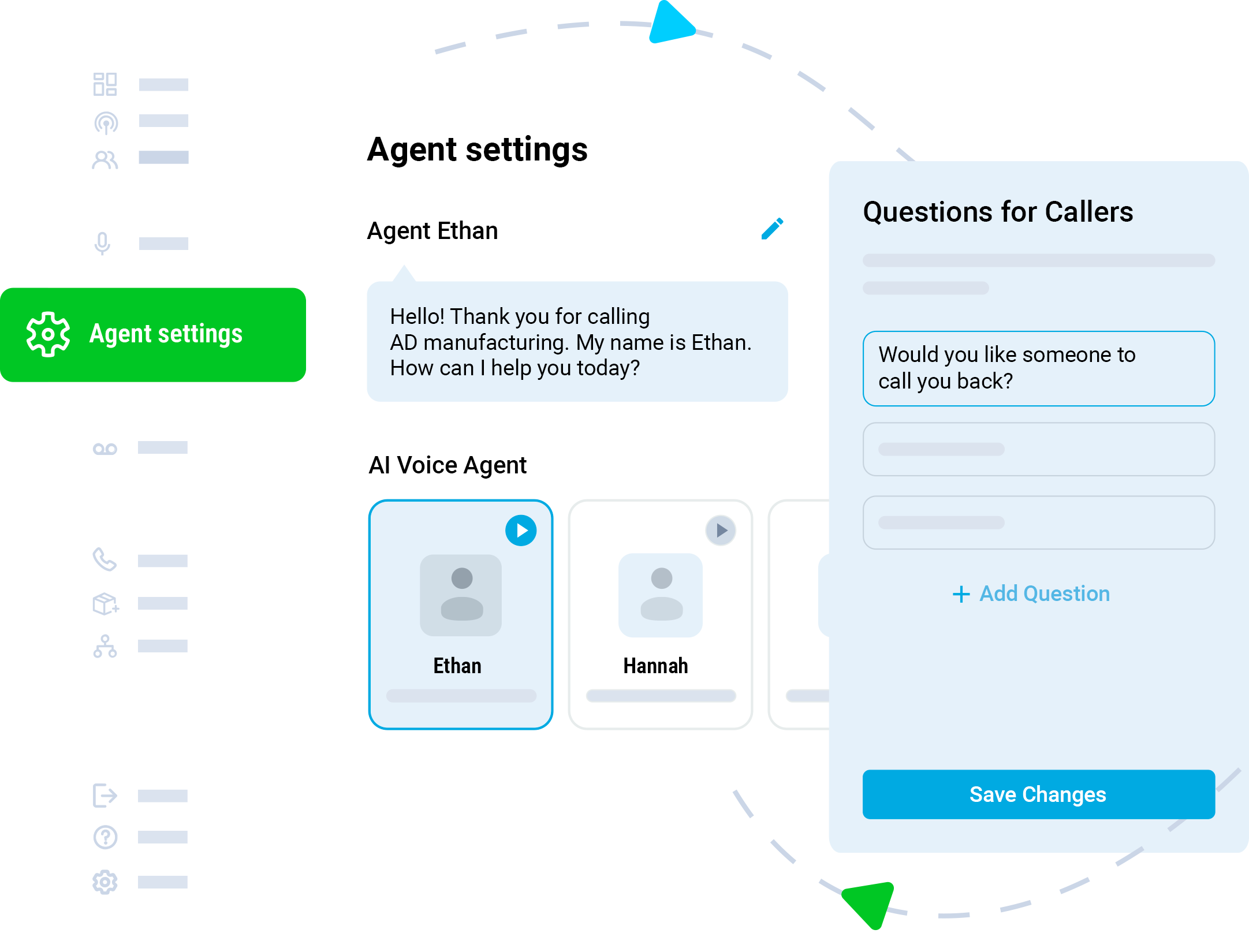
The next step in AI phone answering setup requires creating call scripts. Your script is probably the most important customer-facing part of this. After all, it’s your company’s voice. There are three parts to your script: the greeting, how calls are handled (called logic), and capturing the caller’s message (if necessary).
Your greeting should sound like a person, not a recording. Something like this:
“Thanks for calling [Business Name]. We’re glad you reached out. To get you to the right place, can I ask what brings you in today?”
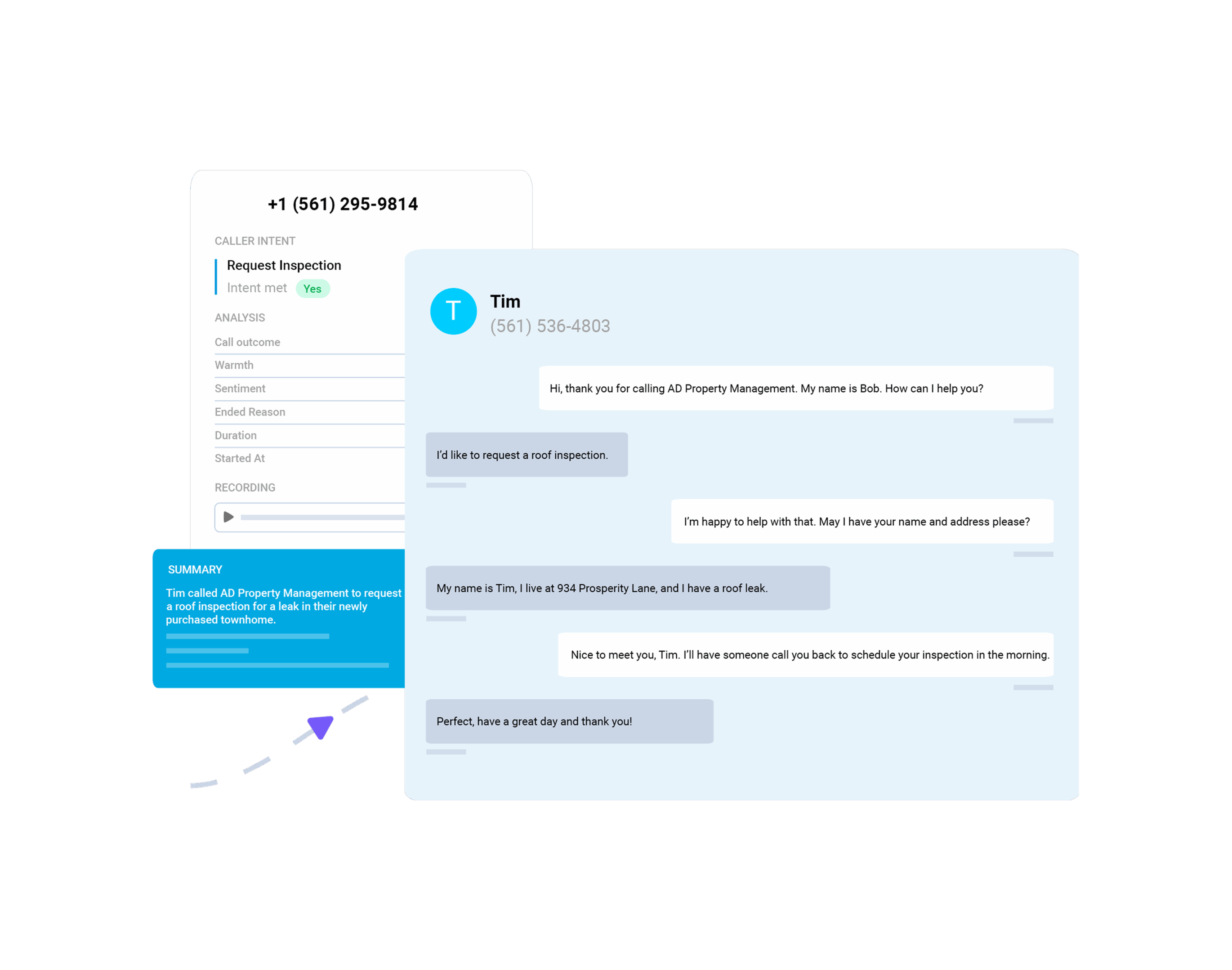
Next, the customer will respond, and your handling logic will kick in (think appointment requests, service questions, or questions about your hours). Structure your script so that the AI can answer questions rather than putting customers on hold.
Of course, there will be times when the system can’t answer a caller’s question, and there may not be someone immediately available. The system should let the customer know that their information was recorded and that someone will get in touch as soon as possible.
Step 5: Set Up Notifications and Follow-Ups
An AI answering system that captures calls but doesn’t alert anyone is only half a solution. Configure your notification settings so that every message automatically sends an SMS or email to the right person or team. Most systems let you specify who gets notified for which call types (which is why it’s important to choose a system that lets you determine who gets which calls and when).
Most businesses today use a CRM. Make sure that the answering system you choose plays nice with yours. Automatic call logging, messages, and caller details eliminate manual data entry and make sure that every customer is taken care of.
Step 6: Test Your AI Answering System
Before you go live, call your own number multiple times from different phones and walk through different situations. Go through every path in your call handling logic just like you were a first-time customer who doesn’t know how your system works. In addition to the basics, test a few outliers:
What happens if a caller doesn’t respond?
What happens if someone asks a question your script doesn’t cover?
What happens after hours?
Step 7: Go Live and Optimize
Launching is the beginning. Once your system is live, go over your call logs regularly, weekly at first, then monthly once things start to settle. Look for calls where the AI didn’t handle things well, questions your script isn’t answering, and routing paths leading to higher-than-expected drop-offs.
Remember that your script is a living document and it needs to change as your business does. Update it when your business hours change, when you add services, when pricing changes, or when you notice the same unanswered question appearing repeatedly in your logs.
Combining Automation and Human Support
AI phone answering shouldn’t replace humans on your team. The goal isn’t to route every caller to an automated flow and eliminate human contact. It’s to make sure every caller gets an immediate, useful response while giving your team the information and context they need to follow up quickly and accurately. There are also several areas where humans are just better suited (think complicated questions or dealing with sensitive information).
How DialMyCalls Simplifies Setup
An AI phone answering service reduces misled calls and improves lead capture, but only if you have the right one. DialMyCalls delivers the features and capabilities that your business needs.
No Technical Setup Required
DialMyCalls is designed for business owners, not developers. There’s no need for any coding knowledge, carrier-level configuration expertise, or even IT involvement. If you can navigate a web interface and write a greeting, you can set up a functional AI answering system.
Fast Deployment
Most businesses are fully operational within the same session they start setup. There’s no waiting period, no hardware to install, and no long onboarding process to sit through. You can be answering calls automatically before the end of the day you start.
Easy Customization
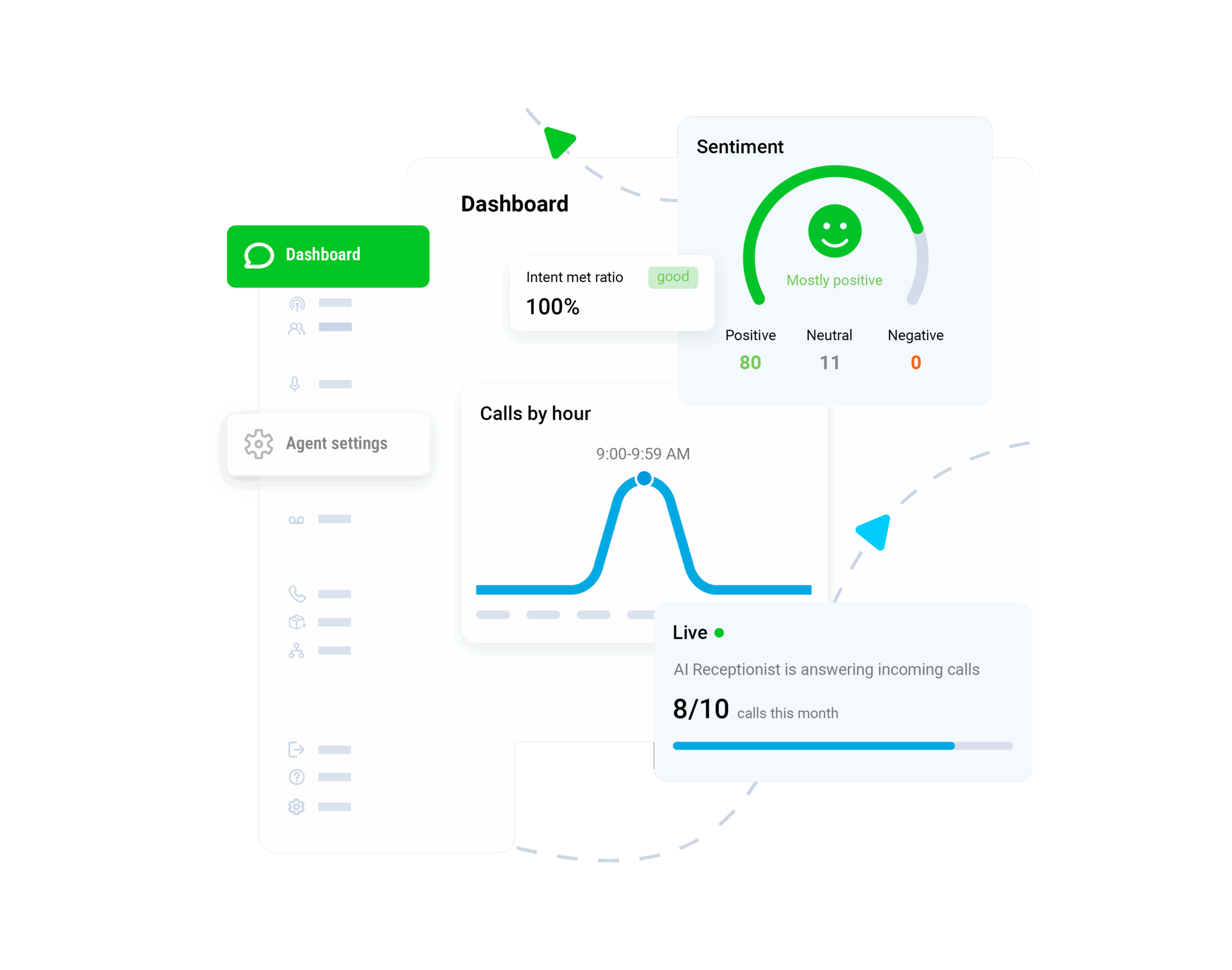
Scripts, notification preferences, and handling logic are all configurable through your user dashboard. As your business changes, your setup changes with it.
Reliable Automation
DialMyCalls makes sure every call gets answered the same way, with the same quality, at 3 PM on a Tuesday and 2 AM on a Sunday.
Frequently Asked Questions
How long does it take to set up an AI phone answering service?
Most businesses complete the initial setup in under an hour. If your call handling needs are relatively simple, you can be fully operational in thirty minutes or less. More complex setups with multi-department routing and CRM integration take a little longer.
Do I need technical skills to set it up?
No. DialMyCalls is designed for non-technical users. If you can write a text message and follow a setup wizard, you have everything you need.
Can AI handle complex customer queries?
AI is not the best solution for complex questions. Those should be routed to a human being (set up your system so that the AI automatically escalates the call to the right person).
Is AI better than a receptionist?
It depends on what “better” means to you. For availability, consistency, and cost per call, AI wins. For warmth, judgment, and handling complex situations, a human receptionist is the better choice. The most effective approach for most small businesses is using AI to cover the volume and the hours a human can’t, while keeping human support available.
Stop Missing Calls and Losing Business
Missed calls are missed opportunities and lost revenue. An AI phone answering service can make sure that you never have to worry about that again.
Setting up an AI phone answering service doesn’t require technical expertise, a massive budget, or a long implementation timeline. You just need a phone number, to know what your callers need, and 30 minutes of setup time.
Ready to get started? We make it easy. Explore our platform and set up your AI answering system today.
Keep Everyone Connected & Informed
Get the Word Out Quickly with Bulk Texting and Voice Calls
Tim Smith is the Media Manager at DialMyCalls, where he has leveraged his expertise in telecommunications, SaaS, SEO optimization, technical writing, and mass communication systems since 2011. Tim is a seasoned professional with over 12 years at DialMyCalls and 15+ years of online writing experience.
“I am a youth minister and have spent hours in the past calling students individually to remind them of an upcoming event or to get out an urgent announcement. With DialMyCalls.com, I cut that time down to about 1 minute. I also love how I can see exactly who answered live and how long they listened so I know if they heard the whole message. DialMyCalls.com is the best website I have stumbled upon all year! Thanks!”
Real Results, Real ReviewsOver 40,000 customers trust our platform – and it shows.
4.3
502 Reviews
4.7
836 Reviews
Author
Tim SmithMedia Manager
Tim Smith is the Media Manager at DialMyCalls, where he has leveraged his expertise in telecommunications, SaaS, SEO optimization, technical writing, and mass communication systems since 2011. Tim is a seasoned professional with over 12 years at DialMyCalls and 15+ years of online writing experience.
“I am a youth minister and have spent hours in the past calling students individually to remind them of an upcoming event or to get out an urgent announcement. With DialMyCalls.com, I cut that time down to about 1 minute. I also love how I can see exactly who answered live and how long they listened so I know if they heard the whole message. DialMyCalls.com is the best website I have stumbled upon all year! Thanks!”
Fill out the form below to get a fast custom pricing quote specific for your
organization.Want to speak to our sales team now? Call us at
1-800-928-2086
Thank you!
A representative will be reaching out to you soon.
For immediate help you can call us on
800-928-2086.
Try Out DialMyCalls Now?
Enter a new password and click create account and you'll be able to send 25 test messages now.
Send A Sample Broadcast
We'll send a sample call or text to your phone right now. Remember when you use DialMyCalls you can record your message in your own voice. When the phone rings just pick up and say "Hello" to hear the message.