When Outlook Goes Down, How Do You Reach Your Employees?
On Thursday, November 12, Outlook went dark in the middle of the workday. Inboxes wouldn’t load, Teams calls dropped, and millions of people sat at their desks wondering whether the problem was on their end.
If you run a small business, you probably hit the same wall: how do you tell your whole team that email is down when email is the way you tell your team everything?
That’s the question we’ve been hearing from businesses all week. Here’s what happened, why your usual tools can’t help in an outage, and two ways to reach your team with DialMyCalls: a broadcast you can send right now, and a Scenario that’s ready before the next one.
What Happened In The Microsoft 365 Outage
The outage started around noon Eastern on November 12 and was still not fully fixed the next morning, more than 18 hours later (Variety).
- Email went first. Users couldn’t open their Exchange Online mailboxes on the web, desktop or phone, and Microsoft warned that mail delivery could be delayed (CNN).
- Then everything connected to it. Teams, OneDrive, SharePoint and Copilot were also affected (Deadline).
- It was huge. Downdetector logged nearly 140,000 Outlook reports at the peak, more than 130,000 of them in the U.S. (SOCRadar).
- Scammers moved fast. Within hours, fake “reset your Outlook password” emails and texts were circulating (SOCRadar).
Microsoft said servers in Exchange Online were failing health checks and dropping out of service, which overloaded the rest. It had not published a final root cause as of November 13 (System Design Academy). And this wasn’t a one-off: Microsoft 365 also had major outages in January and July this year.
Why You Can’t Use Email To Announce An Email Outage
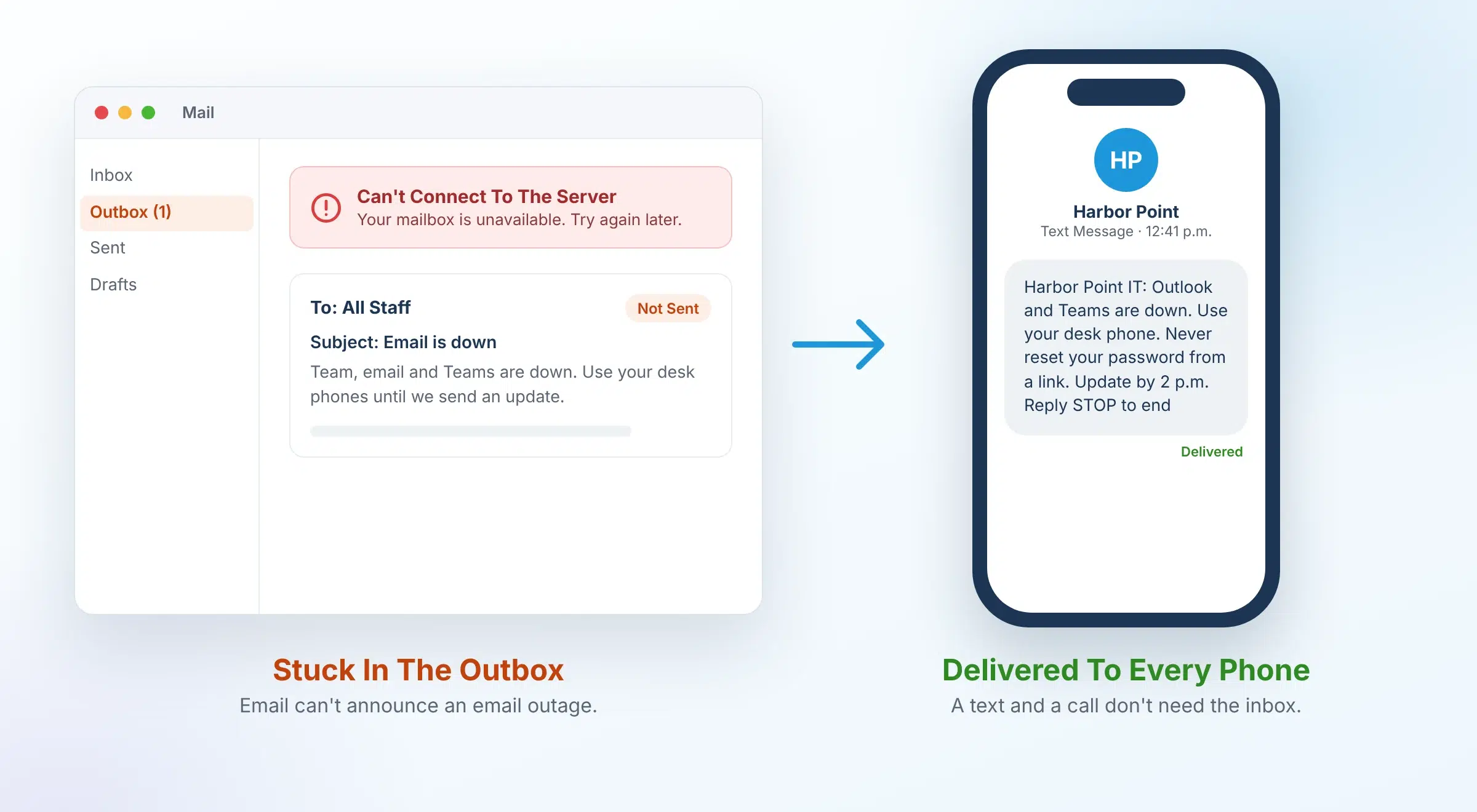
When Microsoft 365 goes down, your all-staff email and your Teams channel go down with it. The tools you’d normally use to say “we know, here’s the plan” are the ones that broke.
That leaves most small businesses with a few bad options:
- Walking desk to desk. Fine for a 10-person office. Useless for remote staff, field crews or a second location.
- A manager’s personal group text. It only reaches the people in one person’s phone, nobody knows who got it, and it disappears into a thread.
- Saying nothing. Employees waste hours refreshing their inbox, customers get no reply, and IT gets buried in “is it just me?” calls.
Silence also creates a security risk. When people don’t hear from you, a fake “reset your password” message looks a lot more believable.
The fix is simple: have a way to reach your team that doesn’t depend on their inbox. A text message and a phone call reach people on the phone already in their pocket.
Email Down Right Now?
Reach Every Employee by Text and Phone Call in Minutes, No Inbox Required
Build Your Email Outage Plan In 5 Steps
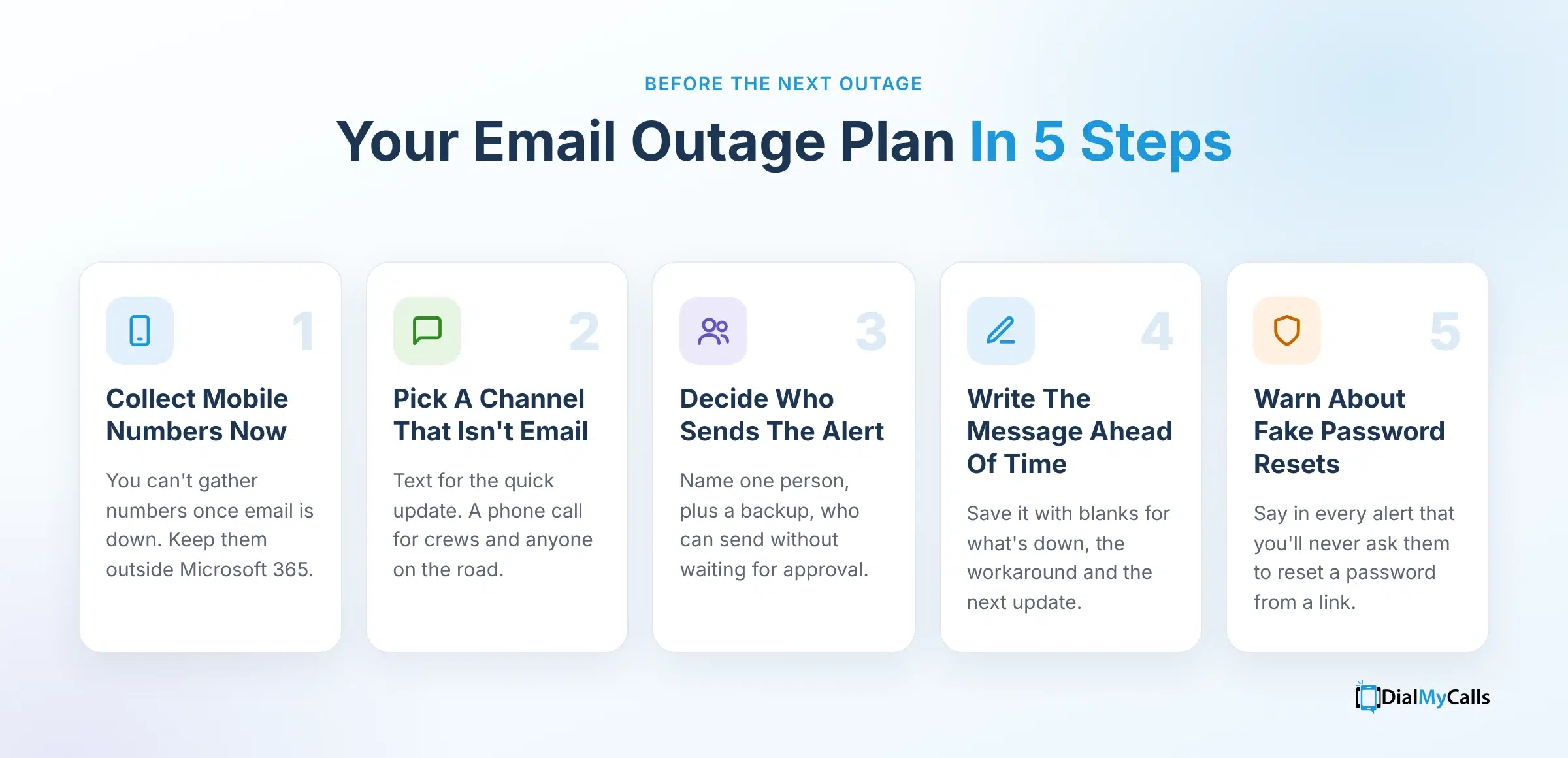
You don’t need an IT department to be ready for the next outage. You need these five things in place before it happens.
- Collect mobile numbers now. You can’t gather phone numbers once email is down. Get a mobile number for every employee, and keep the list somewhere outside Microsoft 365. In DialMyCalls, you can upload your whole list as a CSV or XLSX file.
- Pick a channel that isn’t email. Use text messages for the quick update and a phone call for anyone who needs to hear it, like field crews or staff who are driving.
- Decide who sends the alert. Name one person, plus a backup, who can send an outage alert without asking permission first.
- Write the message ahead of time. Under pressure, people forget the important parts. Have a ready-made message with blanks for what’s down, the workaround and when the next update is coming.
- Tell people what you’ll never send. Say in every outage alert that you’ll never ask them to reset a password from a link. It’s the simplest way to blunt the phishing that follows big outages.
One more tip: send a short “all clear” when service comes back, so people stop working around a problem that’s already fixed.
Two Ways To Alert Your Team With DialMyCalls
DialMyCalls reaches your team by text message and phone call, so an outage alert lands on their phones instead of in the inbox that’s down. Send a broadcast when you need to reach everyone right now, and save a Scenario so the next alert is ready before you need it.
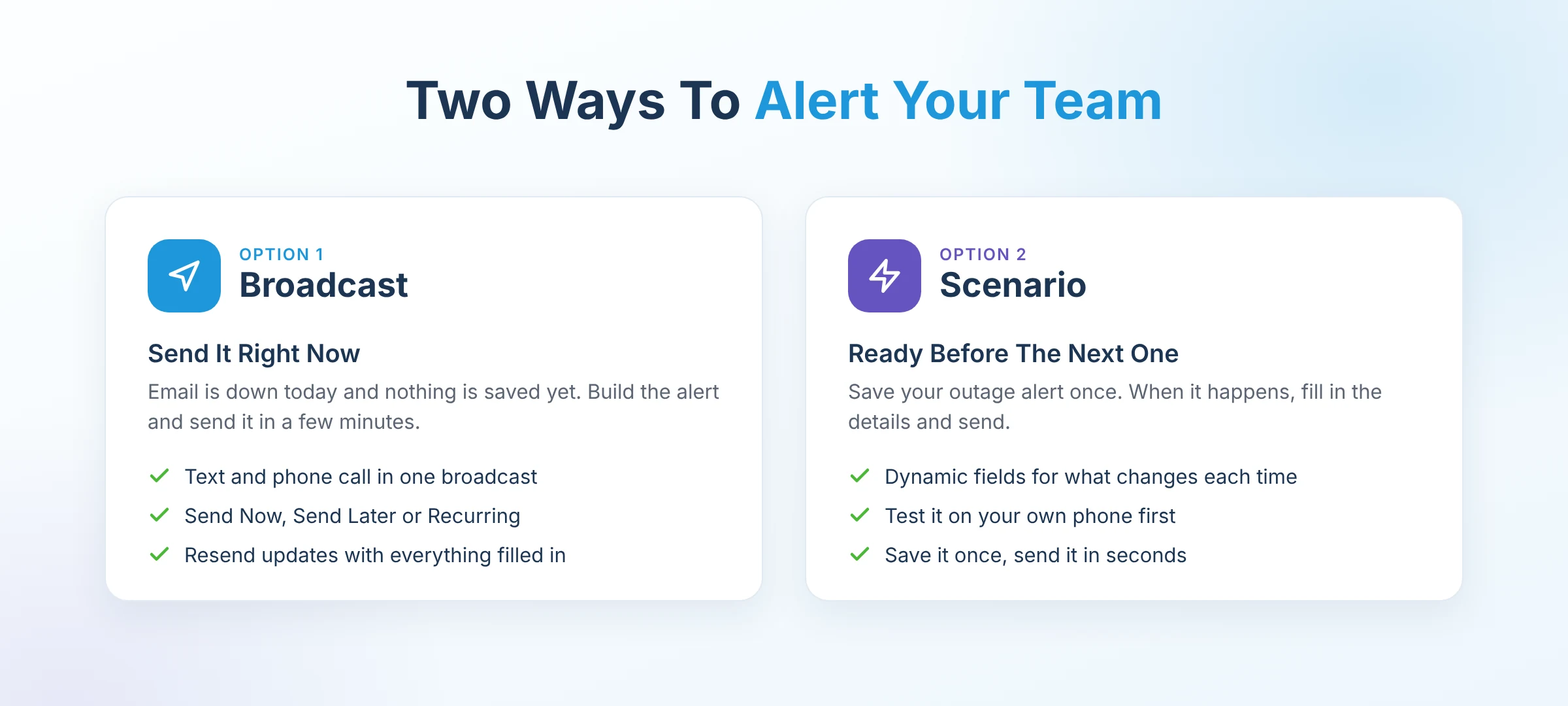
Option 1: Send A Broadcast Right Now
If email is down today, this is the fastest way to reach everyone from scratch.
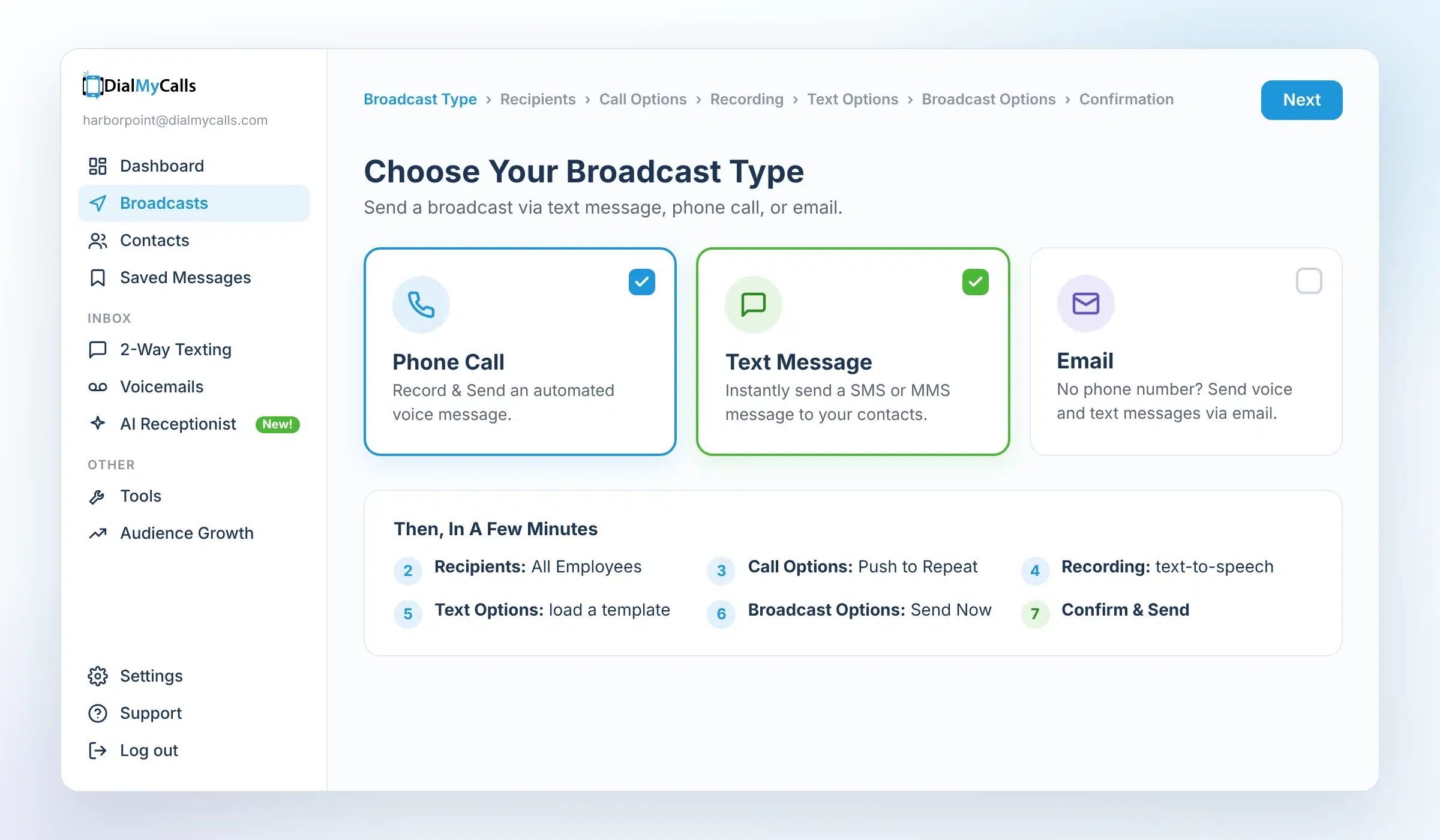
- Choose your broadcast type. Go to Broadcasts and check both Phone Call and Text Message. You can send both in the same broadcast.
- Select your recipients. Pick individual contacts or a whole group, like All Employees or Field Crew. Team not in DialMyCalls yet? Upload them from a CSV or XLSX file under Contacts.
- Set your call options. Choose the caller ID employees will see. Turn on Push to Repeat so people can press 9 to hear the message again.
- Pick a recording. Choose a saved recording or create one with text-to-speech in seconds. You can add a shorter version for voicemail.
- Write your text. Type the update, load a saved template, or type @ to add contact fields like First Name.
- Choose when to send. Pick Send Now. For planned maintenance, use Send Later or Recurring instead.
- Confirm and send. Review the credits needed, then click Confirm & Send.
Each phone call uses 1 credit, and each text under 160 characters uses 1 credit, so a call and a text to one employee is 2 credits. Extras like Push to Repeat add 1/2 credit per call.
Option 2: Save An Outage Scenario Before The Next One
Scenarios are saved, ready-to-send alerts. Set one up once, and the next outage alert takes seconds instead of a full broadcast setup.
- Create the Scenario. Go to Broadcasts → Scenarios → Create Scenario. Start with the Employee Alert starter or build your own.
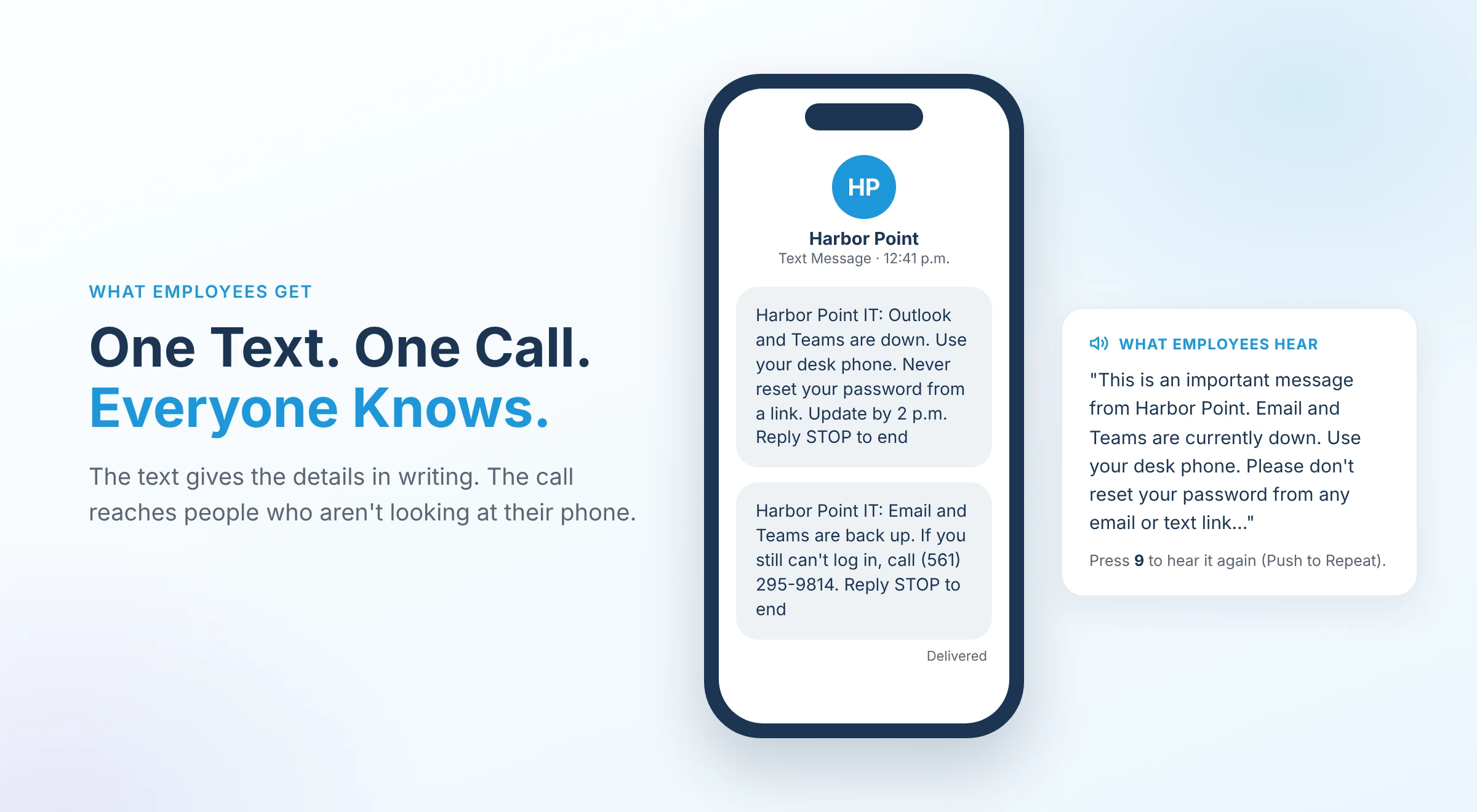
- Choose text and phone call. Text gives everyone the details in writing. The call reaches people who aren’t looking at their phone.
- Add dynamic fields. Leave blanks for what changes each time, like the affected system, the workaround and the time of the next update. A dropdown keeps choices consistent (Email, Teams, Phone System, Internet).
- Send yourself a test. Test mode sends the alert to your own phone and email, so you know exactly what employees will see and hear.
When the next outage hits, open the Scenario, fill in the dynamic fields, check the cost estimate, confirm and send. Save it once, send it in seconds.
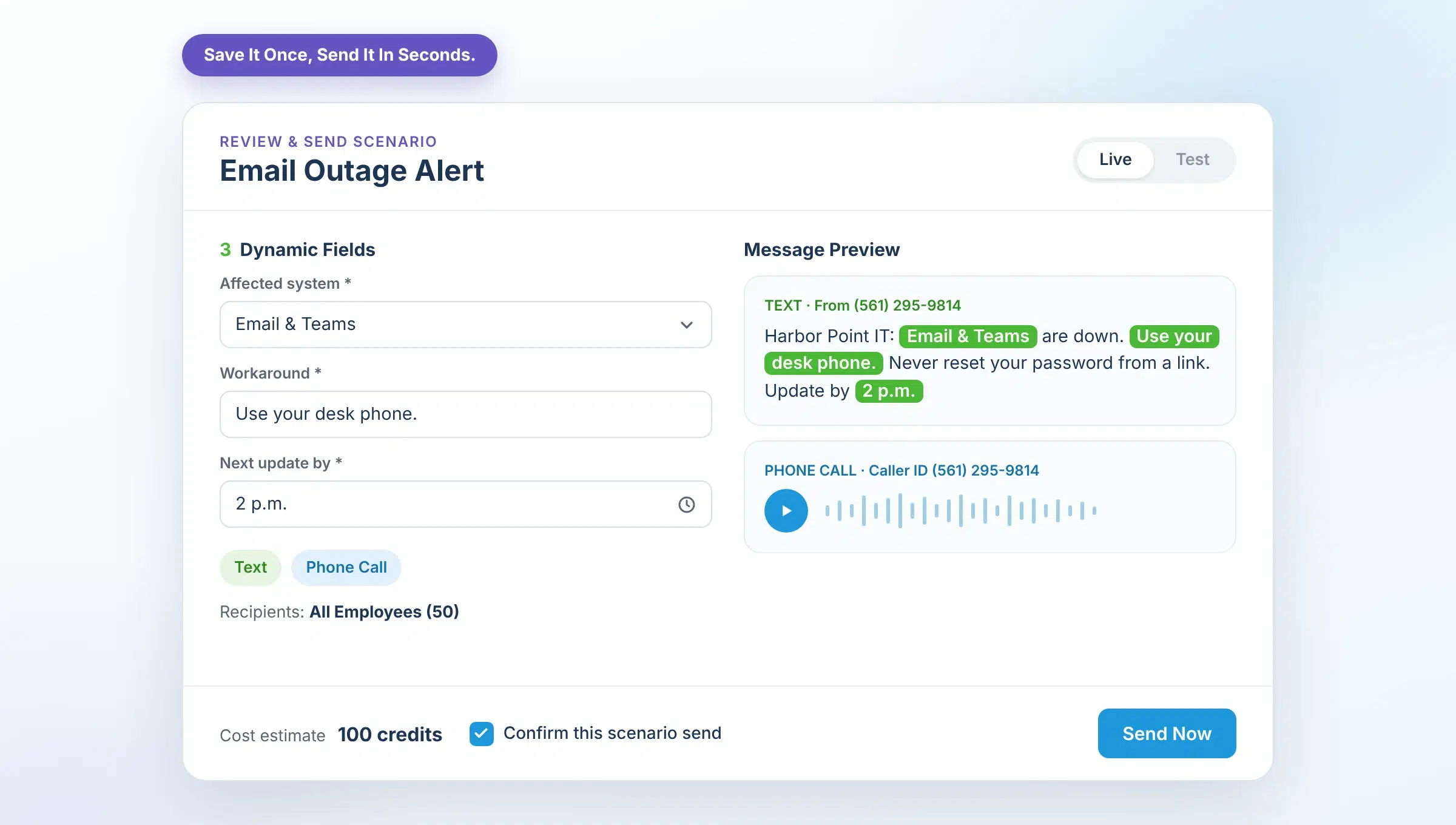
Scenarios are included on every DialMyCalls plan. Larger teams can add DialMyCalls Pro to control who’s allowed to send, require approval before an alert goes out and keep a full send history.
Which One Should You Use?
| Broadcast | Scenario | |
|---|---|---|
| Best for | An outage happening right now, with no alert saved yet | Being ready before the next outage |
| Setup | Full setup each time | Once; then fill in the details |
| Schedule ahead | Yes: Send Later or Recurring | No: sends when you're ready |
| Channels | Text, phone call, email | Text, phone call, email |
Most teams use both: send a broadcast today, then set up a Scenario so the next alert is ready to go.
Know Exactly Who Got It
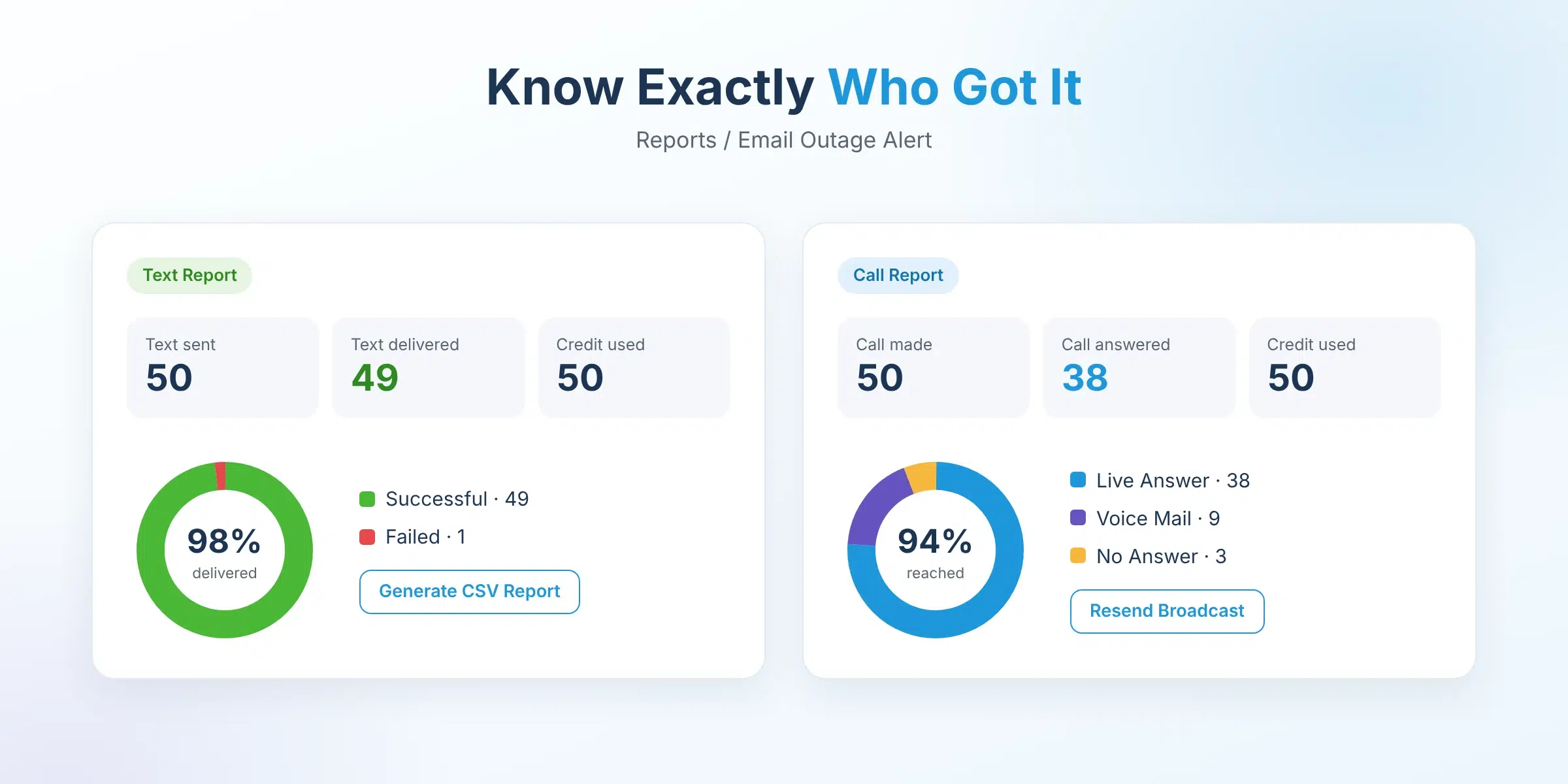
After you send, delivery reports show whose text was delivered and who answered the call or got voicemail. Download any report as a CSV, or use Resend Broadcast to send an update with everything already filled in.
Copy-Ready Outage Alert Templates
Copy these into your broadcast or Scenario. Words in [brackets] are the details you fill in. Keep each text under 160 characters once filled in, so it sends as one message.
| Alert | Channel | Message |
|---|---|---|
| Outage Alert | Text | [Company] IT Alert: [Affected system] is down. [Workaround]. Never reset your password from a link. Next update by [Time]. |
| Status Update | Text | [Company] Update: [Affected system] is still down. [What's changed]. Next update by [Time]. |
| All Clear | Text | [Company]: [Affected system] is back up. If you still can't log in, call [Help desk number]. |
| Outage Alert | Phone Call | This is an important message from [Company]. [Affected system] is currently down. [Workaround]. Please don't reset your password from any email or text link. We'll send another update by [Time]. Again, [Affected system] is down, and we're working on it. |
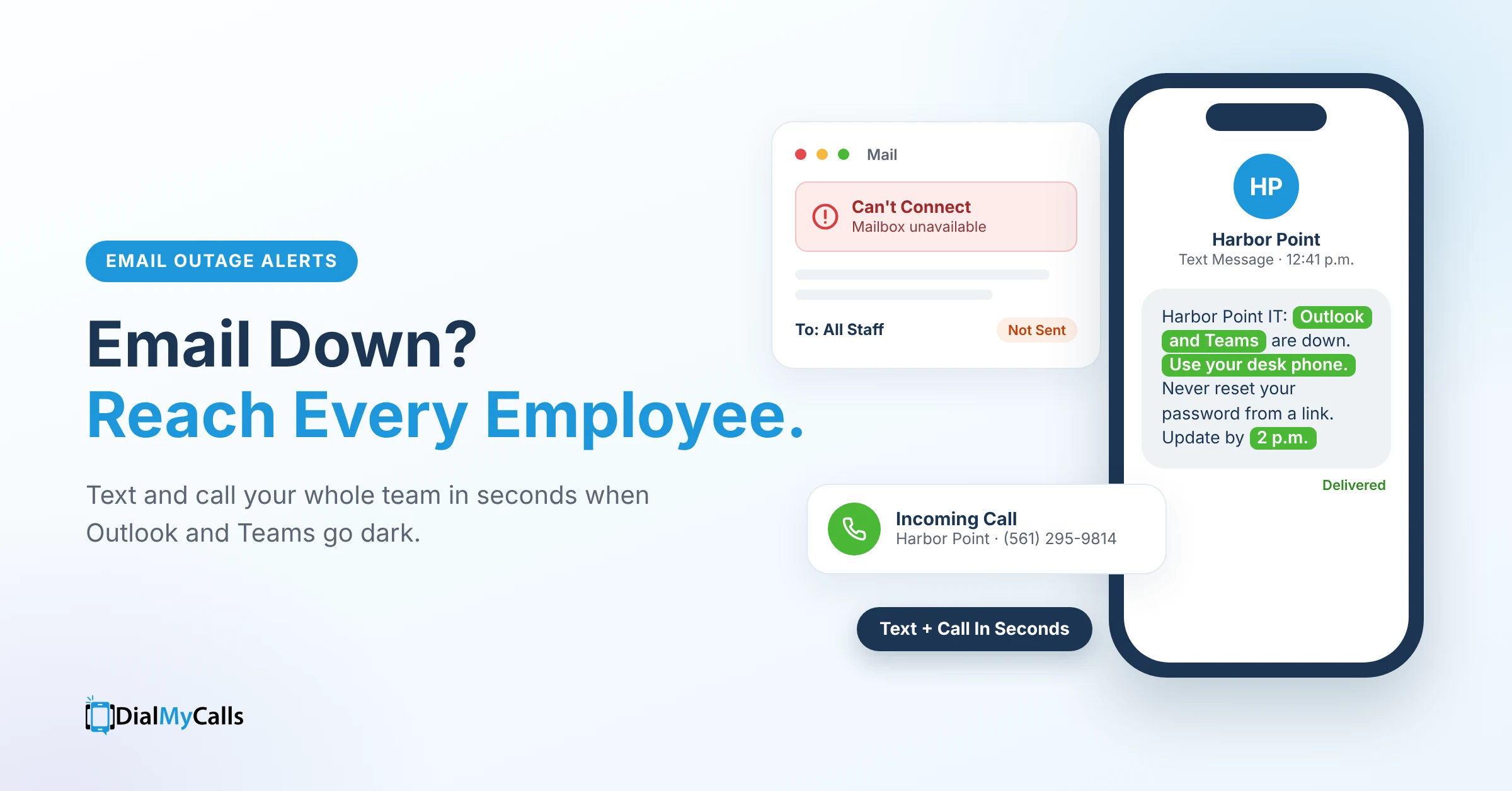
A filled-in example: Harbor Point IT: Outlook and Teams are down. Use your desk phone. Never reset your password from a link. Update by 2 p.m.
Put These Templates to Work
Upload Your Team From a CSV or XLSX File and Send Your First Outage Alert Today
FAQ
How do I notify employees when email is down?
Use a channel that doesn’t depend on email, like a mass text and phone call service. Keep every employee’s mobile number in a system outside Microsoft 365 so you can reach them the moment email fails.
Should I send the outage alert by email too?
No. If the outage is in your email system, an email alert won’t arrive. Text and phone calls reach employees directly.
How fast can I send an outage alert with DialMyCalls?
A new broadcast takes a few minutes: pick text and phone call, choose recipients, add your message and send. If you’ve saved the alert as a Scenario, you just fill in the details, confirm the cost and send it in seconds.
How do I know who got the alert?
DialMyCalls delivery reports show whose texts were delivered and which calls were answered or went to voicemail.
How do I protect employees from phishing during an outage?
Tell them in every alert that you’ll never ask them to reset a password from a link. Scam messages about password resets spread within hours of the November 12 Outlook outage.
Can I schedule a notice for planned maintenance?
Yes. When you send a broadcast, choose Send Later or Recurring. Scenarios send when you’re ready, so use a broadcast for anything you want to schedule ahead.
Is DialMyCalls only for outages?
No. The same contacts and Scenarios work for office closures, weather delays, shift changes and any urgent employee alert.
Get Ready Before The Next Outage
Microsoft will fix this outage, and there will be another one. The businesses that handle it best won’t be the ones with the biggest IT teams. They’ll be the ones that already have their employees’ numbers and a message ready to go.
Set up your outage alert today and send yourself a test. When email goes down, your team will hear from you in seconds.
Your Outage Alert, Ready Before You Need It
Save It Once, Then Send by Text and Call in Seconds