Deskless workers don’t check email regularly, leading to severe communication gaps.
Real-time communication is critical for maintaining workplace safety and agility.
SMS ensures instant message delivery across your entire distributed operation.
This channel works without specialized mobile apps or continuous internet access.
Transitioning to text-based alerts instantly improves operational coordination and efficiency.
The Communication Challenge with Deskless and Shift Workers
Traditional corporate communication assumes everyone sits in front of a computer screen all day. But according to BCG workforce data, office-bound knowledge workers are actually a rare minority. A staggering 80 percent of the global workforce is entirely deskless, totaling roughly 2.7 billion people across healthcare, retail, construction, and logistics. When plans change, standard desktop channels simply leave these teams stranded.
Limited Access to Email and Apps
Frontline teams spend their shifts moving and doing. Drivers, nurses, and construction crews can’t stop their physical work to log into a corporate desktop portal. Plus setting up individual corporate email addresses or software licenses for hourly workers is incredibly expensive and logistically painful.
When operations managers rely strictly on desktop-heavy tools, critical updates remain trapped in the office, completely hidden from the field.
Missed Updates and Delays
When updates live behind corporate portals, critical messages stall. Last-minute shift changes, safety adjustments, or sudden facility closures can easily sit unread in an inbox for hours.
By the time a field worker logs into a company terminal at the end of their shift, the information is completely obsolete. This lag forces frontline teams to work off outdated instructions, hurting performance and risking customer safety.
Fragmented Communication Channels
Without a straightforward corporate channel, internal communication completely fractures. Managers start texting from personal cell phones, supervisors create unmonitored group chats on public apps, and HR pins paper notes to breakroom bulletin boards.
This creates a chaotic mess where official compliance data gets lost, corporate oversight disappears, and employees never know where to look for a definitive answer.
Forcing traditional office tools onto a mobile workforce highlights a massive disconnect between corporate expectations and field reality.
For instance, corporate leadership often expects employees to check a company email before their shift begins, but the reality is that field employees rarely have a corporate address or computer.
Management might mandate a new operational app, but workers frequently run out of phone storage, get locked out by complex passwords, or forget their credentials entirely. Even the traditional fallback of calling individual teams manually turns into an endless game of phone tag, wasting hours of time for both management and the employees.
Email Is Not Real-Time
Email was built for slow, back-and-forth conversations, making it completely useless for frontline operations that require immediate action and on-the-go work. McKinsey research notes that because deskless employees are highly focused on physical tasks, they rarely check email while on the clock. Sending an urgent route change or schedule update via an inbox is practically pointless when a driver is already out on the road.
Apps Require Adoption and Logins
Employee collaboration applications introduce massive technical friction to a busy shift environment. Workers are naturally hesitant to download heavy corporate apps onto their personal smartphones. Forgotten passwords and rigid multi-factor authentication (MFA) prompts constantly lock users out, while training an entire distributed team on a complex new platform eats up valuable time that fast-paced operations can’t afford to lose.
Calls Don’t Scale
When a schedule falls apart, a supervisor’s first instinct is usually to start dialing down an emergency phone list. However, calling people one by one quickly becomes a massive time sink. A manager can easily spend half their shift leaving voicemails just to find a replacement worker, pulling them away from core operational duties while critical frontline positions remain empty.
To reach a mobile workforce successfully, you must go where they are already looking: their phone’s native text inbox. SMS communication for deskless workers enables real-time communication by skipping the technical hurdles that break traditional office platforms. Texting is native to 100% of mobile phones, requires zero onboarding, and boasts an incredible 98% open rate that leaves email far behind.
Works on Any Mobile Device
SMS is completely universal, working exactly the same on a new smartphone as it does on an old flip phone. Extensive tracking from Statista indicates that mobile phone reliance is absolute among shift and service workers, with the vast majority keeping their mobile devices within arm’s reach or eye contact during their entire workday. Because texting is built into every mobile network, companies can instantly reach their entire team without managing hardware or software compatibilities.
Instant Message Delivery
SMS communication for deskless workers improves message delivery by sending alerts directly over cellular networks. Instead of waiting for an employee to open an app or refresh an inbox, texts pop up directly on the lock screen. Long-term consumer studies from Pew Research show that an overwhelming majority of text messages are read within three minutes of landing, making it the fastest, most reliable tool available for time-sensitive alerts.
No App or Internet Required
Texting does not care about data plans or Wi-Fi. Field workers frequently operate in digital dead zones—like remote construction sites, concrete retail basements, or rural delivery routes. While mobile apps fail completely without a strong 5G or Wi-Fi signal, data from the GSMA confirms that standard texts slip through easily on basic cellular networks, ensuring your teams stay informed regardless of local data speeds.
High Visibility and Open Rates
The digital world is incredibly noisy, but the text inbox remains highly protected territory. When a business utilizes SMS communication for deskless workers, it supports employee notifications by placing vital updates in an uncluttered space where they won’t get swiped away, overlooked, or lost in a spam folder.
How Businesses Use SMS for Workforce Communication
Smart operations across logistics, healthcare, hospitality, and construction rely on SMS daily to streamline workflows and protect their operational baselines.
Shift Scheduling and Updates
Filling open slots on a fluid roster is a constant puzzle for scheduling managers. Instead of calling staff one by one, operators use text platforms to blast open shifts to qualified team members all at once. SMS communication for deskless workers delivers shift updates instantly, allowing employees to claim slots via text, filling schedules faster and cutting overtime costs.
Emergency Notifications
When unexpected disruptions occur—like severe weather or hazardous site conditions—seconds matter. Recent workforce trends emphasize that transparent, instant emergency messaging is vital for employee retention and trust. HR and safety teams use emergency mass texting to broadcast alerts instantly, keeping crews safe and providing immediate instructions on where to redirect resources during a crisis.
Operational Safety Example: A regional construction company uses mass SMS alerts to instantly pause work across a dozen separate job sites the moment a lightning storm moves into the area, keeping field crews safe and accounted for.
Daily Task Reminders
In fast-moving service industries, job details change fast. Central dispatchers use automated text triggers to send morning project briefs, gate codes, or specific customer notes straight to a technician’s phone before they pull up to a site, ensuring field teams have exact specifications without calling the office.
Attendance and Check-Ins
Tracking attendance across scattered locations is incredibly difficult. SMS simplifies this by acting as a mobile check-in tool. Employees text a specific keyword (like “START”) when they arrive at a remote site, which updates management’s dashboard in real time and eliminates paper sign-in sheets.
Team Coordination Across Locations
For multi-location brands, corporate alignment is tough to maintain. Corporate teams use targeted text lists to share company-wide policy updates, holiday hours, or real-time inventory adjustments across different regions, ensuring disparate frontline teams always work under the exact same guidelines.
Benefits of Using SMS for Deskless Workers
Moving your internal communication over to a flexible SMS framework brings immediate perks that protect your daily operations and make your team’s life easier.
Faster Communication and Reduced Missed Messages
By cutting out logins and app downloads, you reduce internal communication time from hours to seconds. Important operational or HR updates land directly on the phone’s lock screen, meaning they won’t get buried under email clutter or lost on a breakroom bulletin board.
The performance advantages are clear: you get high-visibility placement directly on the personal lock screen and accelerated response flows that fill open shifts in minutes rather than hours.
You also gain bulletproof reliability because messages deliver without Wi-Fi, leading to optimized coordination where everyone operates with the exact same information.
Improved Coordination and Efficiency
When everyone has access to the same real-time information feed, misunderstandings disappear. Field teams, dispatchers, and project managers stay perfectly aligned, eliminating double-booked appointments and scheduling conflicts. SMS communication for deskless workers improves workforce efficiency by removing administrative headaches, letting frontline teams focus on getting things done.
How DialMyCalls Helps Businesses Communicate with Deskless Workers
Upgrading to an interactive, real-time mobile communication plan doesn’t require a major IT overhaul. DialMyCalls provides a simple, powerful platform designed to help you leave slow, unread updates behind and start communicating with your team in real time.
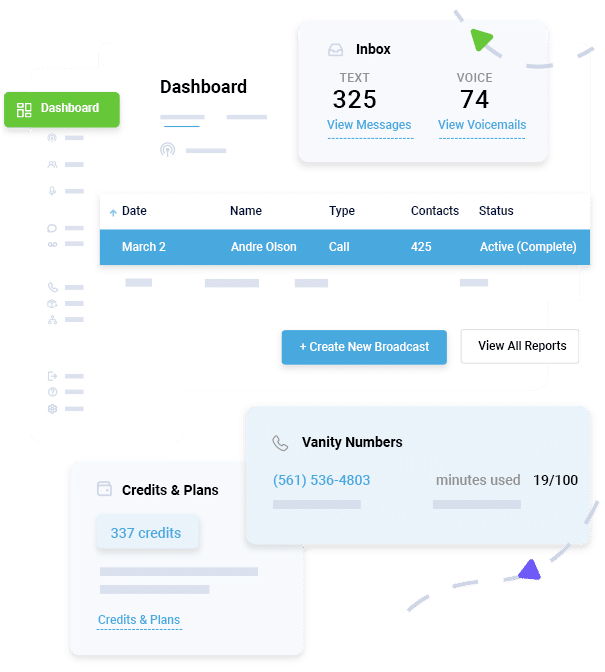
The platform functions as a complete workforce communication hub. With mass messaging, you can send alerts to thousands of workers instantly. Real-time alerts deliver instant lock-screen notifications. Easy scheduling tools let you set updates for precise shift times, and reliable delivery routes messages through bulletproof cellular networks.
Mass Messaging and Real-Time Alerts
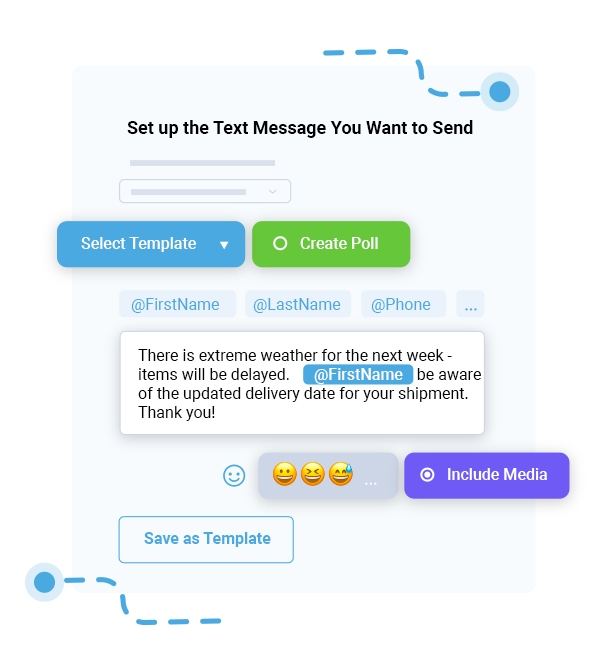
The platform comes loaded with easy-to-use business SMS tools that let operations teams send out large-scale text notifications with a single click. Whether you need to reach 20 on-call nurses or 2,000 regional delivery drivers, the system sends uniform messages to everyone simultaneously. When plans change quickly on the ground, the platform’s high-speed setup routes and delivers messages right away, letting managers handle route adjustments or unexpected site closures as they happen.
Easy Scheduling and Reliable Delivery
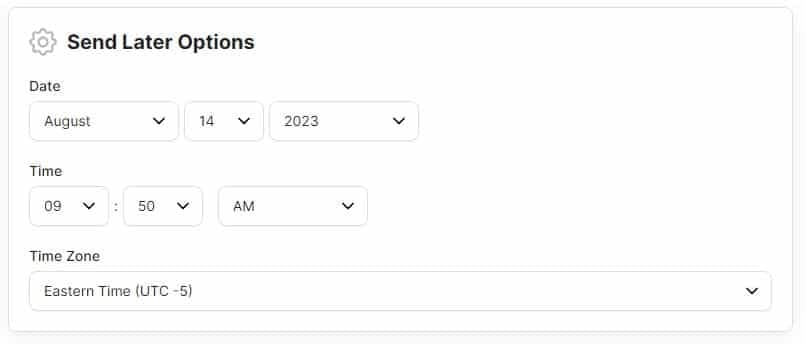
Operations managers are often up late mapping out logistics. DialMyCalls features a simple scheduling tool that lets supervisors draft reminders, task updates, or shift details ahead of time and set them to drop the exact moment morning workflows begin. The system also gives you full visibility with real-time delivery tracking and status reports, making it easy to spot delivery issues early and ensure no frontline worker gets left in the dark.
Ready to upgrade your internal communication and keep your field team completely aligned? Sign up for a free account with DialMyCalls today and see how fast and simple real-time mobile notifications can be for your business.
Conclusion
Trying to manage a busy, mobile workforce using slow email threads or complicated mobile apps is a recipe for missed messages, scheduling headaches, and operational delays. Modern field and shift workers need quick, clear updates that fit naturally into a hectic workday.
Bringing a dedicated text messaging strategy into your business completely changes how you coordinate daily operations. By ensuring instant delivery, simplifying schedule shifts, and getting messages right in front of your team’s eyes, you build a safer, more connected, and highly efficient workforce. Stop letting important updates sit unread in an inbox—switch to a streamlined SMS approach and keep your whole team moving forward together.
Relevant FAQs
Why is SMS effective for deskless workers?
SMS works because it cuts out the technical roadblocks that cause traditional communication to fail. It doesn’t require a company email address, a messy login process, or a high-speed data connection. Since text notifications show up instantly on a worker’s lock screen, it guarantees that time-sensitive operational updates are actually seen and read within minutes.
How do you communicate with shift workers?
The easiest way to reach shift workers is through a centralized, high-speed text messaging platform like DialMyCalls. This lets managers sort rosters by location, role, or availability, and broadcast automated schedule updates, task changes, and emergency notices straight to employees’ personal phones without playing endless phone tag.
Is SMS better than apps for employees?
For deskless and hourly workers, SMS is usually a much better choice than a standalone app. Custom apps require steady internet, eat up precious phone storage, and often cause pushback from employees about using personal phones for work. SMS needs zero downloads, uses no smartphone data, works perfectly in low-service areas, and gets total team adoption right away.
What tools can improve workforce communication?
A dedicated mass notification platform like DialMyCalls is one of the most effective tools you can use. It gives businesses access to mass texting, automated message scheduling, group sorting, and detailed delivery reports, allowing operations and HR teams to replace slow, manual outreach with instant, trackable mobile alerts.
Maximize Outreach, Save Time
Start Transforming Your Communication with Mass Texting
Tim Smith is the Media Manager at DialMyCalls, where he has leveraged his expertise in telecommunications, SaaS, SEO optimization, technical writing, and mass communication systems since 2011. Tim is a seasoned professional with over 12 years at DialMyCalls and 15+ years of online writing experience.
“I am a youth minister and have spent hours in the past calling students individually to remind them of an upcoming event or to get out an urgent announcement. With DialMyCalls.com, I cut that time down to about 1 minute. I also love how I can see exactly who answered live and how long they listened so I know if they heard the whole message. DialMyCalls.com is the best website I have stumbled upon all year! Thanks!”
Real Results, Real ReviewsOver 40,000 customers trust our platform – and it shows.
4.3
502 Reviews
4.7
836 Reviews
Author
Tim SmithMedia Manager
Tim Smith is the Media Manager at DialMyCalls, where he has leveraged his expertise in telecommunications, SaaS, SEO optimization, technical writing, and mass communication systems since 2011. Tim is a seasoned professional with over 12 years at DialMyCalls and 15+ years of online writing experience.
“I am a youth minister and have spent hours in the past calling students individually to remind them of an upcoming event or to get out an urgent announcement. With DialMyCalls.com, I cut that time down to about 1 minute. I also love how I can see exactly who answered live and how long they listened so I know if they heard the whole message. DialMyCalls.com is the best website I have stumbled upon all year! Thanks!”
Fill out the form below to get a fast custom pricing quote specific for your
organization.Want to speak to our sales team now? Call us at
1-800-928-2086
Thank you!
A representative will be reaching out to you soon.
For immediate help you can call us on
800-928-2086.
Try Out DialMyCalls Now?
Enter a new password and click create account and you'll be able to send 25 test messages now.
Send A Sample Broadcast
We'll send a sample call or text to your phone right now. Remember when you use DialMyCalls you can record your message in your own voice. When the phone rings just pick up and say "Hello" to hear the message.