Reviewed by Saad Z. Asif
|
Updated on September 29, 2026
TL;DR
Send rent reminders 5-7 days before the due date to maximize on-time payment rates without appearing aggressive.
Use multi-channel delivery (email, SMS, voice) to reach tenants across preferences and ensure receipt.
Include specific rent amounts, due dates, and payment methods in every reminder to reduce confusion.
Space reminders at 5-7 days before due date, 1-2 days before, and on the due date itself for three-touch coverage.
Personalize reminders with tenant names and unit numbers, since specificity consistently outperforms generic broadcasts.
Automate reminders using a mass communication platform to save hours of manual outreach every month.
Rent reminders should go out 5-7 days before the due date, delivered across email, SMS, and voice so every tenant gets the message in a format they’ll actually check. Each one should spell out the amount, due date, and payment method, no guessing required. A three-touch sequence- 5-7 days out, then 1-2 days out, then a final note on the due date- keeps collections on track, and automation is what makes that manageable across a full portfolio.
A rent reminder notice is just what it sounds like: a scheduled message that tells a tenant their rent is coming due and provides the details they need to pay on time. Rent reminders can arrive by email, text, voice call, or all three, and it typically covers four things: the amount owed, the due date, how to pay, and who to contact with questions.
Tenants are busy, and this is why a well-timed reminder does the remembering for them and helps prevent late fees, awkward phone calls, and strained landlord-tenant relationships.
For property managers, sending rent reminders creates a consistent collection workflow, particularly when scheduled in advance. It saves the time spent on reaching tenants manually and gives them enough time to act.
When Should You Send Rent Reminders to Maximize On-Time Payments?
Now that the importance of sending rent reminders is established, the next thing many property managers often ask is the right time to send it. On one hand, if you send the reminder too early, the tenant may forget about it before the rent is due. And if you send it too close to the due date, they may not have enough time to process the payment.
This three-touch rent reminder sequence provides a practical starting point:
1. Send the first reminder 5-7 days before the due date
You want to give the tenant enough time to plan. Sending a reminder five to seven days before the due date gives them just that. They have time to check their account balance, arrange a transfer, or confirm their payment method. A tenant who notices a payment problem a week ahead has options. A tenant who discovers the same problem on the due date has far fewer. That’s what you want to achieve with a notice sent days earlier.
2. Send a second reminder 1-2 days before the due date
Think of this as more of a nudge. It catches the tenants who missed or ignored the first message, and it does so while there’s still time to act before a late fee kicks in. Keep the tone neutral here. There is no need to repeat a long explanation. Simply restate the key details and make the payment step easy to find.
3. Send a final notice on the due date itself
If after the first two messages, the tenant is yet to make payment, then send a same-day reminder. This tells the tenant that payment is expected that day and provides them with same-day payment options like ACH transfers or card payments. However, if tenants pay early in the month, then skip sending this notice.
What Should Rent Reminder Messages Include to Reduce Confusion and Delays?
A rent reminder should answer the tenant’s most important question immediately. Tenants shouldn’t have to guess the amount, deadline, and payment methods after receiving a rent reminder. These are the things every reminder should contain:
1. Include the exact rent amount and unit or lease identifier
State the dollar figure and unit number every time. If you’re overseeing multiple buildings, units or portfolios, sending a basic Rent is due soon message can come across as vague to your tenants.
Instead, craft a more detailed message like “Rent reminder: $1,200 due for Unit 3B, 456 Oak Street, on February 1st.” Now, this version leaves nothing open to interpretation. When a rent reminder contains essentials, it reduces payment confusion and unnecessary follow-up.
2. List every accepted payment method and how to use it
A tenant may be ready to pay but may have no idea where they should send the check. Include the correct payment instructions in the reminder or link directly to the appropriate payment page. And if your payment process has changed recently, include the new details to prevent payment delays.
3. State the late fee amount and any grace period
If your lease and local rules provide for a grace period or late fee, communicate the applicable details clearly. By being upfront about it, it helps to head off disputes. A tenant who knows that the late fee is $50 after 5 pm on the due date can’t later claim that they weren’t told.
4. Personalize with the tenant’s name and unit number
Skip the generic “Dear Resident” and use the tenant’s actual name. A tenant can confirm that the reminder applies to them when the message is personalized. A personalized reminder reads as legitimate and reduces the odds it gets ignored or mistaken for spam.
How Do You Choose the Right Channels to Reach All Tenants?
Once you know when to send a rent reminder and what it should contain, you need to decide how to deliver it. Options to use include email, SMS, and voice, but the right choice depends on the type of information you want to share and how your tenants prefer to communicate. Here’s how that works.
Email works best for detail and documentation
For times you need to send detailed information, email can be the better option. Use it when you want to send full payment instructions such as links, contact information, fee policies, and more in one message. This kind of message contains all the details a tenant may ned to refer back to later when they need certain details. Also, emails create paper trails, especially when payment disputes come up
SMS is fastest for time-sensitive nudges
Text messages are typically opened within minutes of arriving, and are useful when you want to send a short reminder directly to a tenant’s phone. According to Twilio, SMS messages have an average open rate of 98%, and 90% of SMS messages are read within three minutes of delivery. SMS works well for notices sent 1-2 days before rent is due or same-day nudge when appropriate.
Voice calls catch the tenants other channels miss
A short automated call is especially useful for tenants who don’t actively check email or text, including some older residents who prefer to hear from a person. Calls work best when they are brief and respectful. They should also be made a few days before the due date to give the tenant time to act.
What Rent Reminder Templates and Messaging Should You Use?
Having good templates saves time. It also means you do not have to write a new message from scratch every month. Here’s a starting point for each channel and each stage of the sequence.
Email Template: 5-7 days before Due Date
Email works well for the first reminder, usually sent 5–7 days before the due date. It gives you enough space to include all the information a tenant needs.
1. Standard First Reminder
Subject:
Rent Reminder: Payment Due [DATE]
Body: “Hi [TENANT NAME], your rent for [UNIT] is due on [DATE]. Amount: [AMOUNT]. Please pay via [PAYMENT METHOD] by 5 p.m. on [DATE]. Late fees of [FEE] apply after that time. Questions? Reply to this email or call [CONTACT].”
If you have questions about your balance or payment options, please contact us at [PHONE/EMAIL].
Thank you,
[PROPERTY MANAGER/PROPERTY NAME]
2. Friendly payment portal reminder
Subject:
Your Rent Payment Is Due on [DATE]
Hi [TENANT NAME],
Your rent payment of [AMOUNT] for [UNIT] is due on [DATE].
You can make your payment securely through the tenant portal here:
[MAKE YOUR PAYMENT]
If you need help accessing the portal, contact [CONTACT INFORMATION].
3. Payment method reminder
Subject:
Reminder: Rent Due [DATE]
Hi [TENANT NAME],
Your [AMOUNT] rent payment for [UNIT] is due on [DATE].
Accepted payment methods include:
[PAYMENT METHOD 1]
[PAYMENT METHOD 2]
[PAYMENT METHOD 3]
Please submit payment by [TIME/DATE, IF APPLICABLE]. Contact [PHONE/EMAIL] if you have questions.
4. Final pre-due-date email
Subject:
Rent Payment Due in [NUMBER] Days
Hi [TENANT NAME],
This is a reminder that [AMOUNT] in rent for [UNIT] is due on [DATE].
Please complete your payment here: [PAYMENT LINK].
[APPLICABLE LATE-FEE OR GRACE-PERIOD INFORMATION.]
Thank you,
[PROPERTY NAME]
5. Due-date reminder
Subject:
Rent Payment Due Today
Hi [TENANT NAME],
Your rent payment of [AMOUNT] for [UNIT] is due today, [DATE].
Please submit your payment through [PAYMENT METHOD/LINK]. If you have already paid, no further action is needed.
Questions? Contact [PHONE/EMAIL].
SMS Templates
Stay under 160 characters, use a shortened link, and skip question marks or hedging language; a confident, factual tone tends to get better follow-through than one that sounds unsure.
1. First Reminder – 5-7 Days Before Due Date
Hi [NAME], rent reminder: $[AMOUNT] for [UNIT] due [DATE]. Pay here: [LINK].
2. Second Reminder – 1-2 Days Before Due Date
Hi [NAME], rent of $[AMOUNT] for [UNIT] is due [DATE]. Pay now: [LINK]. Late fees: $[FEE].
3. Due-date Reminder
Hi [NAME], today's the due date for rent on [UNIT]: $[AMOUNT]. Pay by 5pm to avoid a $[FEE] fee: [LINK].
4. Past-due Notice
Hi [NAME], rent for [UNIT] is past due. $[TOTAL AMOUNT] owed (includes $[FEE] late fee). Pay now: [LINK].
5. Payment Confirmation Follow-up
Hi [NAME], our records show your $[AMOUNT] rent payment for [UNIT] is still due [DATE]. Pay here: [LINK]. Contact [PHONE] with questions.
Voice Call scripts
Keep each call under 30 seconds; tenants shouldn’t need to sit through a long voicemail. Automated calls should also let the tenant press a key to reach support if they have questions.
1. First reminder
“Hi [TENANT NAME], this is [PROPERTY NAME] with a friendly reminder that your rent of [AMOUNT] for [UNIT] is due on [DATE]. Please pay online at [DOMAIN], by check to [ADDRESS], or call [PHONE] with questions. Thank you.”
2. Second reminder
“Hi [TENANT NAME], this is [PROPERTY NAME] confirming your rent of [AMOUNT] for [UNIT] is due on [DATE]. Please pay online at [DOMAIN], by check to [ADDRESS], or call [PHONE] with questions. Thank you.”
3. Due-date reminder
“Hi [TENANT NAME], this is [PROPERTY NAME]. Rent of [AMOUNT] for [UNIT] is due today. Please pay by 5 p.m. at [DOMAIN] to avoid a late fee. Press 1 to speak with our office. Thank you.”
4. Past-due notice
“Hi [TENANT NAME], this is [PROPERTY NAME] calling about your rent for [UNIT], which was due on [DATE] and is now past due. With the late fee applied, the total owed is [TOTAL AMOUNT]. Please pay by [NEW DEADLINE] at [DOMAIN] or call us back at [PHONE]. Thank you.”
5. Grace-period closing reminder
“Hi [TENANT NAME], this is [PROPERTY NAME]. This is a reminder that the grace period for your rent on [UNIT] ends on [DATE]. Please pay [AMOUNT] at [DOMAIN] before then to avoid additional fees. Call [PHONE] with any questions. Thank you.”
How Does Automation Save Time and Improve Rent Collection Rates?
Automated rent reminders remove manual work and free property managers from manual tasks to focus on what matters.
Automation Removes the Manual Grind
When every message has to be sent individually, outreach consumes time. Automation handles the repetitive parts of the process and streamlines outreach. Once you set up the sequence, it repeats automatically every month without anyone having to remember to trigger it.
Consistency Improves Compliance
Automated systems don’t take vacation, get sick, or fall behind during a busy week. The first reminder arrives several days before rent is due. The second arrives closer to the deadline. A due-date reminder is sent when it makes sense for your portfolio. This kind of setup ensures every tenant gets the same reminder at the same time, every month, which also helps avoid the appearance of selective enforcement if a dispute comes up.
Multi-Channel Automation Closes the Gaps
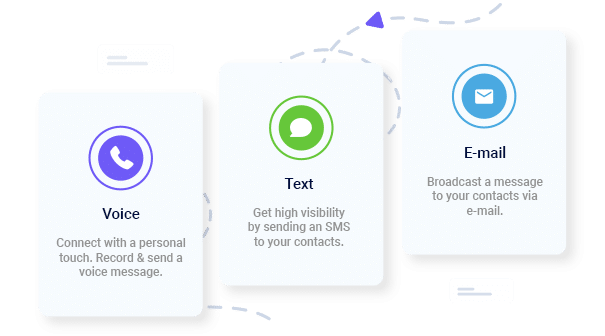
Managing email, SMS, and voice reminders separately can create more work. The good thing is that a multi-channel communication platform can help property managers organize these messages within one workflow. Depending on your setup, you can send an email with full payment details, follow up with an SMS reminder, and use an automated voice call when another channel is less likely to reach the tenant.
Frequently Asked Questions
What is the best day of the week to send rent reminders?
Mid-week, Tuesday through Thursday, tends to work well since tenants see the message before the weekend and still have time to act. Monday mornings get lost in inbox overload, and Friday afternoons are less likely to prompt action before the weekend. Send the final reminder the evening before the due date.
Should you send reminders at a specific time of day?
For email, mid-morning around 9 or 10 a.m. tends to catch tenants while they’re actively in their inbox. For SMS, late morning through early afternoon avoids both the early rush and the late-night do-not-disturb window. Voice calls should stay within the 8 a.m. to 9 p.m. local-time window required by federal rules.
What do you do if a tenant misses the first reminder?
Lean on the second reminder. If a tenant consistently misses messages, consider shifting them to SMS or voice, provided they’ve consented, since those channels tend to get noticed faster. After the due date passes, send a separate late notice with the fee amount and a clear deadline.
Can you send reminders for rent that’s already late?
Yes, though late notices are a distinct category from pre-due-date reminders. They should state the late fee, the total amount now owed, and a firm deadline, typically 3-5 days out. Use more formal language here, and check your lease and local law, since some jurisdictions require specific wording before a late notice can go out.
How should you handle tenants who opt out of SMS or voice reminders?
Honor the request and shift that tenant to email, keeping a record of the preference. Federal rules require honoring opt-outs made through any reasonable method, not just a “STOP” reply, so an informal request counts too. Email-only tenants may respond a bit slower, so a personal follow-up near the due date helps.
What if a tenant disputes the rent amount?
Include a phone number, email, or portal chat option in every reminder so questions can come in before the due date. Respond to disputes within 24 hours and reference the lease. If the tenant is right, issue a corrected notice; if not, restate the amount clearly and move on.
Should reminders differ for month-to-month versus long-term leases?
No. Keep timing and content identical across lease types. Month-to-month tenants may be weighing whether to renew, which makes consistent communication even more valuable through the final payment.
How do you know if your rent reminder strategy is working?
Track three numbers: the percentage of rent paid on time, the average days late when it isn’t, and total late fee revenue. Set a baseline, then measure month over month, and test different timing windows to fine-tune the approach for your portfolio.
Tim Smith is the Media Manager at DialMyCalls, where he has leveraged his expertise in telecommunications, SaaS, SEO optimization, technical writing, and mass communication systems since 2011. Tim is a seasoned professional with over 12 years at DialMyCalls and 15+ years of online writing experience.
“I am a youth minister and have spent hours in the past calling students individually to remind them of an upcoming event or to get out an urgent announcement. With DialMyCalls.com, I cut that time down to about 1 minute. I also love how I can see exactly who answered live and how long they listened so I know if they heard the whole message. DialMyCalls.com is the best website I have stumbled upon all year! Thanks!”
Real Results, Real ReviewsOver 40,000 customers trust our platform – and it shows.
4.3
502 Reviews
4.7
836 Reviews
Author
Tim SmithMedia Manager
Tim Smith is the Media Manager at DialMyCalls, where he has leveraged his expertise in telecommunications, SaaS, SEO optimization, technical writing, and mass communication systems since 2011. Tim is a seasoned professional with over 12 years at DialMyCalls and 15+ years of online writing experience.
“I am a youth minister and have spent hours in the past calling students individually to remind them of an upcoming event or to get out an urgent announcement. With DialMyCalls.com, I cut that time down to about 1 minute. I also love how I can see exactly who answered live and how long they listened so I know if they heard the whole message. DialMyCalls.com is the best website I have stumbled upon all year! Thanks!”
Fill out the form below to get a fast custom pricing quote specific for your
organization.Want to speak to our sales team now? Call us at
1-800-928-2086
Thank you!
A representative will be reaching out to you soon.
For immediate help you can call us on
800-928-2086.
Try Out DialMyCalls Now?
Enter a new password and click create account and you'll be able to send 25 test messages now.
Send A Sample Broadcast
We'll send a sample call or text to your phone right now. Remember when you use DialMyCalls you can record your message in your own voice. When the phone rings just pick up and say "Hello" to hear the message.