When emergencies hit, text alerts deliver life-saving instructions faster and more reliably than any other channel. This guide breaks down how to write shelter and evacuation alerts people can actually understand under pressure. You’ll get 10 plug-and-play templates for tornados, fires, chemical spills, and evacuations, plus a walkthrough on setting up a system that works when it matters most.
Why SMS alerts matter during emergencies
Text alerts are one of the most reliable ways to reach large groups of people during emergencies. It has about 98% open rates and doesn’t require internet, ensuring that recipients receive the messages when delivered, even when network connections are congested. Here are other reasons SMS alerts are essential during emergencies:
SMS Delivers Instantly in High-Stress Situations
Text messaging requires no apps and reaches people on basic devices. Network downtime is common during crises, and getting access to real-time information can be impossible. Yet texts arrive in seconds, even in high-stress situations when attention is low.
Also, SMS is accessible to everyone: older adults, travelers, visitors, staff, and residents who may not have smartphones or internet access. During high-stress situations when conditions shift swiftly, having a channel that meets people where they are is crucial.
Perfect for Rapid, Behavior-Changing Communication
Short messages make it easy to communicate exactly what people need to do at the moment during emergencies. Examples of the short messages are: “Shelter now”. “Evacuate Zone B only”, “Move to an interior room”, and “Avoid the south entrance.”
This kind of clarity is important to emergency teams and they rely on it to carry out their operations. When people receive concise directions, they’re more likely to act rather than scroll, search, or ask for more information.
Limitations of Other Channels
No communication channel matches the reliability of SMS during active threats. Social media algorithms. often delays posts or shows them out of order. Sometimes, people see official updates only when it’s too late to respond.
Emails are also unreliable because their open rates tank compared to SMS. Email can be useful for follow-ups and summaries, but for immediate action, they don’t do too much.
Keep Everyone Connected & Informed
Get the Word Out Quickly with Bulk Texting and Voice Calls
Not every emergency requires people to leave. Some require them to stay put. Knowing the difference between these alert types ensures people take the right steps at the right time.
Shelter-in-Place Alerts Apply When…
Shelter-in-place instructions are used when it’s safer for people to stay where they are, away from outdoor hazards. Common situations include:
Tornado warnings.NOAA emphasizes that tornado threats can appear with very little warning and require immediate indoor shelter.
Chemical spills or hazardous material incidents. People need to stay indoors to reduce exposure to poisonous substances
Active incident nearby. When there is a threat in the surrounding area, law enforcement could instruct people to stay put to prevent movement toward danger.
Hazardous air quality. Smoke, industrial releases, or poor air conditions may make outdoor movement unsafe.
Shelter alerts help maintain order by reducing unnecessary movement and keeping people in protected spaces, while waiting for updates.
Evacuation Alerts Apply When…
In other cases, staying indoors may pose greater risks, and thus people need to move away from a location or hazard as quickly as possible. Situations like this include:
Flooding or flash floods.Ready.gov notes that moving to higher ground is the safest step when water rises quickly.
Fire or wildfire spread. Fast-moving fires require clear evacuation routes.
Gas leaks. Evacuating eliminates exposure risk and reduces ignition hazards.
Structural risk. Buildings with collapse potential must be cleared immediately.
Mandatory zone evacuations. Local authorities may designate evacuation zones to prevent route congestion and protect at-risk areas.
Importance of Acting Early
Whether in shelter-in-place or evacuation situations, emergencies escalate quickly. A delay of even a few minutes in communication can turn a minor emergency into a chaotic one. FEMA emphasizes timely warnings to reduce loss of life and confusion. Sending alerts early helps to reduce panic, manage the crowd, and improve traffic flow and coordination.
That’s why you need an alert system that has predefined templates, fast-approval workflows, and trained senders ready to act.
How to Write Clear and Effective Emergency Text Alerts
Effective alerts start with clarity. People should be able to process the content of alerts even under stress. This is why your alerts should be simple and direct and aid in making speedy decision-making.
Follow the 5-Part Message Formula
Follow this 5-part message formula to create any shelter or evacuation alert:
Start with the directive. Shelter now or Evacuate Zone A.
State the threat. Tornado warning, chemical spill, fire, active hazard.
Give clear instructions. Move to the interior room, Use Route 4, Avoid Riverside Ave.
Include location and timeframe. Zone A, north building, for the next 30 minutes.
Reassure and promise updates. More information coming.
Example:
“Shelter now. Tornado warning in the area. Move to an interior room away from windows. Remain indoors for 30 minutes. Updates to follow.”
This structure works because it mirrors how people naturally process urgent information: action, reason, steps, location, reassurance.
Keep It Under 160 Characters (When Possible)
Shorter messages are easier to read quickly. Although you can send longer SMS, many systems and phones handle urgent alerts more reliably when they’re brief.
Here’s a breakdown comparing a long message to a short one:
Too long:Due to a developing severe weather situation in the northern part of the county, all residents and staff are asked to immediately seek safe shelter…
Improved:Shelter now. Severe weather in the area. Move to an interior room. Stay inside until further notice.
The shorter version communicates everything necessary and is less likely to overwhelm the reader.
Use Simple, Non-Technical Language
Avoid jargon or specialized emergency terms that people outside your field may not understand. Also, start messages with verbs because they create immediate momentum.
Avoid Panic-Inducing Phrases
Tone is important when sending emergency alerts. Messages should be urgent, but not dramatic so as not to increase panic or lead to unsafe crowd movement.
Instead of: DANGER IMMEDIATELY FLEE!
Use: Evacuate Zone A now. Follow Route 2.
Maximize Outreach, Save Time
Start Transforming Your Communication with Mass Texting
10 Must-Use SMS Templates for Shelter & Evacuation Alerts
Below are sample templates your team can preload into its notification system. Keep them short and easy to adapt during real events.
Shelter-in-Place Templates
Severe Weather
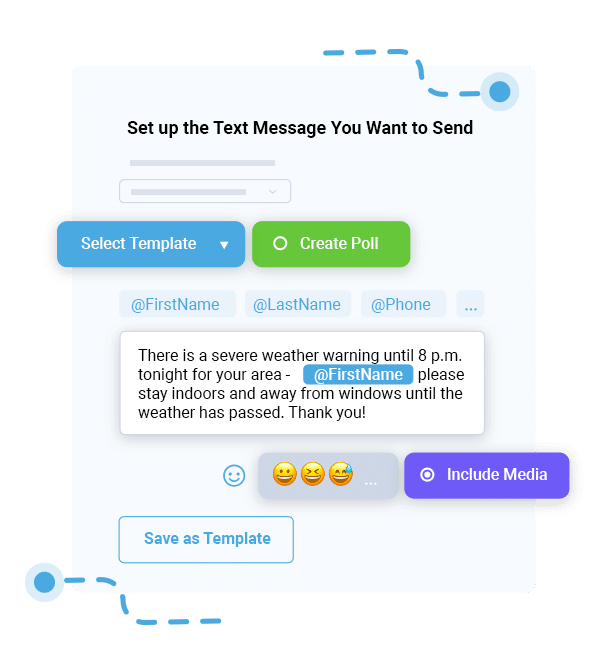
Shelter now. Severe storm in the area. Move to an interior room away from windows. Updates to follow.
Chemical Hazard
Shelter indoors. Chemical spill near Oak Ridge. Close doors/windows. Avoid area. Wait for instructions.
Active Safety Threat
Shelter now. Active incident near campus. Lock doors and stay inside until all-clear.
Hazardous Air Quality
Stay indoors. Air quality is unsafe. Avoid outdoor activity. Updates to come.
Evacuation Templates
Zone-Specific Evacuation
Evacuate Zone C now. Use Route 4. Avoid the south exit. Updates to follow.
Updated Routes
Evacuation route change: Avoid Highway 10. Use Maple Rd instead. Continue to Zone B shelter.
Transportation Info
Buses now available for evac at Elm Park. Boarding every 10 minutes. Priority seniors/medical.
Evacuation Lifted
Evacuation lifted for Zone A. Roads reopening. Return only when safe to do so.
Staff-Only / Internal Response Templates
EOC Mobilization
EOC team: Activate now. Report to Command Room A.
First Responder Staging
Staging area moved to Ridgeview High parking lot. Report there immediately.
Status Check Requests
Status check: Reply SAFE if able. If you need assistance, reply HELP.
How to Target the Right People Using Segmented Alerts
One message does not fit all especially during evacuations. Segmented alerts ensure the right people receive the right instructions without creating unnecessary alarms. Below are the different ways to segment alerts during crisis:
Zone-Based Alerts
Zone-based alerts are essential for evacuations. They ensure only those at risk move, and this helps to reduce congestion and prevent people from evacuating into a hazard.
Example: “Evacuate Zone C only. Use Route 3”, “Shelter for Building 4 residents only”, “West Campus: Move indoors now.”
Role-Based Alerts
Different groups need different instructions during emergencies. Common segments include:
Residents who need Instructions on sheltering, evacuating, or avoiding specific areas.
Staff need operational guidance or supporting tasks.
First responders require updates or tactical directions.
Volunteers need to know where to report, who to assist, or when to stand by.
Segmentation ensures that the right message is sent to the right group of people.
Geo-Targeting (If Available)
Some systems allow alerts based on GPS boundaries or selected neighborhoods. Geo-targeted alerts are helpful for:
Neighborhood-specific hazards
Building-level issues
Localized flooding
Street-level evacuation guidance
Fire perimeters
The more precise the targeting, the more orderly the response. And when used well, these alerts minimize confusion and keep instructions focused.
Instant Communication, Whenever You Need It
Send Real-Time SMS & Voice Call Alerts from Anywhere
The time people get an emergency message is as important as the message itself. When people receive emergency communication at the right time, they tend to make safer and faster decisions. Alerts should follow these three timing rules for maximum effect:
Initial Alert
You should send the first alert as soon as the threat is confirmed. FEMA guidance emphasizes that early warnings reduce casualties and enable safer movement. The sooner the alert goes out, the more time people have to act safely while you gather more details.
Follow-Up Alerts
Now that you’ve gotten more details, it’s time to update recipients on the new information to help stabilize the situation. Follow-up messages can be sent at intervals or whenever new instructions become available.
Note that people rely on the follow-up message to act and prevent from getting paranoid from false information gotten from unofficial sources.
All-Clear Alerts
This is when the disaster has subsided, and people need to know when it’s safe to return to normal activity. All-clear messages prevent misinformation, reduce fear, and provide the next steps for inspections, cleanups, and reunification.
Example:
All clear. It is safe to return. Follow official instructions for re-entry.
Setting Up an Emergency Text Alert System (Step-by-Step)
A strong emergency text message system depends on preparation, training, and predictable workflows. Your team should be able to send a fully formed alert within seconds, not minutes.
Build Your Contact List
Your alert system is only as strong as the contact data you maintain. Common groups in your contact list should include:
Residents
Staff
Students or families
Volunteers
Facility managers
Contractors
Visitors (when applicable)
Make sign-up easy through QR codes, online forms, and opt-in keywords such as “TEXT ALERTS to 80123.” Keep your list updated by checking for inactive numbers or duplicates.
Create Groups & Segments
Organizing contacts before an emergency ensures your alerts go to the right people. Organize contacts into groups like:
Zones
Buildings
Roles
Departments or shifts
Accurate segmentation helps to improve response time and reduce over-alerting.
Preload Message Templates
After you have created segments, prepare message templates reusable for emergencies. Preloaded templates eliminate delays during high-pressure moments. Examples of templates you should have ready include:
Shelter-in-place
Evacuation
Route changes
Hazard updates
Transportation guidance
All-clear messages
Internal response and staffing alerts
Train Staff on Send Procedures
Everyone should understand the internal procedure to prevent mistakes and message delays. This is why training is important. During training, clearly outline:
Who sends alerts during each type of incident
Approval workflows, especially in large organizations
Primary and backup senders for redundancy
When to use templates and when to draft custom messages
How to log communications for after-action reporting
Training should happen regularly so staff stay confident in their roles.
Testing improves reliability and reduces panic when a real emergency occurs.
Why DialMyCalls Is Ideal for Emergency Evacuation & Shelter Alerts
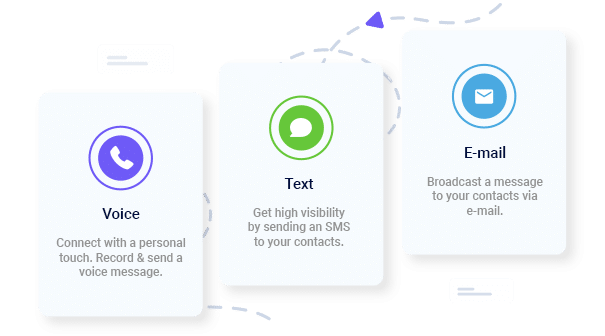
DialMyCalls supports emergency managers, schools, cities, and public safety teams. The platform supports SMS, voice, and email alerts, making it ideal for both shelter-in-place and evacuation messaging.
Send Thousands of Messages in Seconds
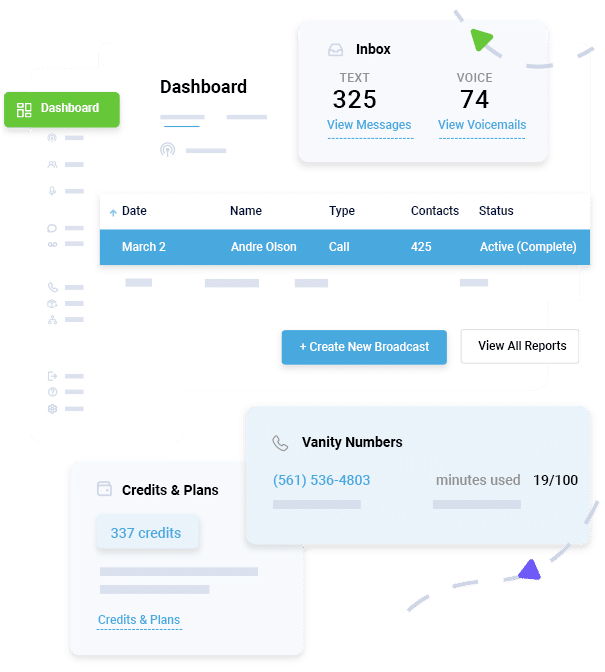
Public safety teams need to push information out without delay even during peak traffic. DialMyCalls allows you to send high-volume messages to ensure alerts reach residents, staff, and responders quickly.
Multi-channel Messaging: SMS, Voice, and Email
Emergency communication fails when people rely on only one channel. Multi-channel messaging guarantees redundancy. If cell coverage is spotty or a device can’t receive texts, a voice call or email ensures the message still gets through.
Role & Zone Segmentation
DialMyCalls allows you to organize contacts by building, zone, neighborhood, department, or role. This keeps messages targeted and prevents unnecessary alerts.
Pre-Built Templates & Quick Send
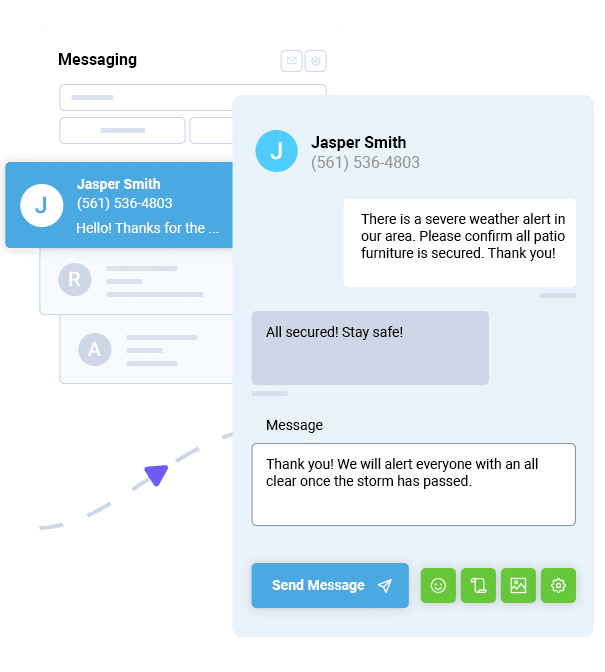
You get access to ready-to-send emergency templates and one-click sending for various crisis scenarios like weather alerts, evacuation instructions, route changes, and all-clear messages. These help teams respond faster during unpredictable conditions.
Two-Way Messaging
Enable residents or staff to reply:
“SAFE”
“HELP”
“NEED ASSISTANCE”
This gives EOCs and emergency managers real-time visibility into community needs.
Conclusion
Clear communication saves lives, and fast SMS alerts help communities respond confidently and safely. By using strong templates and a reliable delivery system, your organization can prepare for emergencies long before they unfold.
DialMyCalls supports that mission with a dependable communication system built for high-stress scenarios and large-scale coordination. When seconds matter, you need a tool that delivers.
Start sending emergency-ready alerts today. Create your free DialMyCalls account and prepare your community with confidence.
Evacuation Text Alerts FAQs
How fast should evacuation alerts be sent?
Immediately. Evacuations work best when sent as soon as the threat is confirmed.
Can SMS work during cell tower congestion?
Yes. SMS is one of the most resilient channels during network strain.
What should an evacuation alert always include?
A clear directive, the threat, route or safety instructions, the affected area, and a promise of further updates.
How do residents opt into emergency texts?
Most organizations use sign-up links, web forms, or SMS keywords provided by their mass notification platform.
Should shelter-in-place and evacuation alerts be tested?
Absolutely. Regular testing builds confidence and improves real-world performance.
Ryan Betancur is an Emergency Management Planner at Hagerty Consulting and a proud US Army veteran. Drawing on years of experience, he specializes in healthcare and critical infrastructure emergency management, strategic planning, and business continuity. Ryan has been on the front lines managing COVID-19 responses in New Jersey and Illinois and supporting NYC's Migrant Crisis response. He holds a master's degree in Homeland Security and Emergency Management and multiple certifications in emergency preparedness.
“I am a youth minister and have spent hours in the past calling students individually to remind them of an upcoming event or to get out an urgent announcement. With DialMyCalls.com, I cut that time down to about 1 minute. I also love how I can see exactly who answered live and how long they listened so I know if they heard the whole message. DialMyCalls.com is the best website I have stumbled upon all year! Thanks!”
Real Results, Real ReviewsOver 40,000 customers trust our platform – and it shows.
4.3
502 Reviews
4.7
836 Reviews
Author
Ryan BetancurEmergency Management Planner
Ryan Betancur is an Emergency Management Planner at Hagerty Consulting and a proud US Army veteran. Drawing on years of experience, he specializes in healthcare and critical infrastructure emergency management, strategic planning, and business continuity. Ryan has been on the front lines managing COVID-19 responses in New Jersey and Illinois and supporting NYC's Migrant Crisis response. He holds a master's degree in Homeland Security and Emergency Management and multiple certifications in emergency preparedness.
“I am a youth minister and have spent hours in the past calling students individually to remind them of an upcoming event or to get out an urgent announcement. With DialMyCalls.com, I cut that time down to about 1 minute. I also love how I can see exactly who answered live and how long they listened so I know if they heard the whole message. DialMyCalls.com is the best website I have stumbled upon all year! Thanks!”
Fill out the form below to get a fast custom pricing quote specific for your
organization.Want to speak to our sales team now? Call us at
1-800-928-2086
Thank you!
A representative will be reaching out to you soon.
For immediate help you can call us on
800-928-2086.
Try Out DialMyCalls Now?
Enter a new password and click create account and you'll be able to send 25 test messages now.
Send A Sample Broadcast
We'll send a sample call or text to your phone right now. Remember when you use DialMyCalls you can record your message in your own voice. When the phone rings just pick up and say "Hello" to hear the message.