Public events like parades and rallies face a wide range of challenges, from weather-related emergencies to medical emergencies. Organizers and staffers need to be prepared to handle whatever might come their way. This guide walks you through a complete, actionable SMS alert checklist for parades, rallies, and local events, from how to plan pre-event communications to managing real-time alerts during the event, drafting templates, segmenting your audiences, configuring safety and technical settings, and evaluating your performance afterward. It also shows you how DialMyCalls helps keep thousands of attendees, volunteers, residents, and partners in the loop.
A Road Littered with Risks
Picture this: thousands of people stretching across a downtown grid, marching bands setting up, vendors pulling generators out of trucks, volunteers checking in at folding tables, and police cruisers blocking off the last few streets. It’s vibrant and high-energy, but it’s also one thunderstorm or unplanned road closure away from confusion.
In environments like this, you have seconds to communicate. That’s why SMS outperforms email, mobile apps, and social media when you need to get urgent information out fast. Text messages offer almost-instant delivery and over 90% open rates. They also reach people regardless of whether they’ve downloaded your app, followed your page, or checked their inbox recently.
This guide offers a practical, copy-and-use checklist that event planners, municipal staff, public safety teams, and nonprofit organizers can follow step by step, whether you’re managing a neighborhood parade, a citywide festival, or a rally that may shift in real time.
Throughout, you’ll see how DialMyCalls fits into each step as your SMS + voice mass notification system for fast, reliable, two-way communication, no matter how large the crowd might get or how unpredictable the day becomes.
Let’s start with why SMS alerts matter so much during events.
Maximize Outreach, Save Time
Start Transforming Your Communication with Mass Texting
Why SMS Alerts Are Critical for Parades, Rallies & Local Events
No matter the type, mass gatherings come with unique risks. You’ve got crowds spread over large areas, moving routes, unpredictable weather, and noise levels that make it nearly impossible for every attendee to hear a PA announcement. Add in emergency scenarios (medical, weather, etc.), and you can clearly see the potential for disaster.
The Unique Risks of Mass Gatherings
Parades and rallies combine several risk factors:
Large crowds where people may not be able to hear essential announcements.
Moving routes (like parades) where the situation can change block by block.
Emotionally charged environments (like rallies) that require quick, clear direction.
Open outdoor spaces with no centralized sound or signage system.
Dispersed volunteers who need real-time instructions and role-specific updates.
Don’t take our word about the risks inherent in these events, either.
One study found that EMS calls were significantly higher on days with music events and public exhibitions, particularly for trauma/pain, alcohol-related issues, heat-related emergencies, and respiratory issues.
Another 14 studies found that emergency room visits jumped by up to 83% with certain events (especially music events and religious gatherings), with major increases in substance use cases (+10%), trauma (+34%), and medical and respiratory admissions, with surges during the event and up to 12 hours after.
A study on pedestrian flow in urban areas found that event-goers faced a significant risk of being trampled and crushed in panic situations related to public events (particularly music and sports events), especially when there was no way to deliver fast, accurate communications.
Yet another study found that many mass gatherings lacked the resources needed for communication, crowd control, or on-site medical care (the latter often due to a reliance on volunteers rather than professional medical personnel).
Common Disruptions You Need to Plan For
Depending on the nature of your event, the geographic area where it’s held, and the time of year you’re holding it, you may need to plan for a wide range of disruptions. Make sure that your SMS plan accounts for the following:
Severe weather or sudden lightning
Road closures or last-minute route adjustments
Lost children or missing persons
Medical emergencies
Overcrowding in certain areas
Suspicious activity or security incidents
Parking lot closures, transit delays, or shuttle reroutes
Changes to performance schedules or start times
Where Other Communication Channels Fall Short
Why choose SMS? You don’t always have the luxury of using multiple communication tools at a live event, and even when you do, not all of them deliver urgent information equally.
Here’s where traditional channels fall short:
Social Media
Let’s face it, algorithms prevent guaranteed reach. Your posts also compete with noisy feeds, so even if your message does get to your recipients, there’s a chance they won’t even see it.
Public Address (PA) Systems
Sound doesn’t carry far, and heat and humidity can reduce that by a lot. Crowds and music drown out PA announcements, too. Plus, they’re inaccessible to people with hearing impairments.
Email
It might seem like email would get around some of the problems above, but there’s no guarantee that your email will be delivered quickly or that your recipients will even open their email app to check a message.
SMS doesn’t suffer from any of those issues, and it has the highest open rate of any communication method.
Compliance & Consent in Public Events
Before you send any messages, you need clear opt-in consent from attendees. Permission-based messaging is legally required, and it also helps make sure that people expect and pay attention to your alerts.
So, how do you make sure that you get permission? The best ways to gather opt-ins include:
Short code keywords (“Text PARADE to [your vanity number] to receive updates”)
Web forms integrated with your registration system
QR codes posted along entry points, signs, and promotional materials
Ticketing or RSVP pages that include an opt-in checkbox
Also remember:
Respect quiet-hour restrictions where applicable.
Only send truly urgent alerts outside normal event hours.
Now let’s move into the hands-on part: your pre-event checklist.
Pre-Event SMS Strategy Checklist
This is your hands-on, literal checklist. Below, you’ll find steps you can print out and mark off as you prep for your parade, rally, music festival, or town-wide event.
Define Your Alert Audiences
Start by identifying who needs which kinds of messages. You don’t want to blast every group with every update, because that creates confusion and alert fatigue. Instead, segment your list so each audience gets only what’s relevant.
Checklist:
✅ Residents along the parade or rally route
✅ Volunteers & staff, including safety marshals and logistical teams
✅ Vendors & partners, including food trucks, stage crews, sponsors
✅ Public safety stakeholders, such as police, EMS, fire, and city officials
Why This Matters:
Segmentation makes sure your alerts reach the right people. A vendor doesn’t need to know a residential block is closed, and spectators don’t need internal volunteer directives. Good segmentation reduces confusion and increases trust, while making sure that everyone’s actively looking at your messages (because they know they’re for them).
Your messaging platform needs to handle the demands of a high-volume, fast-moving event. Here’s what to look for:
Must-have features:
Bulk SMS with high deliverability
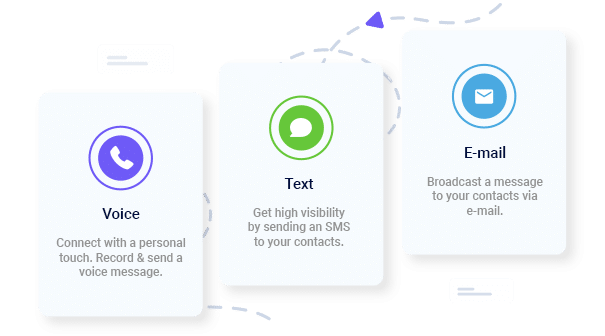
Voice broadcast fallback (for urgent situations or landline contacts)
Contact groups/segments
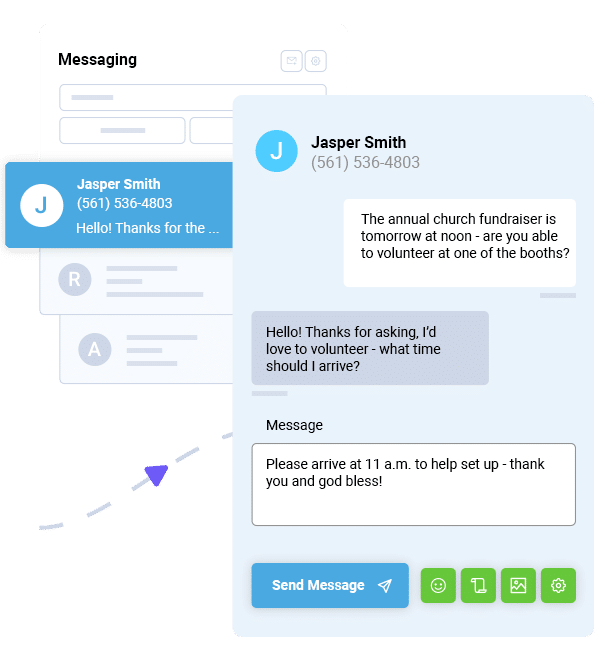
Two-way messaging for quick confirmations
Scheduling + instant send
Simple opt-in via keyword (like “Text PARADE to 80123”)
How DialMyCalls Fits Your Event Workflow
DialMyCalls gives you all of these features out of the box, including SMS, voice broadcasting, contact grouping, two-way messaging, and easy opt-ins. It’s built for recurring community events and lets you reuse your templates year after year.
Build Your Opt-In Funnel
People can’t receive your alerts unless they sign up to get them. Make the opt-in process pain-free. That’s easier said than done, but the checklist below will help.
Checklist:
✅ Create a clear event keyword (think PARADE, RALLY2026, FESTIVAL).
✅ Add the keyword + vanity number to:
Posters, flyers, and billboards
Registration pages and ticket confirmations
Social media posts and the event website
✅ Set clear expectations so everyone knows what to expect:
What types of alerts they’ll receive
How often messages will be sent
How to stop (think “Reply STOP to cancel. Msg&data rates may apply.”)
Collect the Right Data Fields
Collecting just a few extra details dramatically improves the quality of your messaging and makes sure that you’re targeting your recipients correctly.
Useful fields:
First name
Role (resident, volunteer, vendor)
Language preference
Zone/block (for multi-zone events)
This lets you send hyper-targeted messaging:
“Zone A is now full; volunteers relocate to Zone B.”
“Residents on Maple Ave: street closure extended through 5 PM.”
✅ Safety/emergency alerts (lost child, medical emergency, suspicious package)
✅ Crowd control (areas at capacity)
✅ Transportation & parking updates
✅ Last-minute schedule changes (delays, cancellations, early wrap-up)
Draft Ready-to-Send SMS Templates
Below are sample template types to help you get your communication strategy down before the event.
Route Change Example
UPDATE: Parade route shift. Avoid Main St between 3rd & 6th until 4 PM. New route posted online.
Weather Emergency Example
WEATHER ALERT: Lightning detected within 10 miles. Please move to sheltered areas immediately.
All Clear Example
All clear. Events resuming at 2:15 PM. Thank you for your patience.
Volunteer Directive Example
Volunteers: Gate B needs support. If nearby, reply YES and proceed.
Vendor Update Example
Vendors: Setup moved to Lot C due to flooding in Lot A.
Template Best Practices
Lead with the action (“Avoid…”, “Move…”, “Shelter…”).
Include time + location.
Keep it under 160 characters when possible.
Avoid jargon or abbreviations that a recipient may not understand.
Accessibility & Multi-Language Planning
Accessibility isn’t optional when you’re serving the public, and single-language updates won’t serve any audience.
Best practices:
Prepare templates in multiple languages (English + Spanish at minimum).
Include link-outs to detailed information pages for people who need more context.
Avoid overly compressed abbreviations.
Make sure your opt-in materials are multilingual, too.
Technical & Safety Configuration Checklist
This is where you prepare your system, groups, and fail-safes to support event-day messaging.
Build and Test Your Contact Lists
Before event day:
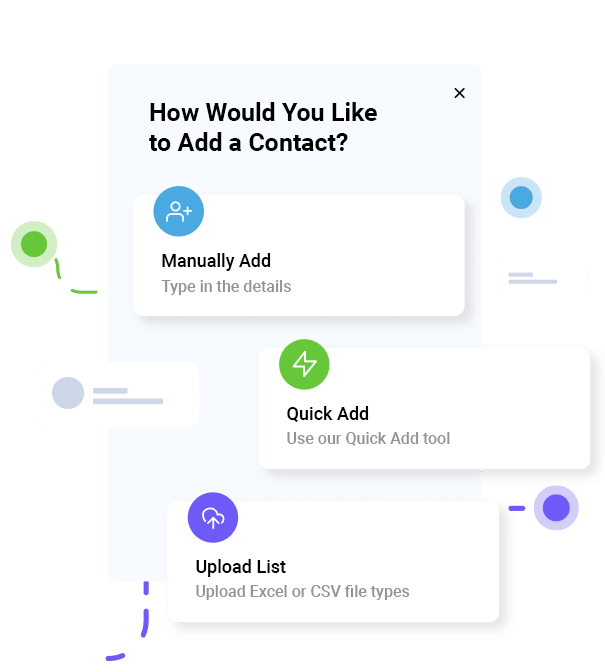
Import your CSV lists (residents, volunteers, and vendors).
Clean and deduplicate contacts.
Tag contacts by audience and zone.
Send a non-emergency welcome SMS confirming they’re subscribed.
Throughput, Coverage & Redundancy
Make sure that your provider can handle high-volume messages within seconds.
Set up:
Primary channel: SMS
Backup channel: Voice broadcast
Optional: Email + social media mirrors
Integrations & Triggers
If you’re running a larger event, connect your SMS system with:
Registration systems (auto-enroll attendees)
Incident management tools
Weather alert feeds
City emergency alert systems
With DialMyCalls, you can set simple automation flows via API, CSV syncing, or manual group updates for smaller events.
Roles, Permissions & Governance
Decide who controls communication on event day and make sure you have some redundancy, so that if the primary person is late or unavailable, there’s still someone on hand.
Assign:
Primary sender (crafts & approves alerts)
Backup sender
Incident commander (decides when an alert is needed)
Platform permission levels so only trained users can send alerts
With a smart SMS alert system in place, you can communicate with attendees, staff, vendors, and others in real-time and give everyone on the ground the information they need. DialMyCalls helps you do that fast. Ready to try it yourself?
How do I collect opt-ins for SMS alerts at a public event?
Use a shortcode keyword, QR codes, web forms, or an opt-in checkbox on your registration page. Make the keyword visible on signs, tickets, and online materials.
What should an emergency SMS alert for a parade or rally include?
Make sure you have a clear action (“Avoid Maple St”), specific location, and timestamp. Keep it brief and urgent.
How many texts are too many during an event?
Only send messages that change behavior or deliver important updates. For long events, periodic check-ins are fine, but avoid unnecessary chatter.
Can I send alerts only to people in a specific area of the route?
Yes. Use segmented groups or zones. Many events tag contacts by block or zone during signup.
What’s the difference between an event reminder and an emergency alert?
Reminders help attendees prepare (“Parade starts at 10 AM”). Emergency alerts direct action (“Seek shelter immediately”).
Can I use SMS alerts for non-emergency updates like schedule changes or lost & found?
Absolutely. Just reserve top-priority templates for urgent situations.
How does DialMyCalls compare to other mass notification tools?
DialMyCalls is built for simplicity, speed, and reliability, which are important for community and municipal events. You can send SMS + voice alerts, segment groups, reuse templates, automate opt-ins, and track performance in one dashboard.
Keep Everyone Connected & Informed
Get the Word Out Quickly with Bulk Texting and Voice Calls
Ryan Betancur is an Emergency Management Planner at Hagerty Consulting and a proud US Army veteran. Drawing on years of experience, he specializes in healthcare and critical infrastructure emergency management, strategic planning, and business continuity. Ryan has been on the front lines managing COVID-19 responses in New Jersey and Illinois and supporting NYC's Migrant Crisis response. He holds a master's degree in Homeland Security and Emergency Management and multiple certifications in emergency preparedness.
“I am a youth minister and have spent hours in the past calling students individually to remind them of an upcoming event or to get out an urgent announcement. With DialMyCalls.com, I cut that time down to about 1 minute. I also love how I can see exactly who answered live and how long they listened so I know if they heard the whole message. DialMyCalls.com is the best website I have stumbled upon all year! Thanks!”
Real Results, Real ReviewsOver 40,000 customers trust our platform – and it shows.
4.3
502 Reviews
4.7
836 Reviews
Author
Ryan BetancurEmergency Management Planner
Ryan Betancur is an Emergency Management Planner at Hagerty Consulting and a proud US Army veteran. Drawing on years of experience, he specializes in healthcare and critical infrastructure emergency management, strategic planning, and business continuity. Ryan has been on the front lines managing COVID-19 responses in New Jersey and Illinois and supporting NYC's Migrant Crisis response. He holds a master's degree in Homeland Security and Emergency Management and multiple certifications in emergency preparedness.
“I am a youth minister and have spent hours in the past calling students individually to remind them of an upcoming event or to get out an urgent announcement. With DialMyCalls.com, I cut that time down to about 1 minute. I also love how I can see exactly who answered live and how long they listened so I know if they heard the whole message. DialMyCalls.com is the best website I have stumbled upon all year! Thanks!”
Fill out the form below to get a fast custom pricing quote specific for your
organization.Want to speak to our sales team now? Call us at
1-800-928-2086
Thank you!
A representative will be reaching out to you soon.
For immediate help you can call us on
800-928-2086.
Try Out DialMyCalls Now?
Enter a new password and click create account and you'll be able to send 25 test messages now.
Send A Sample Broadcast
We'll send a sample call or text to your phone right now. Remember when you use DialMyCalls you can record your message in your own voice. When the phone rings just pick up and say "Hello" to hear the message.