10 Product Launch & Update Text Message Templates That Drive Adoption
Most companies spend months building new features. Yet when those features finally launch, adoption often lags behind expectations. Teams may experience difficulties in getting people to use those features.
Research shows that many new product features see less than 25% adoption in their first month because many users never realize they exist. Often, the announcement sits in an email inbox that gets ignored. Meanwhile, adoption stalls before it ever begins.
This is where product launch text messages change the game by putting your updates exactly where your customers are looking: on their phones. This visibility matters when you are trying to drive product adoption and increase customer engagement. The faster users see a new feature, the faster they try it.
In this guide, you’ll find 10 copy-and-paste product launch text message templates designed to announce new releases, highlight product updates, and move customers from awareness to action.
Mass Texting, Made Easy
Send Bulk Text Message Campaigns in Seconds
Why Product Launch Texts Drive Faster Adoption
Speed matters when you launch something new. The longer it takes for users to see a feature announcement, the slower product adoption happens. This is where product launch text messages can change the strategy of your go-to-market communication.
While an email announcement can be useful for sharing details about a product launch, it falls short of triggering immediate action from your users. Email open rates typically range between 20% and 28%, while SMS messages are opened about 98% of the time.
If you want your feature announcement to be seen often within minutes of delivery, text messaging is one of the most reliable ways to reach your audience.
Also, compared to in-app notifications, which require that users are logged in to see new updates, text messages can reach them wherever they are. This experience creates a sense of exclusivity and insider access for the users, making them feel like they are the first to know.
Because SMS messages are usually brief, it forces you to lead with a clear value proposition to the user. Instead of a long product announcement email explaining every detail, a text highlights the benefits first and then directs users to learn more through a direct link. Users can immediately explore the new feature and start onboarding.
10 Product Launch & Update Text Message Templates
The most effective product launch text messages are short, clear, and focused on the user benefit. Teams send these messages at different stages of a launch campaign, like early teasers to post-launch follow-ups.
Always ensure that your message highlights what has changed, why it matters, and the action the user should take next. Below are 10 templates you can copy, customize, and send depending on the stage of your product launch.
New Product Launch Announcement
Use this when announcing a brand-new product to your full customer base. The message focuses on the core benefit and includes a single link for users to explore the release.
Feature Update / Enhancement
Use this to notify existing users about improvements to a tool they already use. Targeted customer segmentation helps ensure the message reaches people who will care about the improvement.
Early Access / Beta Invite
Early access campaigns create a sense of exclusivity. Send these messages to power users, loyal customers, or users who have shown interest in your product roadmap.
Pre-Launch Teaser
Teasers build anticipation before the official release. They work best when sent to your full audience a few days ahead of launch to warm up your audience for the upcoming announcement.
Launch Day Reminder
Even users who saw your earlier announcement may forget to act. A launch-day reminder keeps the momentum going and reinforces customer engagement.
Version / Major Update Release
Use this to announce a significant upgrade, like a redesign or platform migration. These messages highlight the scale of the update while directing users to the release details.
Limited-Time Launch Offer
Pairing a launch with a short-term incentive can accelerate adoption. These messages work well for SaaS tools, ecommerce launches, and service platforms introducing new capabilities.
How-To / Quick Start Nudge
This template helps with user onboarding after launch. Once people know the feature exists, a quick tutorial removes friction and speeds adoption.
Feedback Request Post-Launch
Feedback messages are best sent to early adopters who recently interacted with the new feature. Their responses can help refine future product updates.
Re-Engagement for Non-Adopters
Send this message about one to two weeks after launch to users who have not explored the new feature. It gently reminds them of the value they may be missing.
Best Practices for Product Launch Text Messages
Segment messages by user type.
Not every user should receive the same launch message. Strong customer segmentation ensures the right people hear the right message. For instance, power users may appreciate early access or beta invitations, while casual users may benefit from simpler announcements explaining what the update does and why it matters.
Lead with the user benefit.
A great product launch text message should immediately explain how the update helps the customer. Instead of just announcing the launch, focus on the outcome the update gives. A clear value proposition encourages faster product adoption because users understand the benefit right away.
Plan a short launch communication sequence.
Single messages rarely convey go-to-market communications. A short sequence works better. Start with a teaser, follow with the launch announcement, send a quick-start guide, and finish with a follow-up reminder. Each message builds awareness and gradually encourages users to try the new feature.
Include one clear call-to-action.
Every launch message should guide the reader toward one action. That action might link to a product page, a short demo, or a changelog explaining the update. A single, focused CTA helps users move quickly from announcement to action.
Keep messages concise.
SMS works best when messages remain under 160 characters. Short messages are easier to read and make it clear what the user should do next.
Stay compliant with messaging regulations.
Companies sending SMS campaigns must follow TCPA guidelines. Always send texts to contacts who have opted in, and include clear opt-out compliance language such as “Reply STOP to unsubscribe.
Measure adoption after sending.
Beyond creating awareness, the goal of launching the message is to generate usage. Measure performance by tracking click-through rates, feature activation, and usage metrics after each campaign. These metrics show whether your product launch text messages are successfully accelerating adoption.
Maximize Outreach, Save Time
Start Transforming Your Communication with Mass Texting
Send Product Launch Texts with DialMyCalls
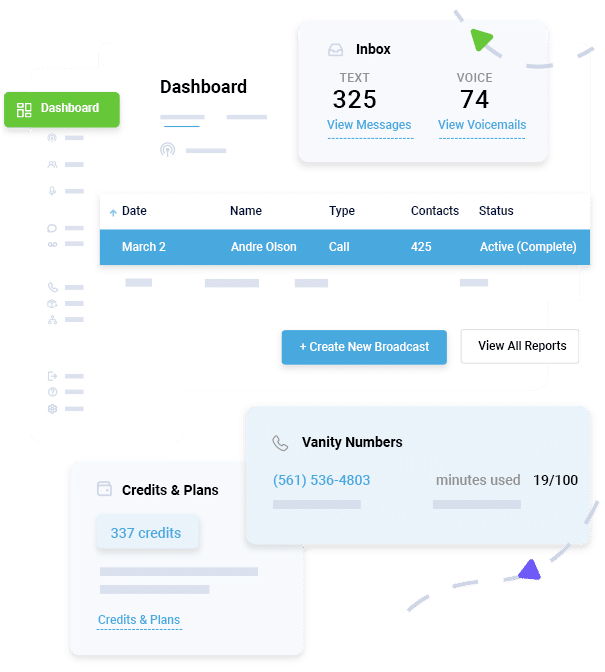
Executing launch campaigns becomes much easier when the message reaches the right people at the right time. This is why using the right mass texting platform like DialMyCalls matters. DialMyCalls allows organizations to send product launch text messages quickly and reliably to thousands of contacts at once.
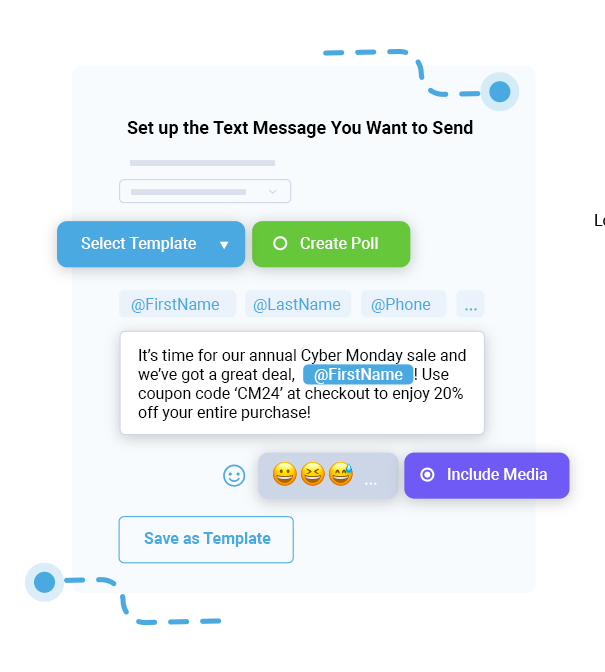
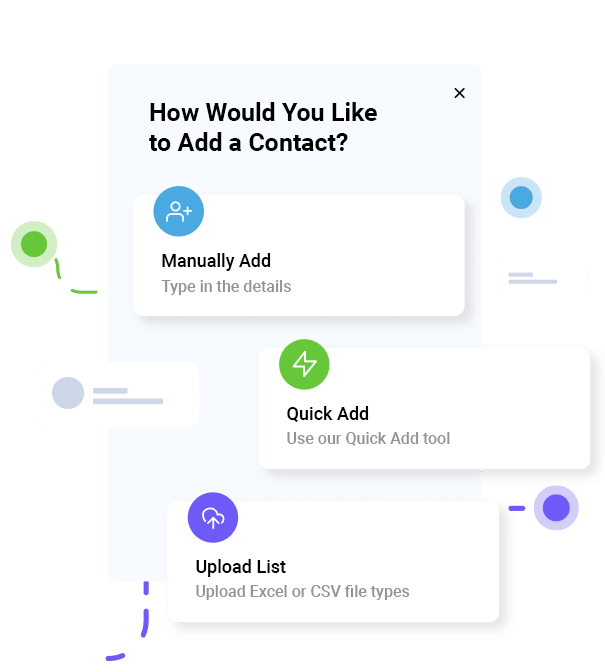
You can easily streamline your outreach by using contact list segmentation to target specific user tiers, such as beta testers or active customers. You can also use personalization merge fields to allow each message to include the recipient’s name or relevant details so that every alert feels like a 1-to-1 conversation.
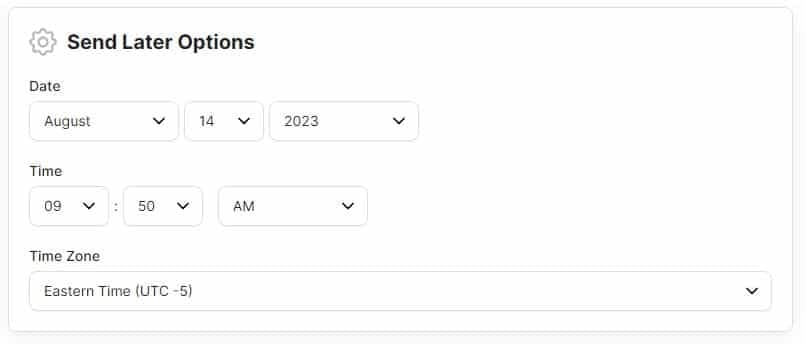
Scheduling sends to match your launch timeline, bulk messaging makes it simple to reach your full audience, while delivery reporting shows exactly who received and engaged with each message. Delivery reporting helps you confirm that your message reached your audience.
If you are planning a new release, start with the templates above and send them using DialMyCalls to reach your users instantly. Start your free DialMyCalls account today and send your first launch message in minutes.
Conclusion
Congratulations! You have built new product features, and you’re ready to launch. Whatever your launch strategy is, the real impact is when users discover it and begin to use it. Product launch text messages help close that gap by delivering updates directly to the people who need them most.
The ten templates above cover every stage of a launch, from teasers and early access invites to follow-up reminders. Copy the templates, customize them for your audience, and start sending your launch messages today with DialMyCalls to turn your next release into a success.
Product Launch Text Templates FAQs
When should I send a product launch text vs an email?
Email works well for detailed announcements such as release notes or long-form explanations. Product launch text messages are best for quick visibility. They alert users instantly and guide them to explore the update through a link.
How many texts should I send for a single product launch?
A sequence of 2–4 messages is typically ideal. This usually includes a teaser, the official launch day alert, and a follow-up a few days later to encourage product adoption.
Should I send the same launch text to all customers?
No, customer segmentation is key to maintaining a high-quality experience. Tailor your message based on user behavior or purchase history to ensure the update is relevant and reduces the likelihood of users opting out.
What’s the best time of day to send product launch texts?
Most organizations find success sending texts during standard business hours (10 AM to 3 PM) to ensure users can take action immediately. The most important factor is aligning the timing with your launch schedule and user activity patterns.
How do I measure if my launch texts are driving adoption?
Start by tracking click-through rates from the text message link. Then measure feature activation, product usage, and retention among recipients. If users begin interacting with the feature soon after receiving the message, your launch communication is working.
Do I need consent to send product update texts?
Yes, compliance with TCPA is mandatory. You must have documented consent from your users before sending automated alerts, and you must provide a clear way for them to opt out at any time.
Reach Thousands, Instantly
Grow Your Business by Leveraging Mass Texting