10 Review Request Text Templates That Increase 5-Star Ratings

Imagine you just delivered an excellent service for your client, and you can see it in their face that they are satisfied. But then you walk away thinking, “That is an easy five-star review in the bank.”
You’re not wrong to guess so. Online reviews are golden in the ecommerce world, and they influence buying decisions today. According to BrightLocal, 93% of consumers say online reviews impact the businesses they choose. Yet many companies still leave reviews up to chance by not asking for them.
All you have to do is send a gentle nudge to your customer to write you a review. But instead of sending an email that may go unread, send a review request text message. Compared to emails, SMS has 98% open rate, making it the single highest-converting review channel available to your business. It meets your customers exactly where they already are: looking directly at their phones.
A well-timed text message can turn a happy customer into a visible online advocate with just one tap. Explore everything you need to know about using SMS to improve your business’s ratings.
Mass Texting, Made Easy
Send Bulk Text Message Campaigns in Seconds
Why Review Request Texts Work
If you are still sitting on the fence about texting your customer base, it might help to understand why something as simple as a text message can be a powerful tool for building your online reputation. They can help to bridge the gap between customer satisfaction and public proof.
SMS Open Rates Outperform Email
Review requests via email are a thing, and many brands rely on it. But what are their success rates? Statistics already prove that emails rarely get opened because they generally get low open rates. What this means is that you may send a ton of review request emails and eventually have a small percentage of your audience open them.
This is where text messages are different. SMS review requests improve customer response rates because they appear instantly on phones, even on the lockscreen, and require little effort to read. Most people often read a text within three minutes of receiving it, and when they see it, they are far more likely to respond while the experience is still top of mind.
They Reach Customers at the Right Moment
Think about the moment right after a successful service appointment, completed delivery, or positive customer interaction. That’s usually when satisfaction is highest. Then think about asking a customer for a review two weeks after you delivered the service. The excitement they feel for a job well done must have completely faded.
Texting allows you to send a notification the exact moment a service is completed or a product is delivered, when the likelihood of receiving positive feedback is high.
One Tap Removes Friction
Humans are inherently resistant to multi-step processes. So the reason why your client is not leaving a review is not that they are dissatisfied with your service; it’s the inconvenience they have to go through to drop one.
Customer review automation reduces follow-up friction. This is why effective review request SMS campaigns include a direct review link. With one tap, the customer is exactly where they need to go. Now your clients don’t need to search for business online or navigate through several pages. The easier the process feels, the more likely customers are to complete it.
Reviews Build Social Proof at Scale
One positive review is good. But imagine what 50 consistent reviews can do to your business. Stats from Capital One Shopping Research show that most consumers read multiple reviews before trusting a local business. When your potential clients see a steady, rolling stream of positive feedback compared to a handful of old ones, it proves that your business is active.
The good thing is that SMS makes gathering this ongoing social proof effortless and natural because it can be automated. Businesses can therefore steadily collect reviews without manually following up after every interaction.
Improves Local SEO Rankings (Especially Google Business Profile)
Search engines like Google are programmed to showcase the best local options to users. You need to have a Google Business Profile with steady reviews to be in this pool of options. Google Business Profile reviews influence local search visibility. This shows that customer feedback contributes to how your business is perceived online.
By consistently generating text-driven 5-star reviews on your business profile, you signal to search algorithms that you are a trusted brand, which naturally pushes your business above the competition.
Reach Thousands, Instantly
Grow Your Business by Leveraging Mass Texting
10 Review Request Text Message Templates
The best review request messages feel simple, personal, and easy to act on. Below are 10 customizable review request text templates businesses can adapt across different customer interactions and industries.
General Feedback Request
This is a straightforward option that often works well after most customer interactions.
Rating Request
This SMS template encourages quick engagement by asking customers to rate the experience directly.
Service Review Invitation
This is ideal for businesses such as contractors, healthcare consultants, and repair companies that rely heavily on service quality and customer relationships.
Post-Purchase Feedback
A great fit for ecommerce stores and retail businesses that can be sent shortly after a delivery. It helps to reinforce post-purchase engagement.
Customer Experience Check-In
Send conversational-style review requests that encourage customers to share their honest opinions about your product or service.
Review Reminder
Even customers can sometimes forget to leave a review, but a polite follow-up can help increase response rates.
Customer Voice Request
Customers are more likely to respond when they feel their opinion genuinely matters. With this template, you can make your customers feel heard by encouraging them to share their experiences publicly.
Follow-Up Feedback Prompt
This template is a good option after appointments or completed projects. Since it references a recent interaction, the message feels more personal than a generic review request SMS.
Experience Survey Invitation
You can position your review request as an opportunity to share feedback rather than simply for a rating. This template works well when businesses want slightly more detailed feedback.
Thank-You for Feedback
Thank-you messages work especially well after a customer has already shared private feedback or completed a survey.
Mass Texting, Made Easy
Send Bulk Text Message Campaigns in Seconds
Best Practices for Review Request Texts
A review request text can be perfectly written and still fail. To bring in those 5-star ratings without bugging your customers, you need a smart plan. Let’s look at the rules of text-based review requests to make sure your strategy works out perfectly.
Timing Is Everything
Asking for a review two weeks after their experience has already gone cold will result in high bounce rates. Review request SMS campaigns increase response rates when sent immediately after service completion.
The best time to send a review request is usually within one or hours after completing the service or purchase. This is because you want to reach out while the excitement, relief or satisfaction of a great experience is still fresh. The closer the request is to the positive experience, the more natural the message feels.
Make It One Tap
You’ve just delivered an excellent service, and your client is extremely satisfied. They also want to leave a review, but they can easily become discouraged when the process takes minutes to figure out. Never make your customers hunt for a place to leave feedback.
Prioritize convenience, and this may mean including a direct link to your review page in your review request SMS. This will help reduce review abandonment rates. Plus, the fewer steps they have to take, the more likely they are to do it.
Keep It Short and Personal
Don’t treat review requests as promotional messages that you send to an email list. When a customer has had a one-on-one experience with your brand, requesting a review should also feel personal, like a continuation of the interaction. How do you achieve this? Always include the customer’s first name in the text. Mention the specific service or item they received. Then keep your message clear and under 160 characters so they can read it in seconds
Don’t Batch Blast Requests
It can be tempting to want to have hundreds of your clients drop positive reviews all at once. But a sudden flood of reviews can send the wrong signal to search engine algorithms. This is why it is not advisable to send hundreds of requests at the same time. Instead, use review request automation to help achieve consistent review generation patterns. Through this automation, you can stagger your review requests throughout the day as appointments or purchases happen naturally.
Ask Happy Customers First
Even when you offer excellent services, not every customer will have the same experience. Most businesses use a satisfaction check before directing customers to a public review platform. This can be a simple question, such as “On a scale of 1-10, how was your experience today?” If they reply with a 9 or 10, immediately send a follow-up text with your Google review link. If their score is lower, point them to a private feedback form so you can fix the issue internally.
Follow Up Once, Not Twice
We all get busy, so sending one polite follow-up text 2 to 3 days after your first message is reasonable. But if they ignore that second text, let it go. Review reminder texts maintain customer goodwill when used sparingly. Whereas pestering people with three or four messages can easily turn a happy customer into an annoyed reviewer who leaves a 1-star rating just to make it stop.
Stay Compliant With Review and Messaging Rules
Telecom rules are serious business. Under the Telephone Consumer Protection Act (TCPA) regulations managed by the FCC, you must have prior express consent before sending automated texts to customers. Make sure your digital intake forms, checkout pages, or terms of service include a clear, unticked box where people agree to receive text updates. Also, you must include a clear opt-out phrase like “Reply STOP to opt out” in every single review request you send.
Additionally, follow Federal Trade Commission (FTC) guidelines: if you offer a small incentive (like a 10% discount or a raffle entry) for a review, your text or landing page must tell the reviewer to mention that incentive in their comments. Never buy 5-star ratings directly.
Send Review Request Texts with DialMyCalls
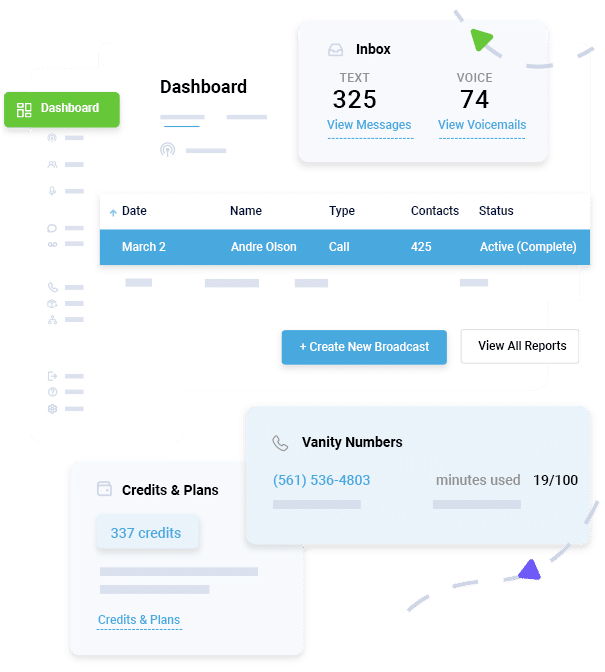
Manually asking every customer for a review becomes difficult as businesses grow. That’s where automation helps. DialMyCalls provides all the multi-channel tools your organization needs to automate, personalize, and track your review campaigns in one place. Get features like:
Automated Review Texts
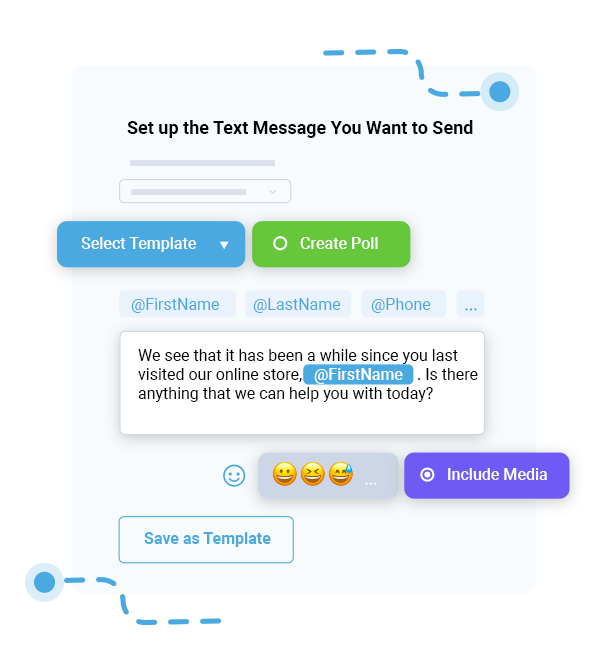
Connect your customer platform or calendar to automatically send out a tailored text message right after an appointment wraps up.
Personalize at Scale
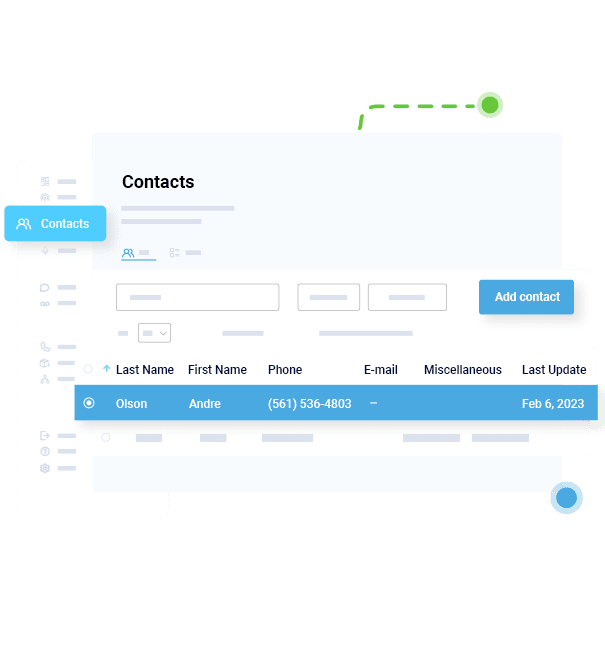
Use custom merge fields to pull in client names, specific services, or employee names without missing a beat.
Schedule for Optimal Timing
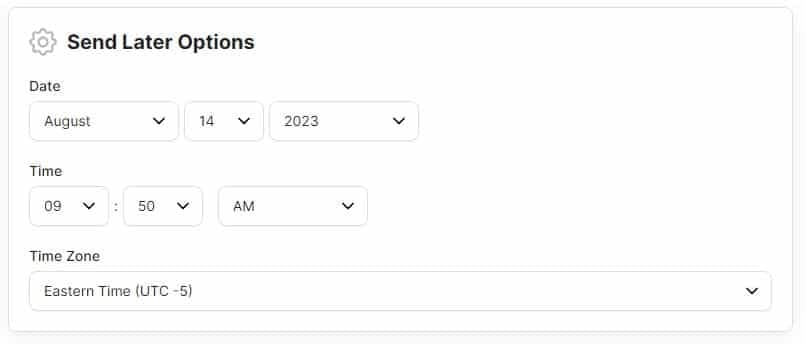
Set up your text requests ahead of time and schedule them to go out during high-conversion hours, keeping your business out of late-night or early-morning windows.
Track Delivery and Response Rates
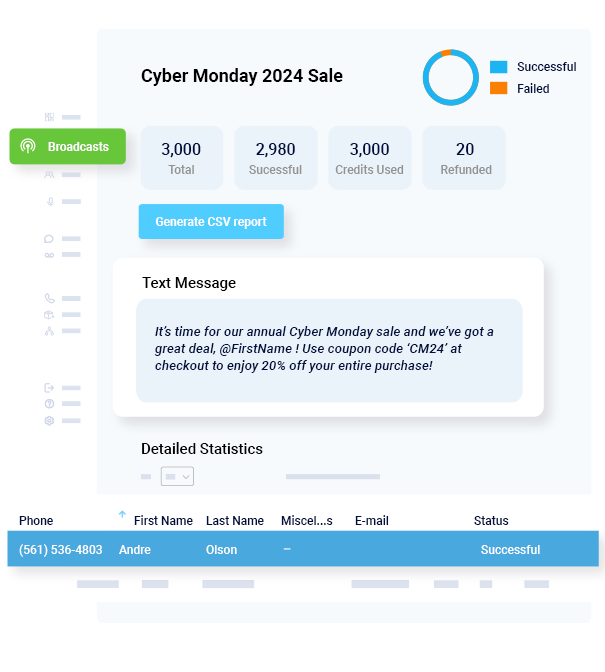
Use a simple, clean dashboard to see exactly who received your text messages and monitor your link clicks over time.
For organizations trying to build a stronger online reputation consistently, automation creates a much more reliable process than manual outreach. Start your free trial today or send your first message free with DialMyCalls.
FAQs
When is the best time to send a review request text?
The best time is typically within one to two hours after a completed service, appointment, or purchase. Sending the request while the experience is still fresh often results in higher response rates.
How many review request texts should I send per customer?
In most cases, one initial request and one follow-up reminder are sufficient. Sending additional reminders can feel intrusive and may negatively affect the customer experience.
Is it legal to offer incentives for reviews?
Businesses can offer incentives in some situations, but the incentive must be disclosed properly and cannot require only positive reviews. Review requests should never be deceptive or misleading.
What review platform should I link to in my text?
The best platform depends on your business goals. Many local businesses prioritize Google reviews because they can influence local search visibility, while others may use Yelp, Facebook, or industry-specific review platforms where customers commonly search for recommendations.
How do I handle negative reviews from text requests?
Respond calmly, professionally, and quickly. Negative feedback can also help businesses identify operational issues and improve customer experiences.
Can I automate review request texts after every appointment?
Yes. By linking your point-of-sale software or CRM with a messaging platform like DialMyCalls, you can set up automatic workflows that send out your custom templates the second a job is marked done or an invoice is settled.
Maximize Outreach, Save Time
Start Transforming Your Communication with Mass Texting