When an emergency strikes, clear and immediate communication can protect lives. Churches are meant to be places of worship and community, but when an emergency strikes, the difference between survival and disaster often comes down to how well your church communicates. In this guide, you’ll learn how to build a reliable emergency notification system that keeps your congregation safe and connected. From establishing a communication plan to using multi-channel alerts, maintaining contact lists, and managing post-crisis updates, these best practices will help your church prepare, respond, and recover.
Safeguarding Your Flock
What’s the most important thing to have when an emergency strikes? Accurate communication.
Whether it’s a sudden storm rolling in during Sunday service, a security concern at a community event, or a medical emergency in the sanctuary, your church needs a reliable way to reach everyone and to do so fast.
According to Kearn Consulting, 75% of congregations lack a formal emergency response plan. Guard the Flock points out that most churches aren’t even prepared for an emergency on their campuses. That means most churches are vulnerable when the unexpected happens. But it doesn’t have to be that way. With the right tools and preparation, you can make sure that when emergencies arise, your church responds quickly.
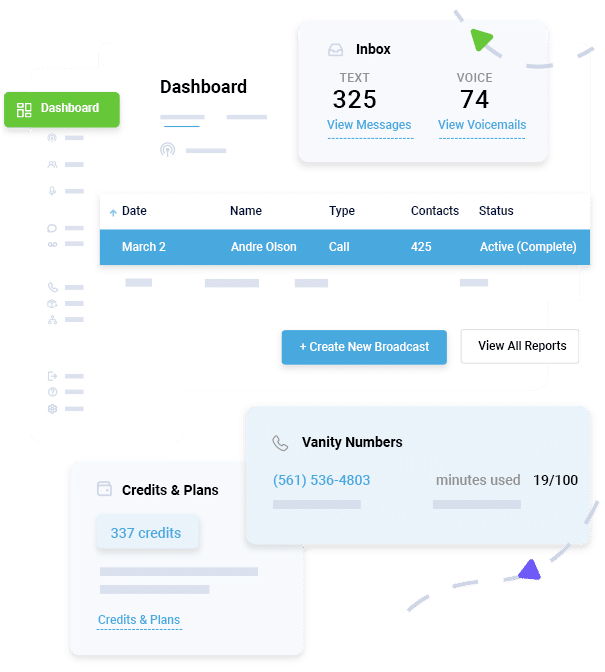
Platforms like DialMyCalls make this easier than ever. They allow churches to send mass alerts instantly, via text, voice, or email, to every member, volunteer, and staff person, keeping everyone informed in real time.
In this post, you’ll learn seven best practices to strengthen your church’s emergency communication strategy and ensure your congregation stays safe and connected.
Why Churches Need an Emergency Notification System
Churches are unique environments. They’re often spread across multiple buildings, led by volunteers, and filled with people of all ages and technological comfort levels. Whether weather-related, medical, or security-driven, emergencies can escalate quickly in that kind of setting.
Multiple services on Sunday mornings and nights, Sunday School, youth groups, related events, and community/outreach events can bring hundreds together under one roof. In a crisis, quick alerts reduce confusion and prevent panic.
Staff and Volunteers Are Often Dispersed
Many churches have multiple buildings or campuses. That means you could have hundreds of people spread out over a very wide area. An emergency alert system keeps everyone on the same page instantly.
Clear Communication Saves Time and Lives
When you can send a message to every device at once, your team can focus on helping people immediately, not chasing down contact lists before they can even start.
It Builds Trust and Confidence
A congregation that knows you’re prepared feels safer and more connected to the church’s leadership.
Beyond safety, emergency notifications also help with coordination after an event. Think about things like sharing updates, notifying people about service cancellations, or sending community assistance information.
Instant Communication, Whenever You Need It
Send Real-Time SMS & Voice Call Alerts from Anywhere
7 Best Practices for Church Emergency Notifications to Keep Congregations Safe
So, how do you put a plan like that into place while making sure that it accounts for your unique needs? Here are the seven best practices all churches should follow.
1. Establish a Clear Emergency Communication Plan
Every great response starts with a plan. Before you can send alerts, you need to decide who sends them, how they’re sent, and when to send them.
Define Roles
Assign specific people to verify that an emergency exists, approve alerts, and send the actual messages. Having multiple trained individuals prevents bottlenecks and slowdowns if someone’s not there at the time.
Create a Communication Hierarchy
Information should move from one point in the hierarchy to the next: leadership to staff, staff to volunteers, and volunteers to the congregation.
Identify Your Communication Channels
Know which work, who prefers which channel, and how they’ll be used. SMS, voice calls, and emails should all be part of your plan, but you’ll want to know which to prioritize depending on the situation.
Train Regularly
Don’t assume that because you ran through the plan last year, your team knows what to do. New volunteers come on board frequently. Schedule short training sessions so everyone knows what to do if an alert is needed.
A written plan also helps eliminate guesswork. Keep copies accessible in the church office, safety binders, and your digital file system.
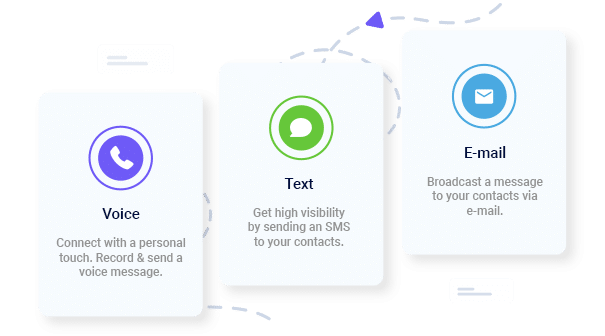
2. Use Multi-Channel Alerts (SMS, Voice, and Email)
Understand one thing from the outset: no single communication method works for everyone. Some people will rely on texting while others might prefer an actual phone call. Here’s what you need to know.
Text messages are great for quick updates like “Storm approaching; seek shelter inside the main building.”
Voice calls reach members who might not use text messaging, especially older congregants.
Emails work better for follow-up messages, like safety instructions, rescheduling information, support details, or donation needs.
Multi-channel alerts also let you create messages for specific groups (staff, volunteers, parents, or the entire congregation) based on what they need to know.
3. Maintain an Up-to-Date Contact Database
Even the best system can’t help if your contact list is outdated. Keeping accurate, organized contact information is one of the most important steps in your emergency preparedness, but it’s not as simple as it might sound.
Collect Contact Info During Registration or Events
Encourage members to provide their cell phone numbers and emails.
Enable Self-service Updates
Let members update their own information through an online form or QR code in the church bulletin or lobby.
Segment Your Contacts
Break your list into different groups (staff, volunteers, youth ministry, childcare, etc.). That way, you can send instructions relevant to each group.
Protect Your Data
Keeping names and contact information private is important. Make sure the system you use encrypts personal information.
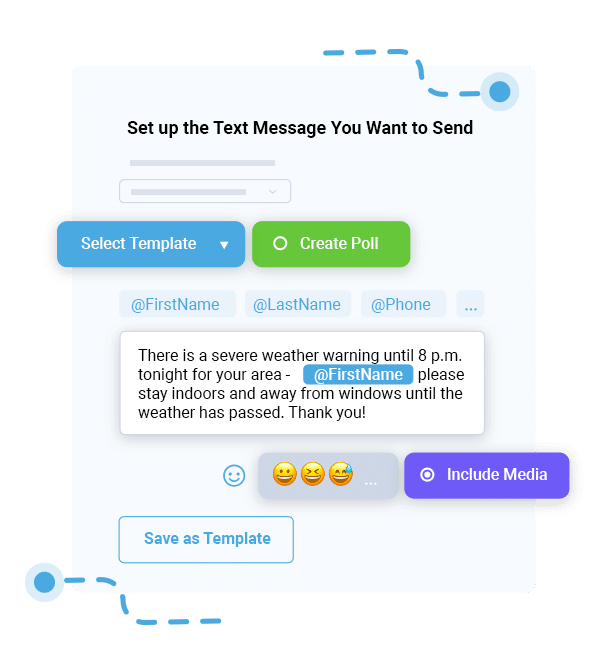
When an emergency hits, every second counts. Pre-written message templates help you get the word out without wasting time.
Weather Alert
⚠️ Due to severe storms, tonight’s service is canceled. Stay safe and check your email for updates.
Medical Emergency
Medical assistance needed in the main sanctuary. Please remain seated while emergency personnel respond.
Security Alert
Lockdown in effect. Stay inside and await further instructions.
Fire or Evacuation
Evacuate through side exits calmly. Meet in parking lot B for further instructions.
Templates are good for a few reasons. First, they keep your message consistent from audience segment to audience segment. Second, they help make sure that everyone has access to accurate information, reducing the chance that someone will act based on rumors. You can store templates directly within DialMyCalls for one-click access whenever you need them.
5. Test and Train Regularly
An untested plan isn’t a reliable one. Regular testing makes sure that your system actually works, and that your people know what to do when the time comes.
Conduct Quarterly Drills
Send test alerts to all groups and review who received them and how quickly they responded.
You can also set up automated weather alerts through DialMyCalls Weather Alerts, so your congregation gets their updates in real time and your team doesn’t have to send them manually.
7. Communicate After the Crisis
The end of an emergency doesn’t mean communication should stop. In fact, post-crisis messages can be just as important as the initial alert.
After a situation resolves, send follow-up messages to:
Reassure Your Congregation
Let members know everyone is safe or offer updates about ongoing recovery efforts.
Share Information About Service Changes or Cancellations
Keep people informed about when and where they can safely return.
Request Assistance or Prayers
Involve the congregation in recovery and community support efforts.
Promote Transparency
Share what happened, how it was handled, and what improvements are being made.
With DialMyCalls, you can even schedule these follow-ups automatically or send them through multiple channels so that everyone stays connected through the entire recovery process.
Common Scenarios Requiring Church Emergency Notifications
Here are a few of the most common situations where your alert system will prove invaluable, along with example messages you can adapt for your own templates:
Scenario
Example Message
Severe Weather
“All Sunday services canceled due to snowstorm. Stay home and stay safe.”
Medical Emergency
“Paramedics responding in the fellowship hall, please avoid the area until cleared.”
Security Threat
“Lockdown in progress. Stay where you are until further notice.”
Fire or Evacuation
“Evacuate through side exits calmly. Meet in parking lot B for headcount.”
Power/Utility Issue
“Power outage at main campus. Tonight’s classes postponed until further notice.”
Don’t Let a Lack of Predictability Affect Your Congregation’s Safety
Emergencies are unpredictable, but your response doesn’t have to be. With planning and the right communication tools, your church can protect its members even in the most stressful situations.
By establishing a plan, using multiple communication channels, maintaining up-to-date contact lists, testing regularly, automating alerts, and following up after each event, you’ll create a system that safeguards your congregation.
Set up your church emergency alert system with DialMyCalls today, and keep your congregation safe, informed, and connected no matter what happens.
Church Emergency Notifications FAQs
How do churches send mass emergency alerts?
Churches can send mass alerts using an emergency notification platform like DialMyCalls. It lets you send text messages, voice calls, and emails to hundreds or thousands of contacts instantly.
Are church emergency messages private and secure?
Yes. Platforms like DialMyCalls follow industry rules and government regulations to make sure that member information stays safe.
Can alerts reach non-members or visitors?
Absolutely. Many systems let you add temporary contacts or public opt-in links so that visitors can get alerts during special events.
How often should alert systems be tested?
Quarterly testing is recommended. Regular tests show your system works, help you keep data current, and drill procedures into staff and volunteers.
Is DialMyCalls compliant with privacy laws?
Yes. DialMyCalls is fully compliant with federal communication and privacy regulations, so that every message you send is both safe and lawful.
Keep Everyone Connected & Informed
Get the Word Out Quickly with Bulk Texting and Voice Calls
Ryan Betancur is an Emergency Management Planner at Hagerty Consulting and a proud US Army veteran. Drawing on years of experience, he specializes in healthcare and critical infrastructure emergency management, strategic planning, and business continuity. Ryan has been on the front lines managing COVID-19 responses in New Jersey and Illinois and supporting NYC's Migrant Crisis response. He holds a master's degree in Homeland Security and Emergency Management and multiple certifications in emergency preparedness.
“I am a youth minister and have spent hours in the past calling students individually to remind them of an upcoming event or to get out an urgent announcement. With DialMyCalls.com, I cut that time down to about 1 minute. I also love how I can see exactly who answered live and how long they listened so I know if they heard the whole message. DialMyCalls.com is the best website I have stumbled upon all year! Thanks!”
Real Results, Real ReviewsOver 40,000 customers trust our platform – and it shows.
4.3
502 Reviews
4.7
836 Reviews
Author
Ryan BetancurEmergency Management Planner
Ryan Betancur is an Emergency Management Planner at Hagerty Consulting and a proud US Army veteran. Drawing on years of experience, he specializes in healthcare and critical infrastructure emergency management, strategic planning, and business continuity. Ryan has been on the front lines managing COVID-19 responses in New Jersey and Illinois and supporting NYC's Migrant Crisis response. He holds a master's degree in Homeland Security and Emergency Management and multiple certifications in emergency preparedness.
“I am a youth minister and have spent hours in the past calling students individually to remind them of an upcoming event or to get out an urgent announcement. With DialMyCalls.com, I cut that time down to about 1 minute. I also love how I can see exactly who answered live and how long they listened so I know if they heard the whole message. DialMyCalls.com is the best website I have stumbled upon all year! Thanks!”
Fill out the form below to get a fast custom pricing quote specific for your
organization.Want to speak to our sales team now? Call us at
1-800-928-2086
Thank you!
A representative will be reaching out to you soon.
For immediate help you can call us on
800-928-2086.
Try Out DialMyCalls Now?
Enter a new password and click create account and you'll be able to send 25 test messages now.
Send A Sample Broadcast
We'll send a sample call or text to your phone right now. Remember when you use DialMyCalls you can record your message in your own voice. When the phone rings just pick up and say "Hello" to hear the message.